
6 Minutes
There is a very specific kind of modern frustration that arrives when your thumb misses the right key for the fifth time, autocorrect turns a normal sentence into nonsense, and the person waiting for your reply can see that you are still typing. Tiny glass keyboards have improved, sure. They are still tiny glass keyboards.
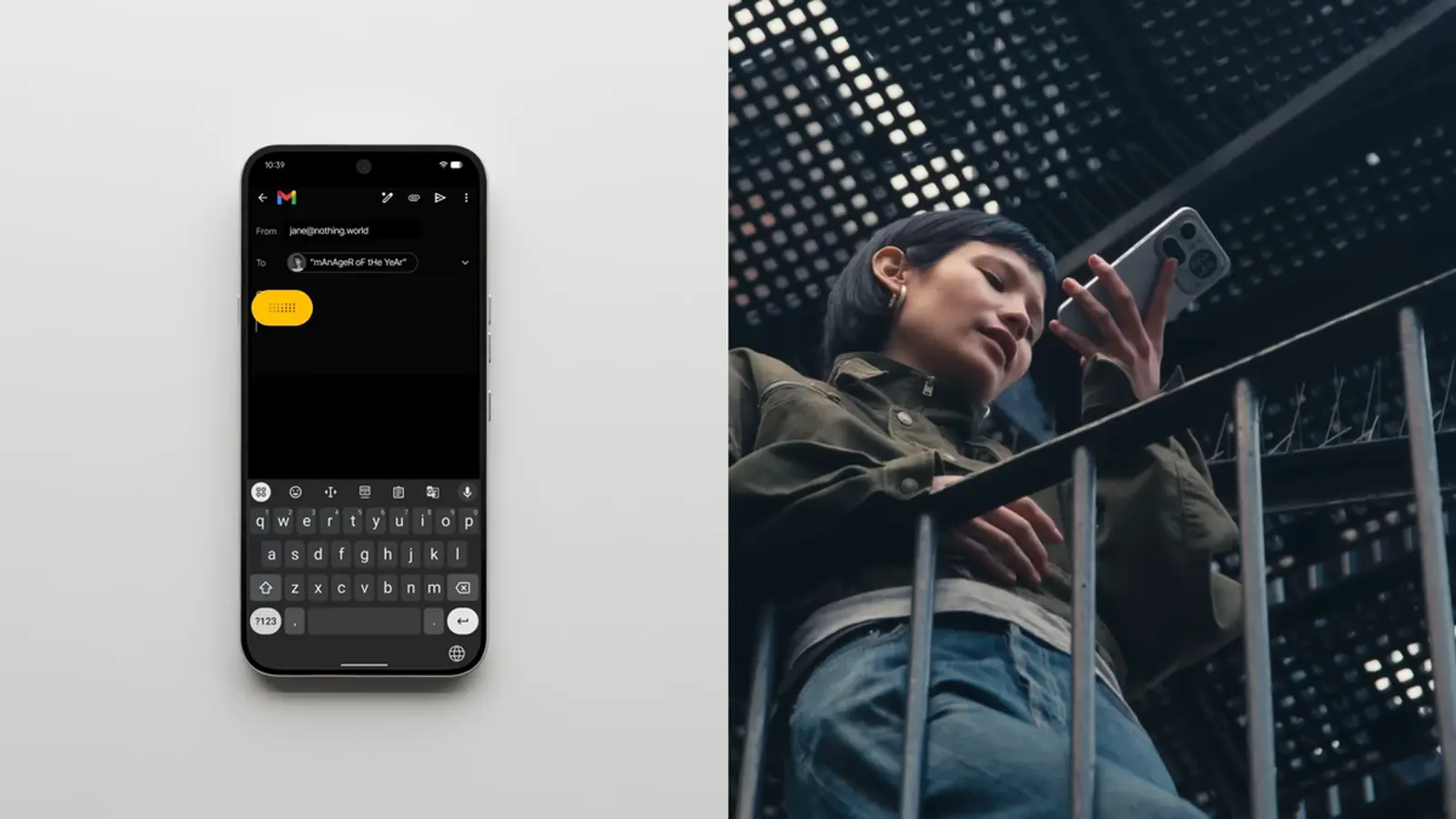
Nothing thinks it has a better answer. Its new Essential Voice feature is built around a simple promise: speak naturally, get clean text back, and skip the usual mess that comes with raw dictation.
That sounds small until you remember how much of smartphone life still revolves around input. Messages. Emails. Notes. Search. Lists. Quick replies while walking. Most people do not want to compose everything with two thumbs. Some users are brilliant at it, even with long nails and zero hesitation. The rest of us are just trying not to send three typos and an accidental emoji.
Voice messages were supposed to solve that. In reality, they created a second problem. Nobody wants to pause music, mute a podcast, or step away from a meeting just to hear a 70-second audio note packed with pauses, filler words, and the occasional dramatic inhale. Voice is fast for the sender. Not always for the receiver.
The keyboard finally gets out of the way
Essential Voice, now available on the Nothing Phone (3), is designed to sit closer to everyday typing than a traditional voice memo. Nothing says the Phone (4a) Pro will get the feature later in April, while the Phone (4a) is expected to follow in early May.
The idea is not just transcription. That part already exists on iPhones, Galaxy phones, Pixel devices, laptops, smartwatches, and half the apps people use every day. The real pitch is polish. Essential Voice is meant to take spoken language and turn it into structured writing in real time, without leaving you with a transcript full of uhm, like, basically, and the rest of the verbal confetti humans scatter when thinking out loud.
That distinction matters. Standard speech-to-text tools often behave like court reporters with no editorial judgment. They capture the words, but they do not always understand the intent. Say something slightly complex and the result can look like a half-finished note from someone sprinting through a train station. Then you have to edit it. At that point, was it really faster?
Nothing's approach tries to blend the speed of voice input with the readability of written communication. The feature is integrated directly into the keyboard and tied to the Essential Key, which means users do not have to jump into a separate recorder or app just to dictate a message. Speak, convert, send. That is the dream, at least.
It can also shape the output depending on what you are trying to create. A casual message can stay conversational. A work email can be formatted more neatly. A set of instructions can become a step-by-step list. If you are talking through errands, it can become something closer to a checklist than a stream of consciousness.
The multilingual angle is just as important. Essential Voice supports more than 100 languages, with automatic language detection and regional variations. It can also transcribe and translate speech at the same time in real time, which gives it obvious appeal for travelers, international teams, multilingual families, and anyone who regularly switches between languages during the day.
There is a practical layer too. Nothing says the system can map recurring phrases into shortcuts. In plain English, that means you could say something familiar and have the phone replace it with a consistent saved output, such as a standardized name, address, business detail, or phrase you use repeatedly. It is not flashy. It is useful. Those are often the features people actually keep using.
Privacy is the obvious question whenever voice and cloud processing appear in the same sentence. Nothing says Essential Voice only activates when the user manually triggers it. Audio is encrypted during processing, converted into text on servers, and the final result is returned to the device without being stored.
Will that satisfy everyone? Probably not. Some users will still prefer fully on-device processing, especially for sensitive work. But Nothing is at least being clear about the flow, and that transparency matters in a market where voice assistants have trained people to be suspicious.
The bigger story is that smartphone innovation is not always about foldable screens, camera bumps, or another race for brighter displays. Sometimes the next meaningful upgrade is the thing that removes a daily annoyance so quietly that you only notice it when you go back to an older phone.
Apple and Samsung already offer strong dictation tools, and Google has pushed voice typing hard on Pixel devices. Still, if Nothing can make Essential Voice feel genuinely cleaner, faster, and less awkward in real use, it gives users a reason to look twice. Not because typing disappears overnight. It will not. But because the best phone features often start with a simple reaction: finally.


Comments
Tomas
Is the privacy part actually solid? manual trigger helps, but uploading audio to servers, encryption then delete, who audits that? skeptical.
mechbyte
wow, finally someone fixing the tiny typing pain. if it actually cleans up my messages, I'll switch. curious how it handles accents tho

Leave a Comment