
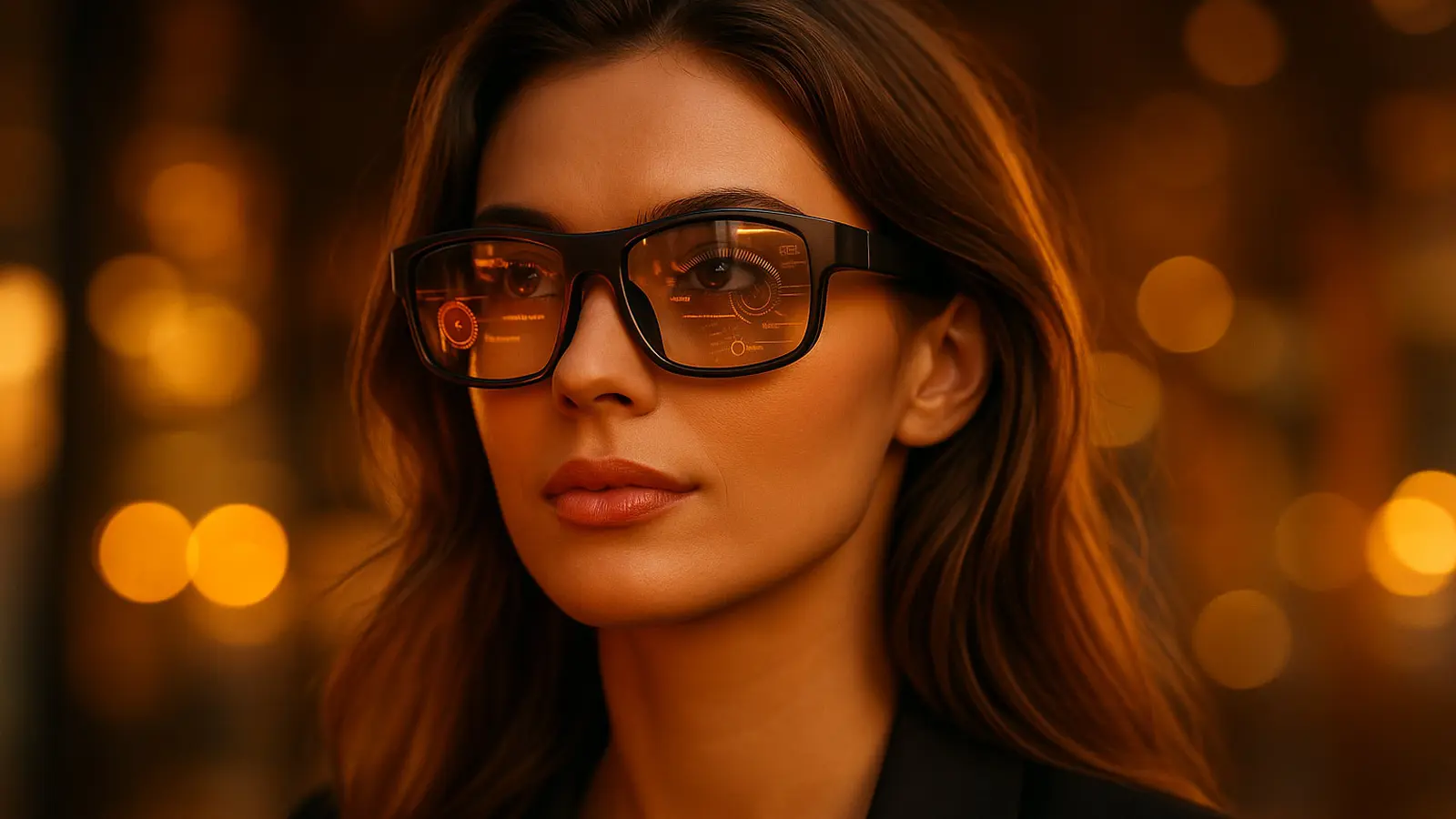
AR and XR glasses are no longer flashy trade-show demos. In 2025 they are finally useful for real people doing real things. Some models deliver genuine spatial multitasking for work. Some are portable movie theaters for flights and hotel rooms. Others are lifestyle wearables with cameras and on-device AI for creators and travelers. This long, practical guide walks through six standout products, how they differ, what they actually do well, and how to pick the right one for your budget and use case. If you want a second monitor in a backpack, a private OLED cinema on a train, or a hands-free assistant for daily life, you will find a solid match here.
1) How to evaluate AR and XR glasses
Before you fall in love with a brand name or a promo video, filter every option through these criteria:
Experience type. Do you need true AR with spatial anchoring and head-linked stability, or a high quality floating display for media and games.
Field of view. Wider FOV feels more immersive, but poorer edge optics can introduce distortion and eye strain.
Brightness and contrast. Near windows or outdoors you need high brightness and, ideally, electrochromic dimming to cut glare.
Tracking. Native 3DoF head tracking is valuable for pinning windows in space and reducing drift.
Audio and mics. Open-ear speakers must be clear for podcasts, calls and games, and mics should suppress room noise.
Comfort and vision fit. Weight, balanced center of mass, adjustable nose pads, diopter controls and IPD fit are the difference between fun and fatigue.
Connectivity. USB-C DisplayPort Alt Mode is the cleanest path. iOS often needs adapters. Steam Deck and Windows handhelds are usually plug-and-play.
Software and ecosystem. Window management, spatial multitasking, voice assistants and reliable companion apps matter more than fancy trailers.
Power. Most glasses draw power from the host device. Some include charging cases for all-day use.
Privacy. Recording indicators, people’s comfort in public spaces, and your own policies for respectful use.
2) Top picks at a glance
| Best for | Model | Why it stands out |
|---|---|---|
| True AR productivity | XRE 1 Pro | Redesigned prism optics, roughly 57 degree FOV, native 3DoF, stable spatial anchoring, electrochromic dimming, well tuned open-ear audio, excellent with multiwindow apps on Mac and iPad |
| Almost-Pro for less | XRE 1 | About 90 percent of the Pro experience, 1080p per eye at up to 120 Hz, lighter on advanced optics, great for travel, work and general media |
| Pure entertainment | Viture Pro XR | Very bright dual micro-OLED, deep contrast, usable next to windows, great with Switch, Steam Deck and phones for a pocket IMAX feel |
| Best value | RayNeo Air 3S XR | Big, bright virtual screen at a budget price, 1080p per eye at up to 120 Hz, featherweight and simple |
| Gaming on the go | Lenovo Legion Glasses Gen 2 | Dual 1080p micro-OLED with excellent motion handling, per-eye diopter adjustment, improved open-ear speakers, ideal for Steam Deck, ROG Ally and Legion Go |
| Lifestyle and AI | Ray-Ban Meta smart glasses | Classic Wayfarer look, 12 MP camera, open-ear speakers, capable on-device assistant, subtle waveguide notifications for texts and directions |
Availability, bundles and prices vary by market. Treat this as a map, not a price sheet.
3) In-depth reviews
XRE 1 Pro: spatial multitasking that actually replaces a travel monitor
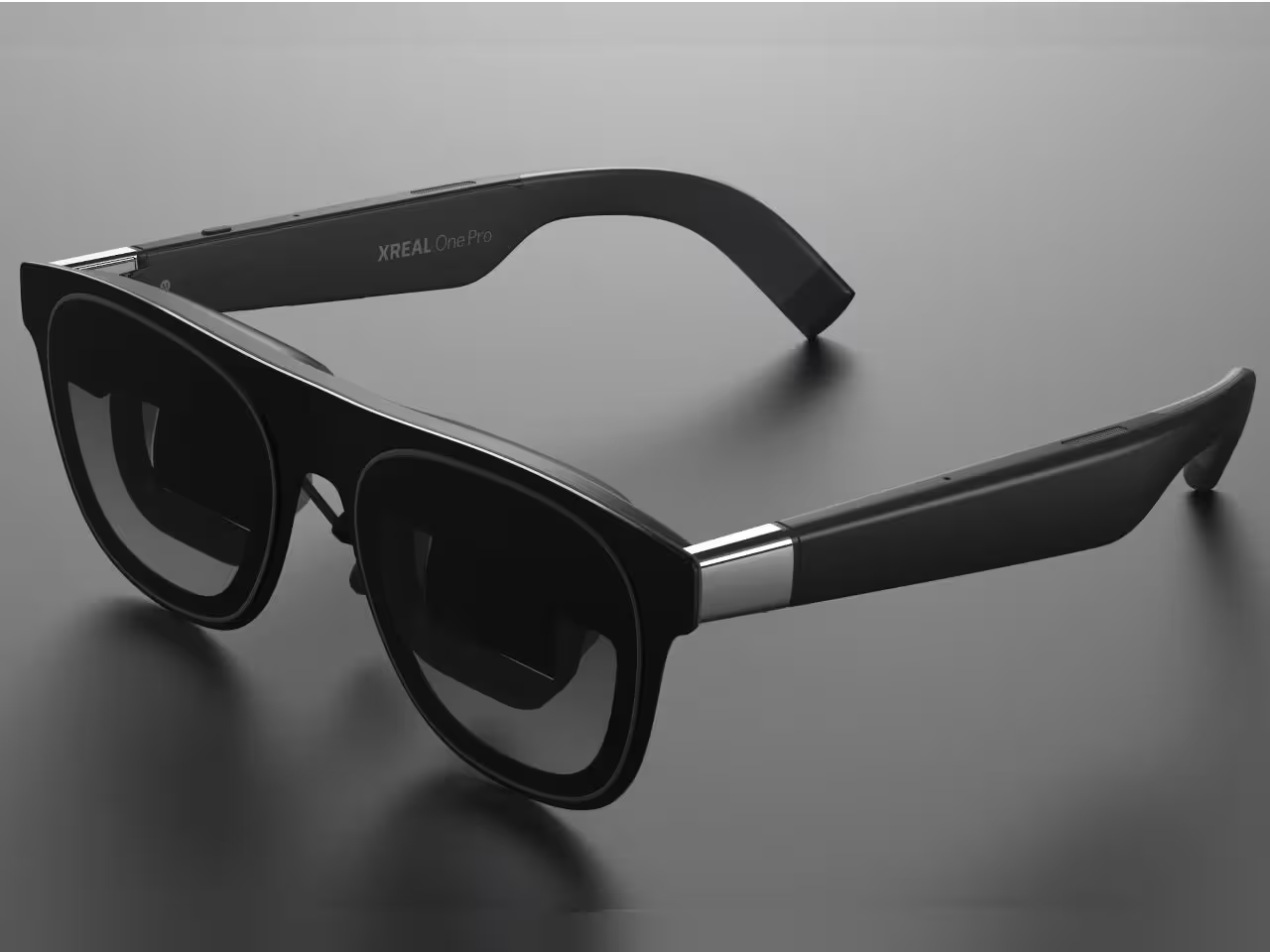
If reviewers had to name the most complete consumer AR glasses right now, XRE 1 Pro would top many lists. It is not a standalone headset. It is a tethered pair of glasses that nails the things working people care about.
Optics and image. Redesigned prism optics deliver a crisp, bright image across a roughly 57 degree field of view. That is enough for immersion without peripheral weirdness. Resolution is 1080p per eye with refresh up to 120 Hz.
Tracking and anchoring. Built-in 3DoF head tracking lets you pin a browser, editor or YouTube window at a fixed position in your room. When you move your head, the window stays put. This is the difference between a toy and a tool.
Dimming. Electrochromic dimming automatically darkens the lenses near windows or outdoors, which boosts contrast and reduces squinting.
Audio. Open-ear speakers tuned for clarity. Not home-theater bass, but clean enough for calls, podcasts and background music.
Software. With the right companion app on iPad or Mac you can lay out multiple floating windows around your laptop. It feels like carrying two extra monitors without carrying anything.
Limitations. It is tethered. If you need full standalone mixed reality with inside-out tracking and controllers, this category is not it.
Bottom line. Treat it like the MacBook Pro of AR glasses. You pay for polish and you get work done.
Pro tip. Spend time on fit. Get the bridge height and IPD right so both eyes see a centered, sharp image. That setup time pays you back with fewer headaches and longer sessions.
XRE 1: the safe first step
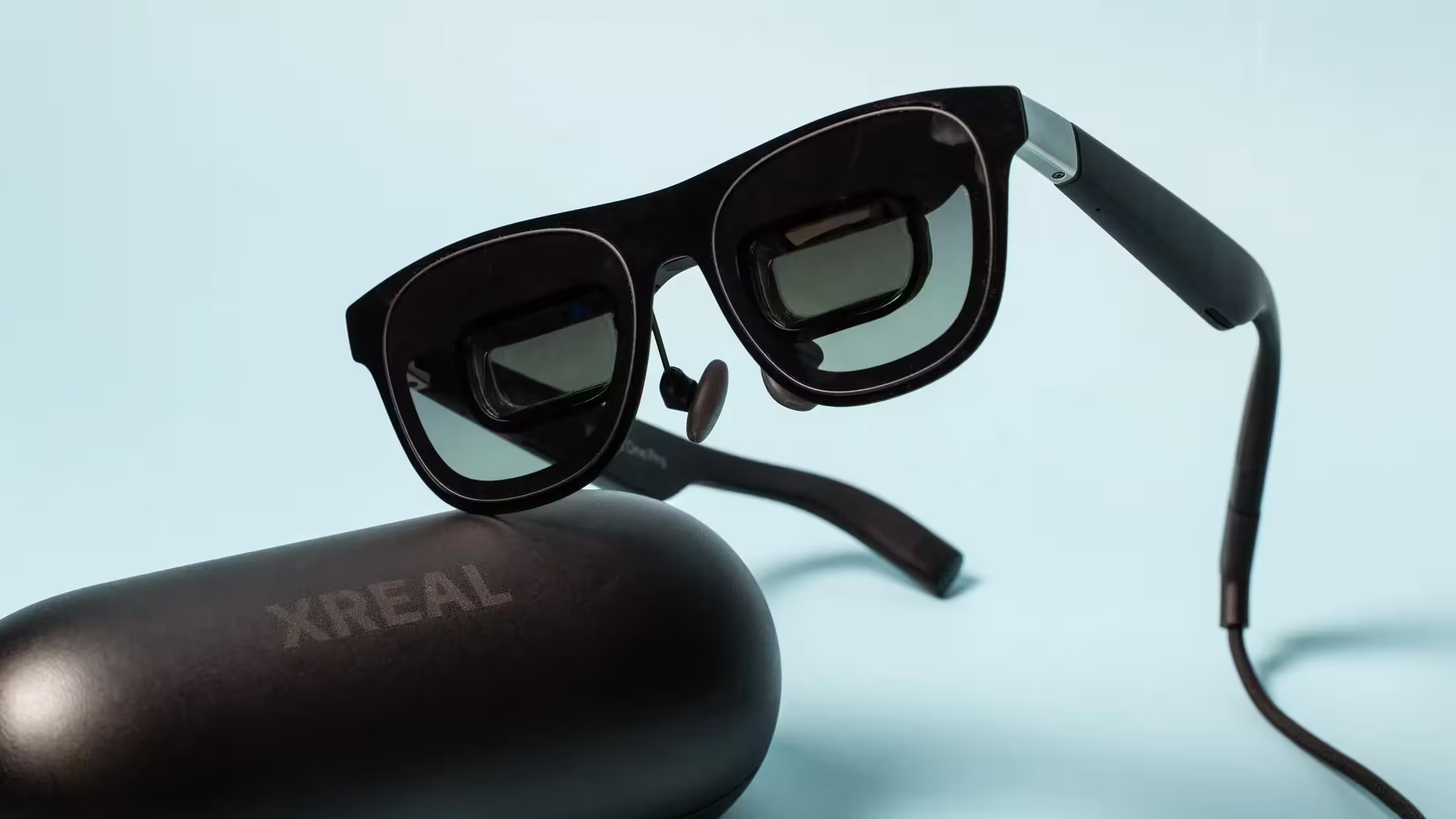
Like the Pro, the XRE 1 makes a strong case without the premium optics. It is the gateway pick for most buyers.
Display and smoothness. 1080p per eye at up to 120 Hz. Ideal for movies, light gaming and office work.
Trade-off versus Pro. The field of view is a bit narrower and spatial anchoring is less exact. For many people it does not matter.
Popular setups. Steam Deck on a plane. Laptop plus glasses in a hotel. Multiwindow basics without extra hardware.
Bottom line. If you are new to AR glasses and want a friendly, low-risk entry, start here.
Practical tip. In bright cafes, use a small clip-on shade or even the brim of a cap to block ambient light and raise perceived contrast.
Viture Pro XR: the pocket cinema that survives daylight
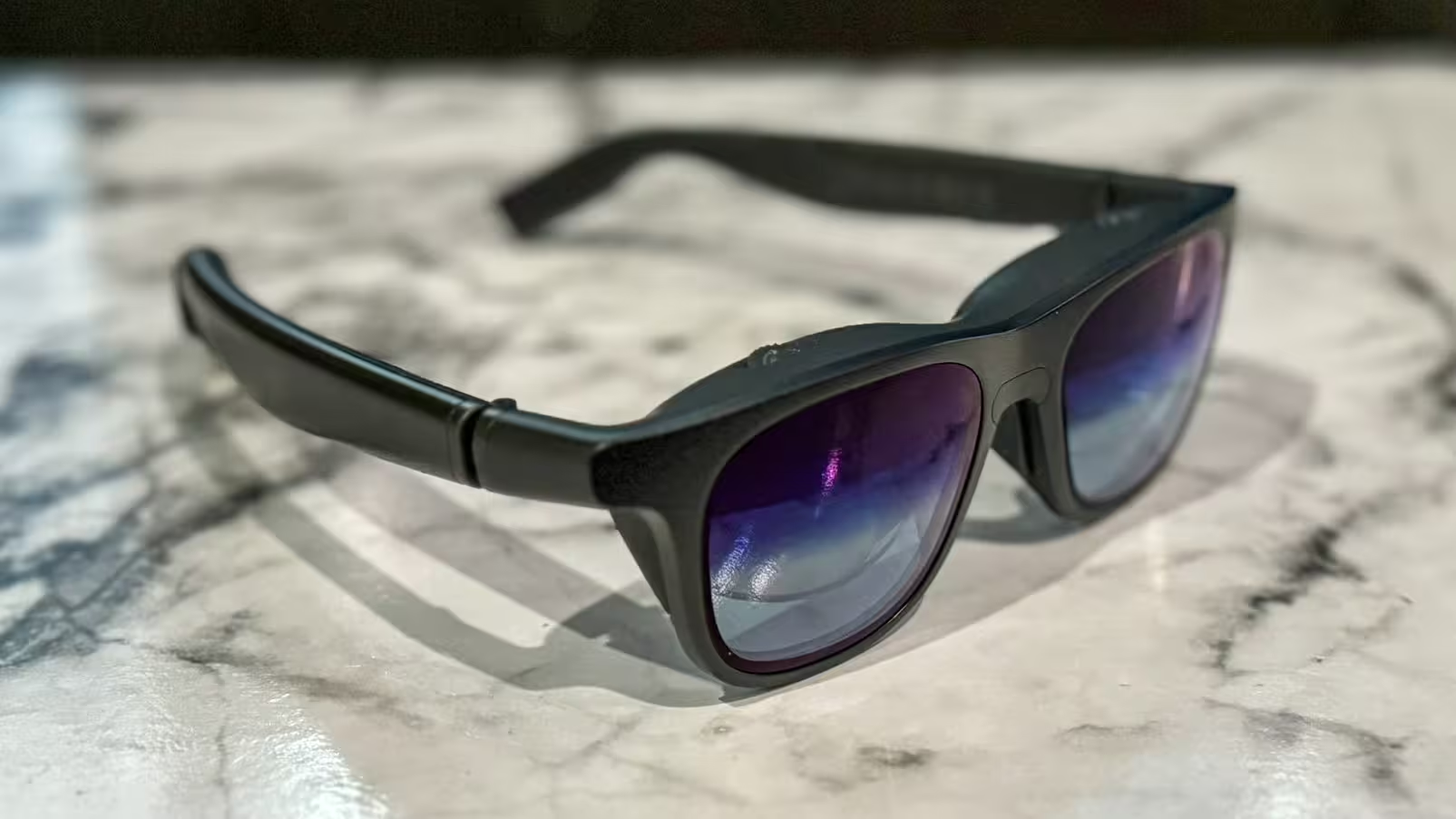
This model is not trying to be spatial AR. It is unapologetically about a big, beautiful image that follows you anywhere.
Displays. Dual Sony micro-OLED panels that look shockingly bright with deep blacks. Several users note they can watch by a sunny window and still enjoy it.
Use cases. Netflix marathons, Switch sessions, phone gaming, flights and hotel downtime.
Vision adjustments. Per-eye diopter dials remove the need for prescription inserts for many users.
Comfort. Adjustable nose pads help. If the default fit is not perfect, many third-party pads and nose bridges exist.
Limitations. No true spatial anchoring. If you want to pin windows around your desk, choose the XRE Pro class.
Bottom line. For entertainment, it is one of the easiest recommendations in 2025.
Pro tip. Enable electrochromic dimming in bright conditions. It makes the picture pop and reduces reflections.
RayNeo Air 3S XR: big screen, small price
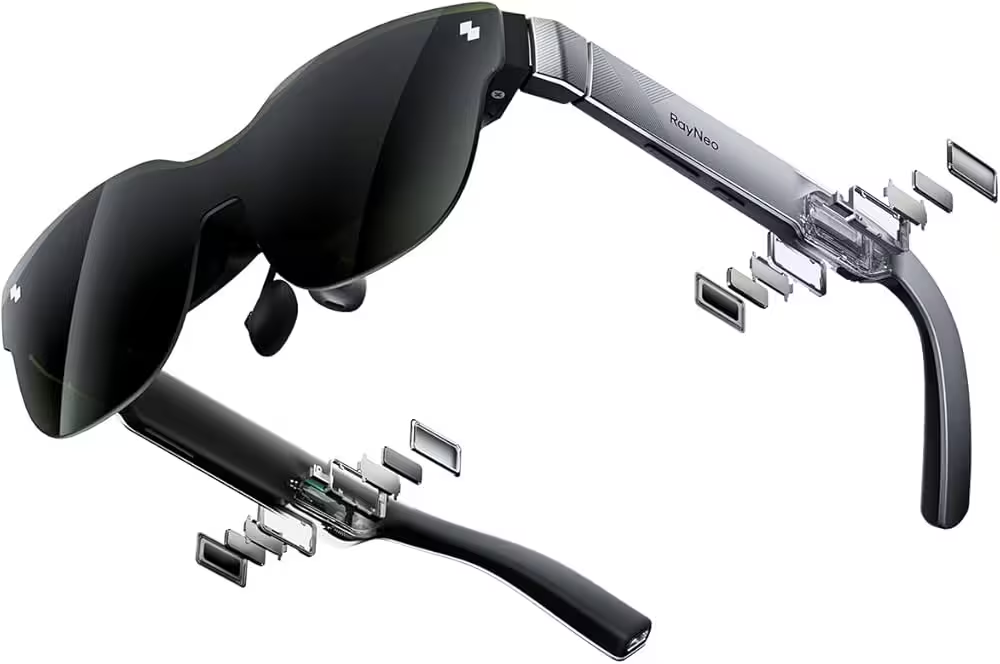
The Air 3S is honest about its goal. It does not promise AR. It gives you a big, clean virtual display for minimal cash.
Picture. A simulated screen around the 200 inch mark, 1080p per eye and up to 120 Hz.
Weight and simplicity. Very light, very easy. Perfect for bed-time shows, coffee-shop work and quiet gaming.
Limitation. No automatic blackout mode. In strong light the perceived contrast drops. Indoors and on planes it shines.
Bottom line. If you want maximum screen per dollar, this is your ticket.
Practical tip. A slim snap-on visor or side shields make a bigger difference than you expect under office lighting.
Lenovo Legion Glasses Gen 2: built for handheld gaming
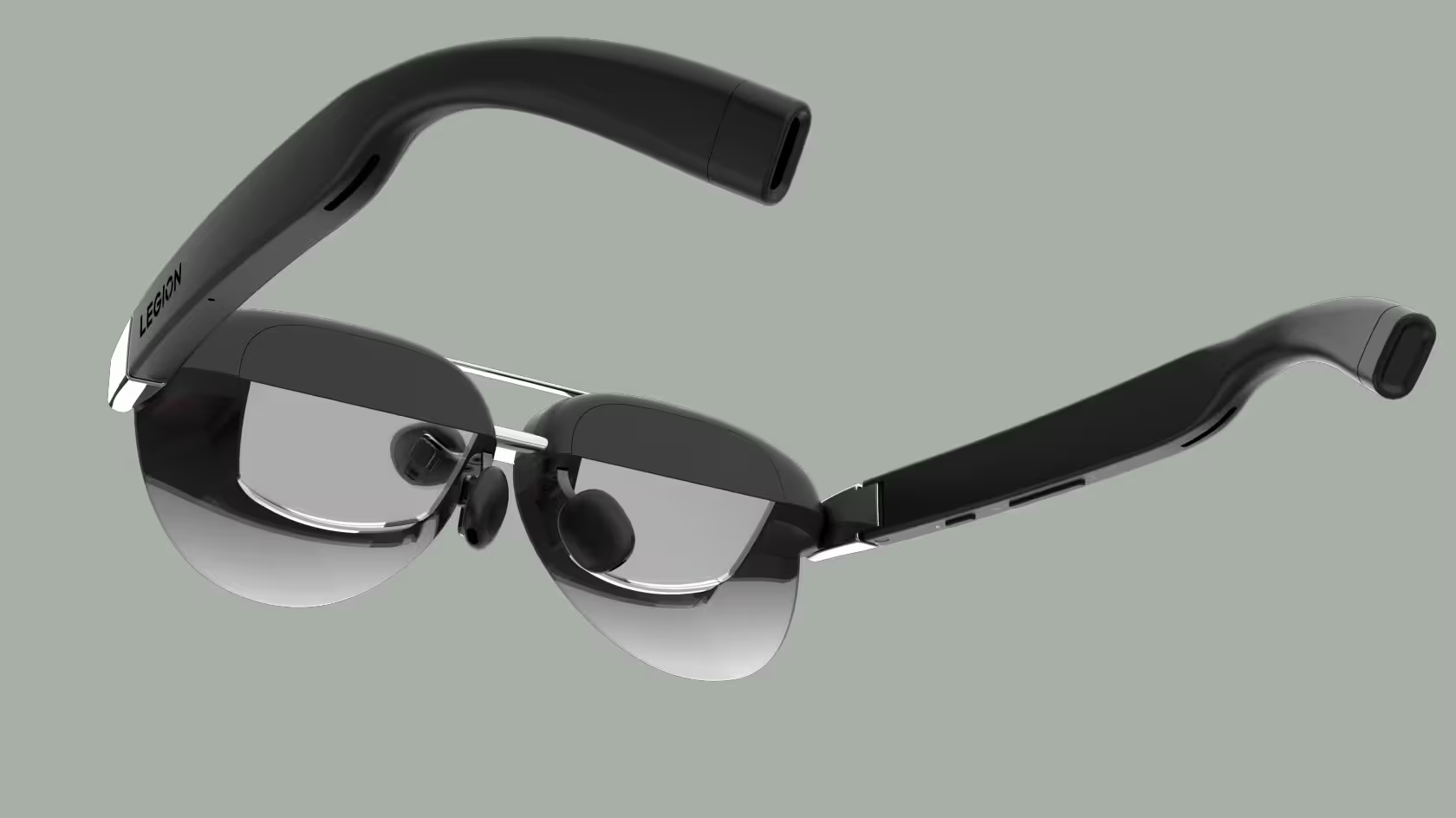
Lenovo tuned this second generation squarely for entertainment, and handheld owners have noticed.
Displays. Dual 1080p micro-OLED with rich color, true blacks and excellent motion handling. Fast games do not ghost or shimmer.
Diopter. Per-eye diopter adjustment means fewer prescriptions and fewer inserts to juggle.
Audio. Much improved open-ear stereo. Clear for games and movies without isolating you from the room.
Weight. A bit heavier than the featherweights, so you will feel them on the bridge after long sessions.
Value. Near-premium visuals for around half the cost of many flagships.
Bottom line. If gaming is your purpose, this is an easy win.
Gaming tip. Use a DisplayLink passthrough or branded charge-and-play adapter so your Deck or Ally can output video and charge at once.
Ray-Ban Meta smart glasses: everyday utility and on-device AI

These are not about giant screens. They are about being useful all day without shouting that you are wearing tech.
Design. They look like regular Wayfarers. That matters if you care about social comfort.
Hardware. A 12 MP camera for spontaneous photos and short video, open-ear speakers for music and calls, and an assistant that can respond to spoken requests.
Waveguide notifications. The latest version adds a subtle notification strip for things like incoming texts or turn prompts. Think glanceable, not immersive AR.
Privacy. The recording indicator is small. Be a good citizen and be explicit when you are recording.
Charging case. Strongly recommended. It takes the experience from novelty to dependable travel companion.
Bottom line. For creators, cyclists, cooks and parents who want hands free capture and a lightweight assistant, these make sense.
4) Spec comparison table
Values are indicative and can vary by region, config and updates.
| Feature | XRE 1 Pro | XRE 1 | Viture Pro XR | RayNeo Air 3S XR | Lenovo Legion G2 | Ray-Ban Meta SG |
|---|---|---|---|---|---|---|
| Primary goal | True AR multitasking | Entry AR plus media | Personal cinema | Budget cinema | Gaming-first cinema | Lifestyle assistant |
| Per-eye resolution | 1080p | 1080p | 1080p micro-OLED | 1080p | 1080p micro-OLED | N/A, glanceable waveguide |
| Max refresh | Up to 120 Hz | Up to 120 Hz | Up to 120 Hz | Up to 120 Hz | Up to 120 Hz | N/A |
| Approx FOV | About 57 deg | Narrower than Pro | Medium to wide | Medium | Medium | Very small |
| Spatial anchoring | Native 3DoF | Limited | No | No | No | No |
| Dimming | Electrochromic | Model dependent | Electrochromic | None | Clip-on visor common | None |
| Diopter | Inserts or settings | Similar | Built-in dials | Usually inserts | Built-in dials | Standard eyewear only |
| Weight class | Light | Very light | Light | Very light | Medium | Very light |
| Audio | Tuned open-ear | Open-ear | Strong open-ear | Good open-ear | Improved open-ear | Open-ear with mics |
| Standalone | Tethered | Tethered | Tethered | Tethered | Tethered | Partly standalone features |
5) Real-world scenarios and tips
Long flights and trains. XRE 1 and Viture Pro XR are favorites. Bright panels, clean focus, tiny footprint. Keep a small cloth to wipe lenses after naps.
Remote work in hotels. XRE 1 Pro shines with spatial window layouts so your laptop becomes a three-display rig. Pack a short, flexible USB-C cable that does not tug.
Couch gaming. Lenovo Legion G2 plus a handheld is hard to beat. The motion handling and per-eye focus keep sessions smooth.
Watching by windows. Viture Pro XR copes with daytime brightness better than most. XRE 1 Pro with electrochromic lenses also holds up.
Vlogging and travel. Ray-Ban Meta captures life without breaking the moment. Be obvious when recording and choose environments where people are comfortable.
6) Displays, optics and eye comfort
A few practical, non-marketing truths:
Brightness and reflections. If you will sit near windows, brightness headroom and anti-reflective coatings matter. Electrochromic dimming reduces washout and prevents your pupils from pumping all the time.
FOV and distortion. Wider fields of view are fun, but you want clean edges more than raw numbers. Poor edge geometry is what makes eyes work too hard.
Refresh rates. 120 Hz is noticeably easier on scrolling and panning. If you are sensitive to motion, prioritize it.
IPD and diopter. A precise IPD fit and per-eye focus are the single biggest comfort upgrades you can buy.
Visual breaks. Follow the 20 20 20 rule. Every 20 minutes, look at something 20 feet away for 20 seconds.
7) Audio, microphones and calls
Open-ear audio is liberating. You hear your show and your surroundings. Caveats:
Sound leak. In quiet rooms people next to you might hear a whisper of your audio. Swap to earbuds for confidential calls.
Mic quality. Ray-Ban Meta is built around capture, but for mission-critical meetings a dedicated headset mic is still safer.
Lip sync. With some hosts you may need to adjust player delay to sync audio and video perfectly.
8) Fit, comfort and vision adjustments
Weight and balance. A well balanced 85 to 100 gram frame can feel better than a nose-heavy 70 gram one. Choose pads that spread pressure.
Prescription needs. If you wear glasses, look for built-in diopter or readily available inserts.
Materials. Softer nose pads and flexible temples reduce hotspots and sweat. Replace pads every few months if you use them daily.
9) Compatibility with phones, laptops and handhelds
USB-C DP Alt Mode. The one-cable dream for many Android phones, Windows laptops and modern Macs.
iPhone and iPad. Often need certified adapters. Some apps on iPadOS unlock multiwindow layouts that make the hardware sing.
Handhelds. Steam Deck, ROG Ally and Legion Go are top companions. Plan power with a passthrough solution so you do not trade screen time for battery anxiety.
Hubs. A palm-sized USB-C hub with HDMI, Ethernet and power delivery turns a café table into a tidy pop-up desk.
10) Privacy and social norms
Recording indicators. On camera-equipped glasses, the light can be easy to miss. Tell people when you are recording.
Restricted zones. Museums, cinemas and gyms often prohibit cameras. Respect posted rules.
Sensitive content. If waveguide notifications mirror work messages, use Do Not Disturb in public places.
11) Buying advice by use case and budget
Spatial productivity. Pick XRE 1 Pro. It is the only one in this set that reliably pins windows where you want them.
Almost-Pro, lower price. XRE 1 gets you most of the experience with fewer optics tricks.
Bright entertainment. Viture Pro XR is the clean cinema pick, especially in rooms with daylight.
Maximum value. RayNeo Air 3S XR gives you a big, sharp screen for little money.
Gaming first. Lenovo Legion Glasses Gen 2 feel purpose-built for handhelds, with diopter controls that remove friction.
Lifestyle and creation. Ray-Ban Meta makes capture and glanceable info almost invisible to the wearer, which is the point.
12) Verdict
In 2025, AR and XR glasses finally cross from novelty to utility. If you need real spatial multitasking, the XRE 1 Pro is built for work and it behaves like a second and third monitor you can wear. If you want most of that experience cheaper, the XRE 1 is the safe choice. For pure entertainment, Viture Pro XR’s very bright micro-OLED picture makes a convincing pocket cinema even by a window. On a budget, RayNeo Air 3S XR delivers a surprisingly large, sharp screen for the money. Gamers should look hard at Lenovo’s Legion Glasses Gen 2 for their motion handling, diopter fit and handheld synergy. And if you care more about hands-free capture, translation and a discreet assistant than about giant screens, Ray-Ban Meta is the most wearable option.
Pick by purpose. If you will work in them, prioritize stable spatial anchoring and solid software. If you mainly watch and play, brightness, contrast and motion handling matter most. If you travel constantly, focus on weight, fit, diopter and clean USB-C compatibility. That is how you choose a pair you will use every day instead of leaving it in a drawer.

“I cover emerging technologies, digital innovation, and the intersection of tech and everyday life. My goal is to make complex trends accessible and inspiring.”

Discussion
Leave a Comment