
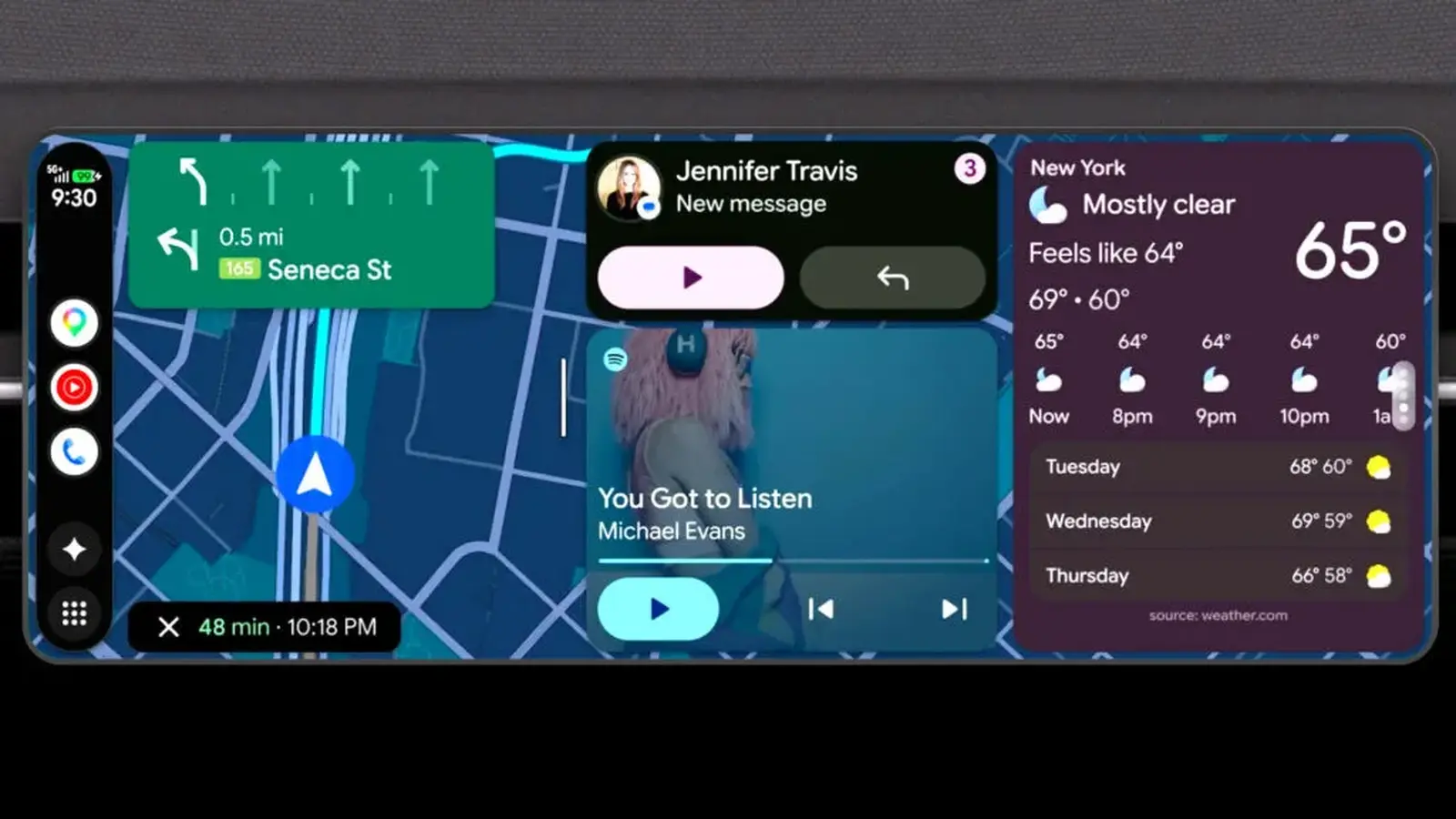
Your car screen is starting to behave a lot more like the phone in your pocket, only this time it looks better fitted to the dashboard. Google has rolled out a major refresh for Android Auto, and it is not just cosmetic. The update sharpens the interface, adds more useful at a glance tools, and finally makes the system feel more natural across the wildly different displays now showing up in modern cars.
That matters because Android Auto is no niche feature anymore. Google says more than 250 million compatible vehicles are already on the road, so even small changes can affect an enormous number of drivers. This latest overhaul is aimed at exactly the pain point many users know well: a software layout that can feel inconsistent from one cabin to the next.
The new version brings a cleaner design language inspired by Material 3 Expressive, the look already familiar to many Android phone users. In practice, that means a more modern visual style with a greater sense of personality. Drivers can now tailor the home screen with widgets, including weather, favorite contacts, large clock tiles, and even personal images. Yes, that could mean your dog ends up on the dashboard too.
More importantly, the redesign has been built to adapt better to different screen shapes and sizes. That might sound like a small technical detail, but it is one of the biggest quality of life upgrades here. Carmakers have gone in completely different directions with infotainment displays, from circular layouts to long, sloping panoramic screens. Google says Android Auto has been reworked to look right across all of them, with edge to edge Google Maps integration helping navigation feel more seamless and less boxed in.
There is also a practical entertainment angle. Later this year, Google will bring high resolution YouTube support to Android Auto in selected vehicles from BMW, Ford, Genesis, Hyundai, Kia, Mercedes, Renault, Skoda, and Volvo. It is clearly aimed at downtime moments, especially for EV drivers sitting at a charging station or anyone waiting in a parked car. Once the vehicle is shifted into gear, the video stops automatically, though audio keeps playing, which makes sense for podcasts, interviews, and other spoken content.

More useful when parked, more helpful on the move
Audio gets attention elsewhere too. Google is expanding Dolby Atmos support for certain apps and compatible vehicles, while Spotify and YouTube Music are receiving interface improvements designed specifically for easier in car use. Less fumbling. Better legibility. Quicker access. That is the kind of refinement people actually notice during daily driving.
Then there is Gemini, because of course there is. Google is weaving its AI assistant deeper into both Android Auto and vehicles with Google built in, but the more interesting part is how it may work in real life. In cars with Google built in, Gemini can answer questions tied to the specific vehicle you are driving. That ranges from straightforward issues, like what a dashboard warning light means, to the sort of oddly specific question many drivers have genuinely asked at some point: will that new television fit in the trunk?
Vehicles with Google built in are also gaining upgraded media apps and smoother transitions from video to audio. Meeting apps such as Zoom are expected to arrive later this year as well, a sign that the car is increasingly being treated as a connected digital space rather than simply a means of getting from A to B.

One of the most intriguing upgrades sits inside Google Maps on certain models with Google built in. Google says live lane guidance can now use the vehicle's front facing camera to understand what lane the car is actually in and offer more precise real time directions during lane changes or when approaching an exit. If it works as smoothly as promised, it could reduce one of navigation's most common frustrations: being told to turn just a little too late.
Put it all together and this is more than a visual refresh. It is Google pushing Android Auto and its built in automotive platform toward something more adaptive, more personal, and more useful in the moments that matter, whether you are navigating an unfamiliar junction, killing time while charging, or just trying to make the dashboard feel a bit more like your own space.

“Cars are evolving faster than ever. I cover electric vehicles, smart mobility, and the future of transportation worldwide.”

Discussion
Leave a Comment