
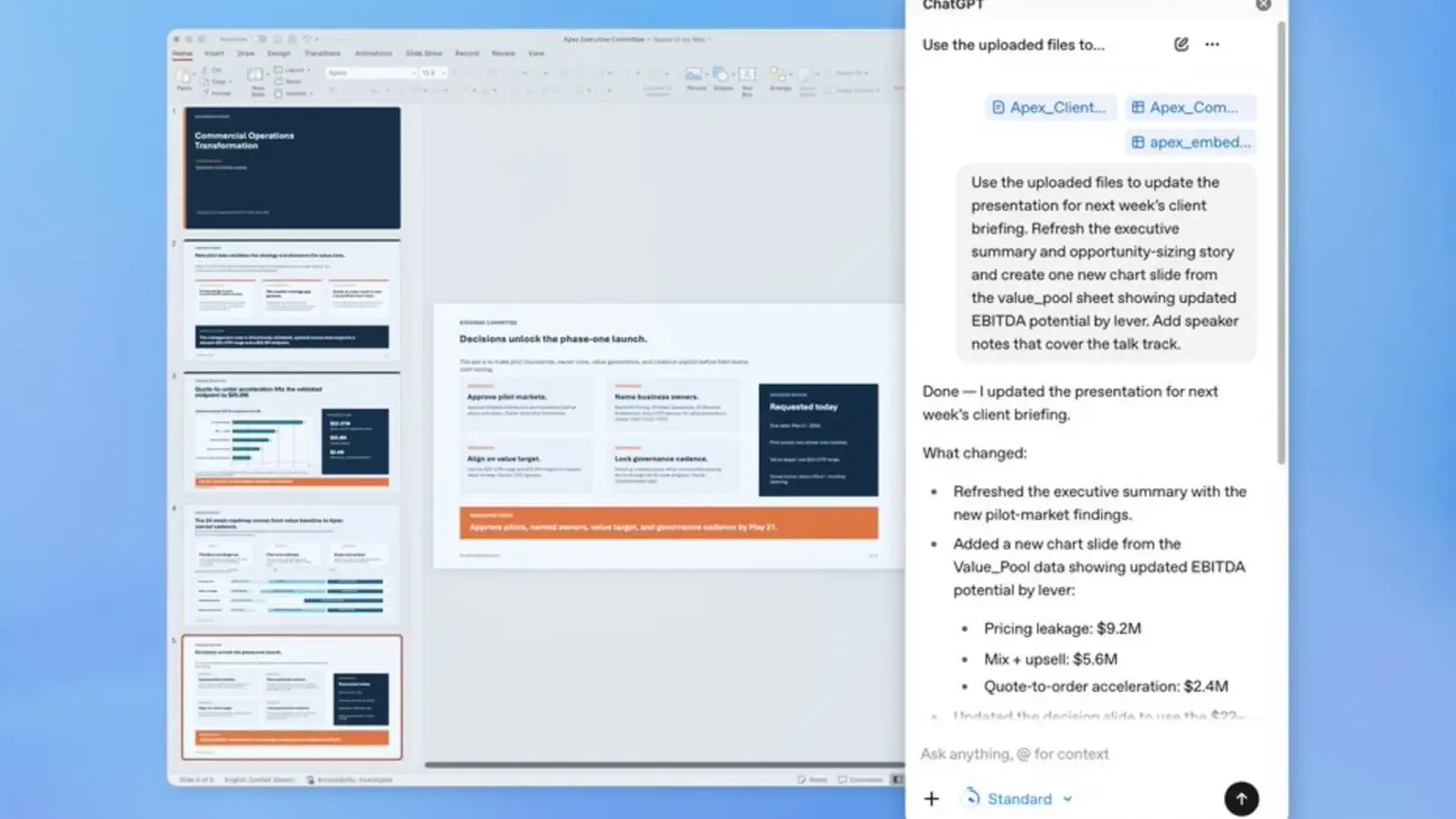
Death by slideshow may finally be getting a little harder to pull off. OpenAI has brought ChatGPT into PowerPoint, and the pitch is bigger than automatic slide design. The new beta places the assistant directly in PowerPoint’s sidebar, where it can help build presentations, rewrite slides in progress, and even poke holes in the story you are trying to tell.
That last part is what makes this launch interesting. Plenty of tools can generate a neat looking deck. Fewer can read through your presentation and say, in effect, this argument is shaky, this section jumps too fast, and your audience is probably going to challenge that claim. OpenAI is positioning ChatGPT for PowerPoint as a working partner for the messy middle of presentation building, where most people lose time rearranging bullet points, rethinking structure, and fixing slides one by one.
Inside PowerPoint, users can create a deck from scratch simply by describing what they need. ChatGPT can also use supporting materials such as notes, documents, spreadsheets, and images to shape an initial outline. If the presentation already exists, it does not force a full restart. You can edit individual slides, add new ones, and refine the deck as you go.
For business users, the more practical hook may be review mode rather than generation. OpenAI says ChatGPT can analyze a deck with its reasoning capabilities, spot gaps in the narrative, identify weak logic, and surface likely questions from clients, executives, or stakeholders. In other words, it is not just there to make slides look polished. It is there to pressure test the message before the meeting starts.
More than another slide generator
Inevitably, this will be compared with Microsoft Copilot. That comparison is fair, but OpenAI is trying to carve out a slightly different story around connectivity and workflow. ChatGPT for PowerPoint can pull live information from services including Gmail, Outlook, and SharePoint, which means teams may be able to build quarterly business reviews, board presentations, or customer briefings without the usual ritual of copying data across half a dozen windows.
That matters because presentations in companies are rarely created in isolation. They are stitched together from emails, internal documents, spreadsheets, and shared files, usually under time pressure. By plugging into those sources, ChatGPT has a chance to become useful in the places where presentation software tends to feel most tedious.
The beta is now available globally and spans essentially the full ChatGPT lineup, including Free, Plus, Pro, Business, Enterprise, and education accounts. Users can install it through the Microsoft marketplace or from within PowerPoint itself.
That also means the market for AI presentation tools is getting crowded fast. If you work in slides all day, there are now three obvious names on the shortlist: ChatGPT, Claude, and Copilot. The real contest is no longer about who can generate a title slide in ten seconds. It is about which assistant can actually help people think more clearly, present more convincingly, and waste less time wrestling with formatting.
For anyone who lives inside PowerPoint, that is the part worth watching.

“I cover emerging technologies, digital innovation, and the intersection of tech and everyday life. My goal is to make complex trends accessible and inspiring.”

Discussion
Leave a Comment