
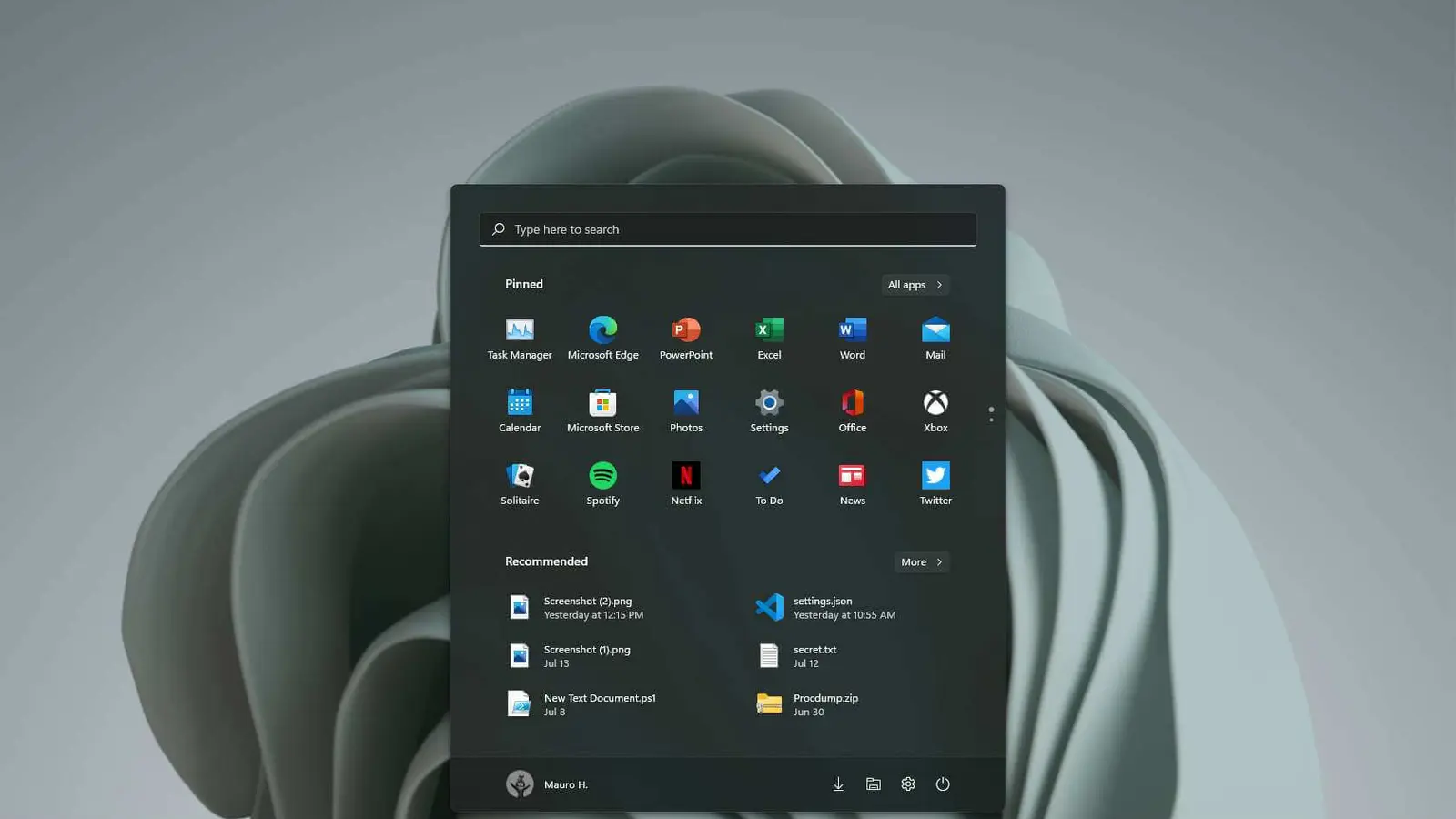
After years of half-baked dark themes and jarring white flashes, Windows 11 is finally getting a more thoughtful dark mode. Recent Insider builds bring deeper UI support and a clearer path toward a coherent, night-friendly experience — though plenty of rough edges remain.
Dark mode moves beyond the surface
For a long time, Microsoft’s dark theme felt cosmetic: a skin on top of a mostly unchanged interface. Open a dialog, a classic control panel, or a file operation and you were likely to be met with glaring white panels and inconsistent styling. That’s changing.
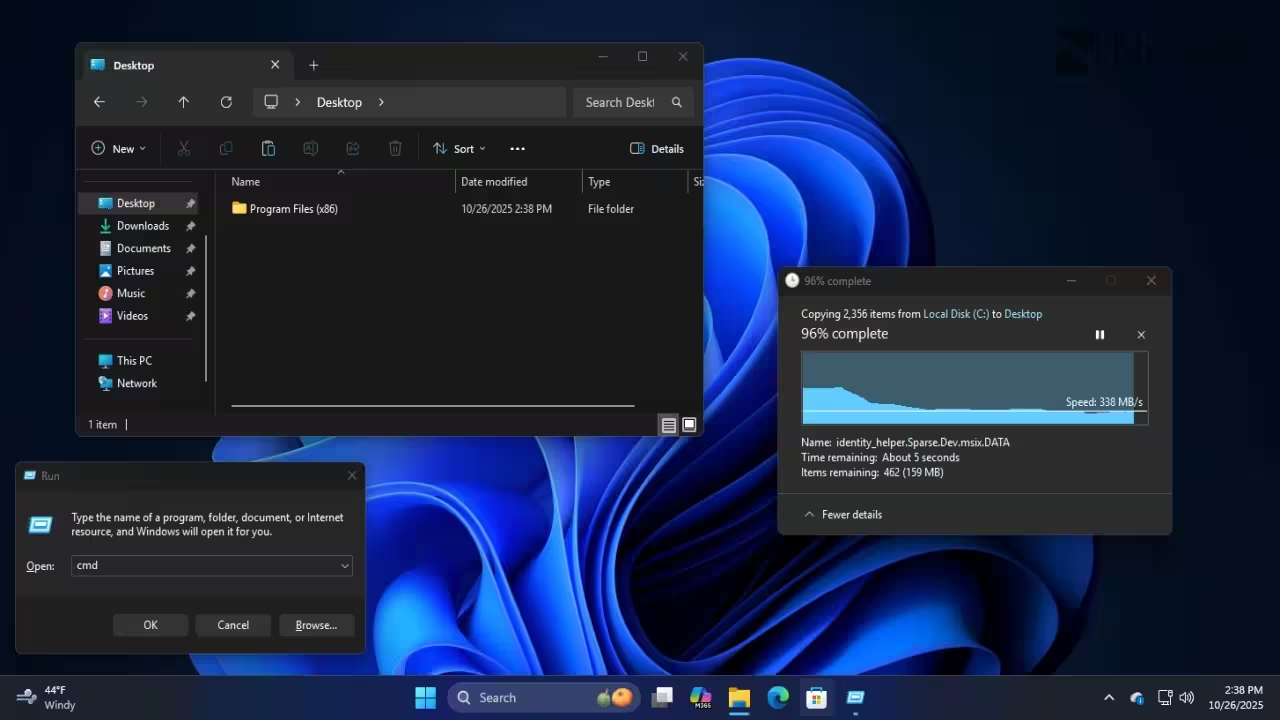
Insider preview builds in the Dev and Beta channels now deliver proper dark variants for several legacy elements. You’ll find the Run dialog, Folder Options, and common file actions (copy/move) rendered in dark mode, which reduces eye strain at night and helps the overall UI feel unified.
Still a long way to go — here’s what’s broken
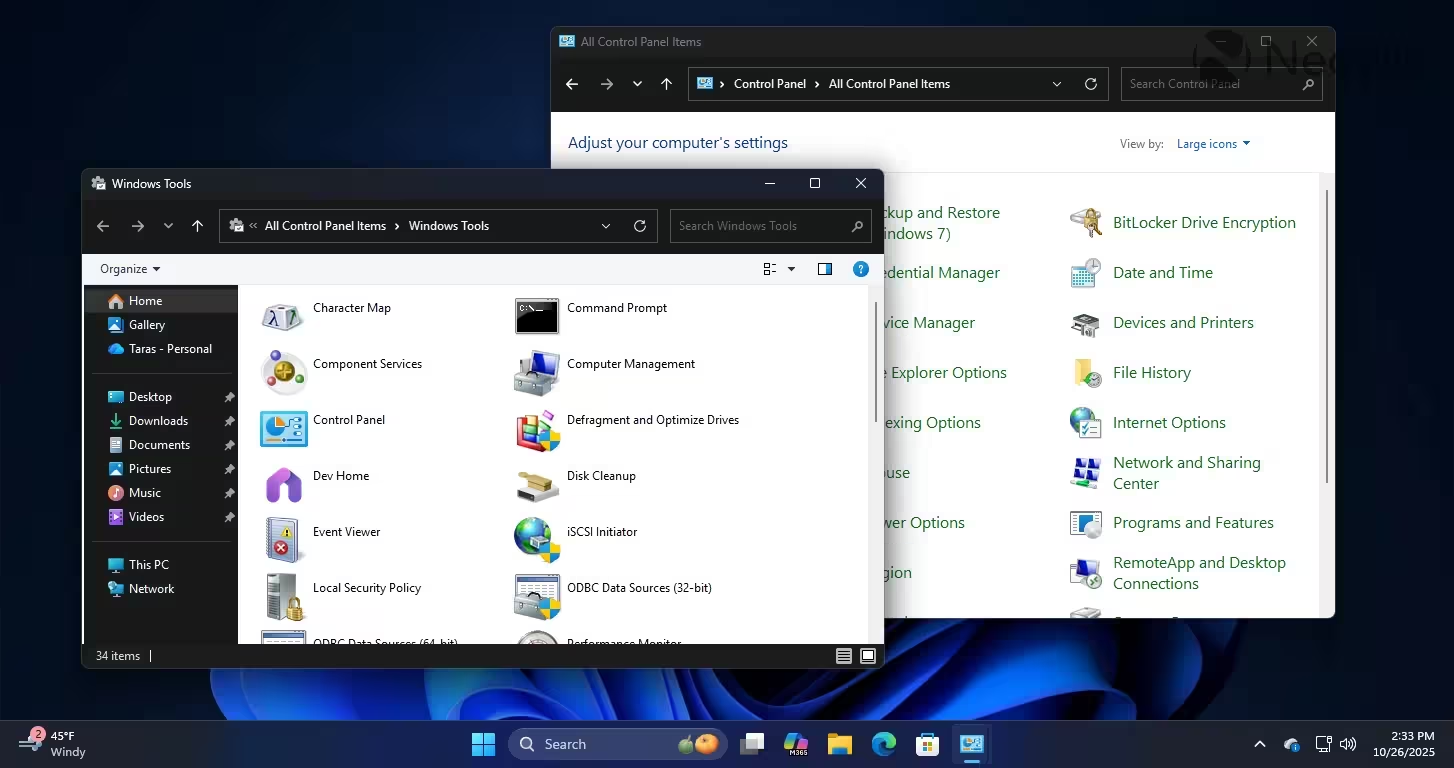
Progress is real, but incomplete. Many dialogs and sections remain in light mode, and some areas look actively worse — Windows Tools, for example, mixes dark and light elements in a way that’s visually jarring. Control Panel is only partially updated, and File Explorer can still flash to white when opening new tabs. In short: the foundation is being laid, but the house isn’t finished.
Automatic theme switching: PowerToys fills the gap
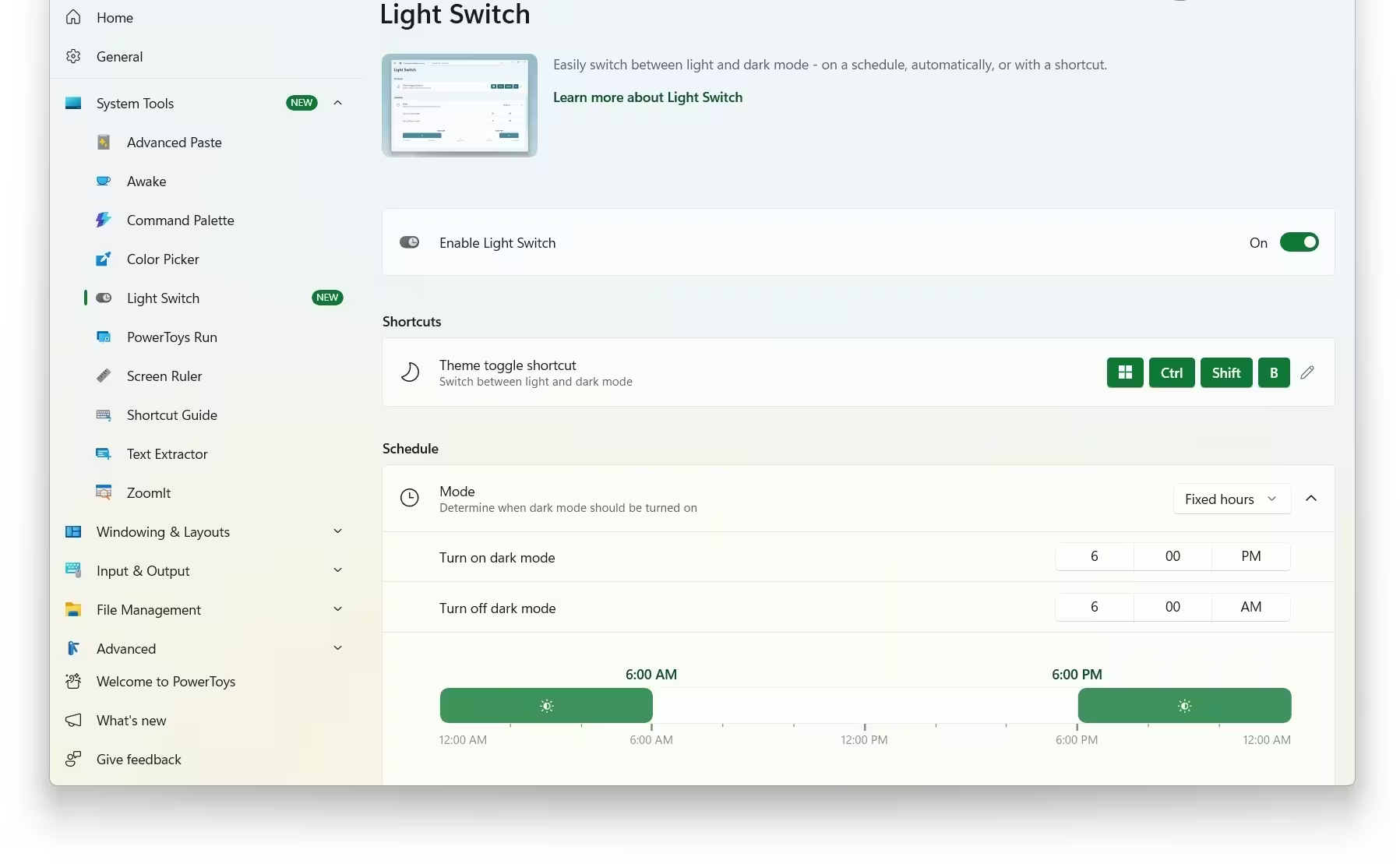
Another long-overdue feature is automatic theme switching. Despite repeated requests, Windows 11 still lacks a native schedule-based theme switch. Fortunately, PowerToys’ Light Switch module already offers timed switching between light and dark themes. It’s not the same as native Settings integration, but it works — and it hints at what Microsoft could adopt system-wide.
Historically, a handful of PowerToys features have graduated to core Windows functionality (remember changing resolution without restarting?). If Microsoft follows that pattern with Light Switch, scheduled theme changes could become a standard Windows feature.
How to try the updates and what to expect
- Who can test: Windows Insiders in the Dev and Beta channels are seeing these dark mode improvements first.
- Rollout pace: Microsoft is deploying changes gradually, even within Insider rings, so stable-channel availability will take more time.
- Reality check: Expect incremental updates — some dialogs will switch, others will not, and occasional visual glitches are still likely.
Imagine using Windows at night without squinting every time you open a settings panel. It’s not fully here yet, but these Insider changes are a meaningful step. With better dark mode support and possible native adoption of features like Light Switch, Windows 11 could finally deliver the consistent, polished night experience users have been asking for.

“I love exploring gadgets, apps, and trends that redefine how we connect, work, and play in a digital world.”

Discussion
Leave a Comment