
A world where your phone edits a photo like a director repositioning a camera just arrived. At WWDC, Apple lifted the curtain on Apple Intelligence, and the changes feel less like a feature update and more like a rethink of how your devices help you live and work.
Photos is suddenly more than a gallery. Spatial Reframing lets you drag a picture and preview a new angle in real time on Vision Pro, effectively recreating the original shot from a slightly different vantage. The trick: new pixels are only created where the perspective shifts, keeping the scene authentic. If you need more room, the Extend tool stretches the canvas, straightens a crooked horizon and preserves the important parts of the frame. And Clean Up has been sharpened; it removes distractions with more believable fills, even in messy, complex scenes.

Practical AI, not just novelty
Safari has grown teeth. Tabs will auto-organize into meaningful topics as you browse, and a new Notify Me feature tracks pages for changes, useful for spotting restocks or price drops. Describe an Extension flips the script on add-ons: describe what you want and Safari can generate a lightweight extension in the toolbar for you.

Passwords get active help now. Using on-device intelligence and Safari, your device can navigate sites, sign in and replace weak or compromised passwords with stronger ones, then save them for you. One tap can clean up a password mess that once took minutes or hours.

Image Playground is where Apple puts its generative ambitions and privacy promise in the same sentence. You can produce high-quality images in many styles, including photorealistic results, via a generative model running on Apple Private Cloud Compute so your prompts and creations remain private. Editing tools let you nudge objects by tapping, circling or brushing; you can also generate wallpapers and contact art with exact aspect ratios for the job.
.avif)
Messages and Mail are getting smarter about context. One-tap suggestions will offer actions drawn from your conversations, like creating a reminder or surfacing photos that match a request. Smart Reply and composition hints adapt to your writing style. Call Context shows relevant details from a business, such as reservation numbers, directly in the Phone app; it works based on who you call and runs entirely on device.

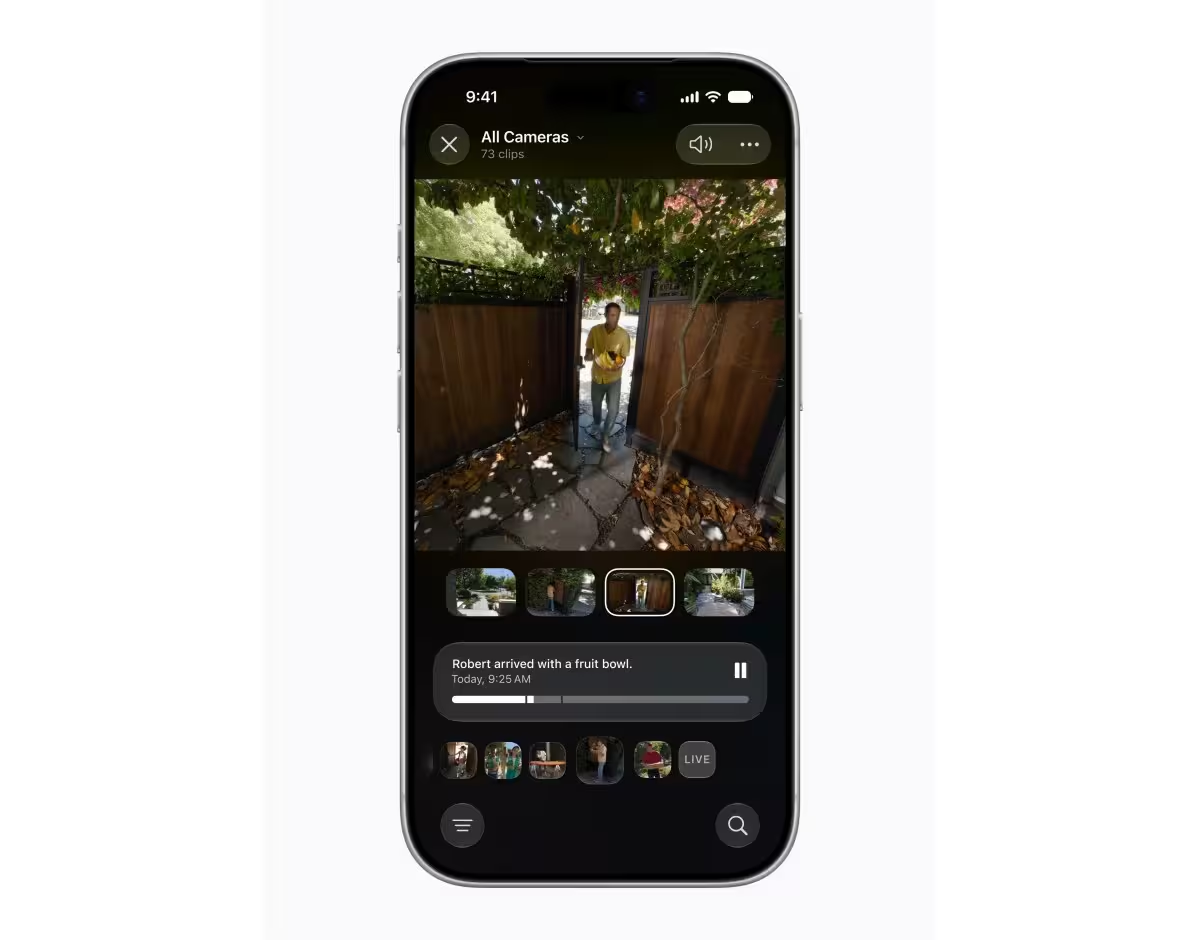
Shortcuts becomes conversational. Describe a Shortcut and the app will build the steps for you. Want to tweak it? Describe the change and the automation updates. The Home app now summarizes video clips into generated descriptions, highlights noteworthy moments, and lets you search camera footage for specific events such as a delivery.
Accessibility receives attention too. Voice Control lets you describe on-screen controls instead of memorizing labels. Accessibility Reader can summarize or translate content on demand, helping users get to the point faster.
- Image updates and editing: Spatial Reframing, Extend, Clean Up
- Browser intelligence: tab organization, Notify Me, Describe an Extension
- Generative art: Image Playground on Apple Private Cloud Compute
- Productivity: smarter Messages, Mail actions, Describe a Shortcut
- Privacy-first features: on-device Call Context and local processing
Which devices get this? Apple Intelligence will be available on recent hardware including iPhone 16 and later, iPhone 15 Pro and 15 Pro Max, iPad mini with A17 Pro, iPads with M1 or later, MacBook Neo and Macs with M1 or later, Vision Pro, Apple Watch Series 10 and later, Apple Watch Ultra 2 and Apple Watch SE 3 when paired with a supported iPhone.

Some generated features have daily limits that can be increased with iCloud+ subscriptions, which also unlock additional Apple Intelligence cloud capabilities for compatible Home cameras.
This feels like the start of a new chapter for Apple. Not because the company added flashy bells and whistles, but because it stitched intelligence into familiar apps and workflows while keeping privacy and device-first processing front and center. Expect small wonders that save minutes every day, and a few surprises that change how you think about a photo, a password, or a quick message.

“I love exploring gadgets, apps, and trends that redefine how we connect, work, and play in a digital world.”

Discussion
Leave a Comment