
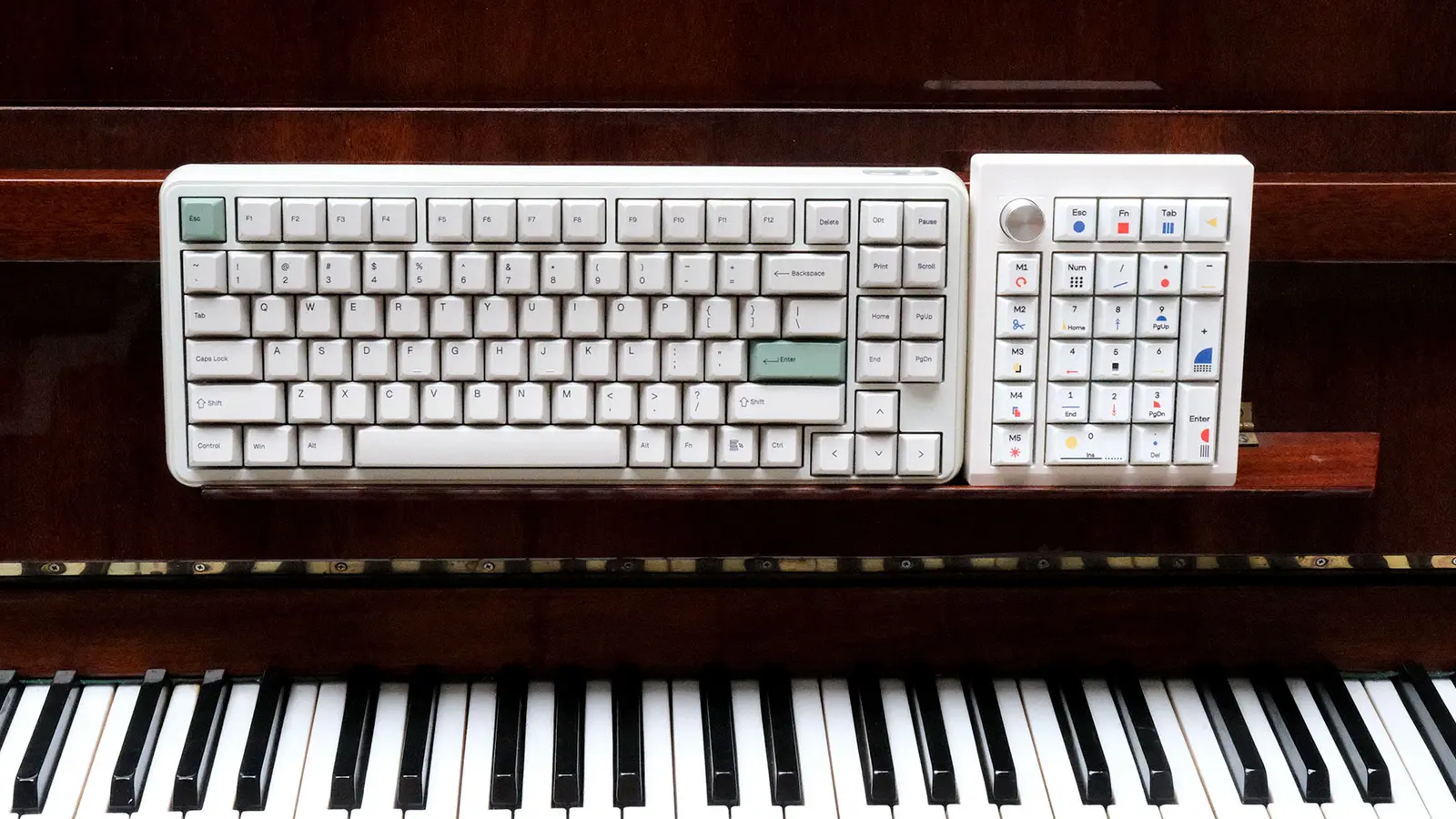
One month with Epomaker’s retro keyboard and its standalone numpad—a duo that promises desk layout freedom, though that freedom comes at a price.
I’m the kind of user who doesn't see the numpad as a decorative keyboard feature. Sure, the number row sits right above the letters, but when it comes to entering strings of numbers back-to-back, I want a dedicated number cluster under my fingers that I can use without looking down. Because of that, downsizing a keyboard always brings up the same question for me: what happens to the numpad?
For the past month, I’ve been using the Epomaker RT75 and TH26 side by side. The first is a 75% mechanical keyboard sporting a retro aesthetic and a detachable mini display; the second is a standalone mechanical numpad equipped with five macro keys and a rotary knob. On paper, this combination is meant to deliver the bulk of a full-size keyboard’s functionality in a much more flexible form factor.
Of course, these two products aren’t two halves of a single split keyboard. Each has its own battery, connectivity, and configuration, and each can be bought and used independently. That very independence is both the biggest selling point of this setup and the root of some of its headaches.
That brings us to the central question of this review: when you’re a numpad person like me, what does buying a compact keyboard plus a standalone numpad actually give you that a traditional full-size keyboard can’t?
Key Specifications: Before We Get to the Keys
Feature | Epomaker RT75 | Epomaker TH26 |
|---|---|---|
Layout | 75% (83 keys + mini display) | 26-key numpad (including 5 macro keys) |
Switches (Tested Unit) | Epomaker Creamy Jade Linear | Epomaker Creamy Jade Linear |
Special Control | 1.54-inch detachable display (swappable with 4 keys) | Clickable rotary knob |
Connectivity | Wired USB-C, 2.4GHz wireless, Bluetooth | Wired USB-C, 2.4GHz wireless, Bluetooth |
Battery Capacity | 5,000 mAh | 2,000 mAh |
Case & Keycaps | Glossy ABS case; Cherry-profile PBT keycaps | ABS case; Cherry-profile PBT keycaps |
Internal Structure | Gasket-mount, polycarbonate plate, 6 sound-dampening layers | Gasket-mount, polycarbonate plate, 4 sound-dampening layers |
Hot-Swappable | Yes | Yes |
Polling Rate | 1000Hz (Wired / 2.4GHz); 125Hz (Bluetooth) | 1000Hz (Wired / 2.4GHz); 125Hz (Bluetooth) |
Typing Angle | Fixed, 5.8° | Fixed, 7° |
Dimensions | 352 × 142 × 45 mm | Approx. 121 × 147 × 46 mm |
Weight | Approx. 1,165 g | Approx. 450 g |
RT75: Vintage PC Vibes, Without Waiting for Windows 98 to Boot
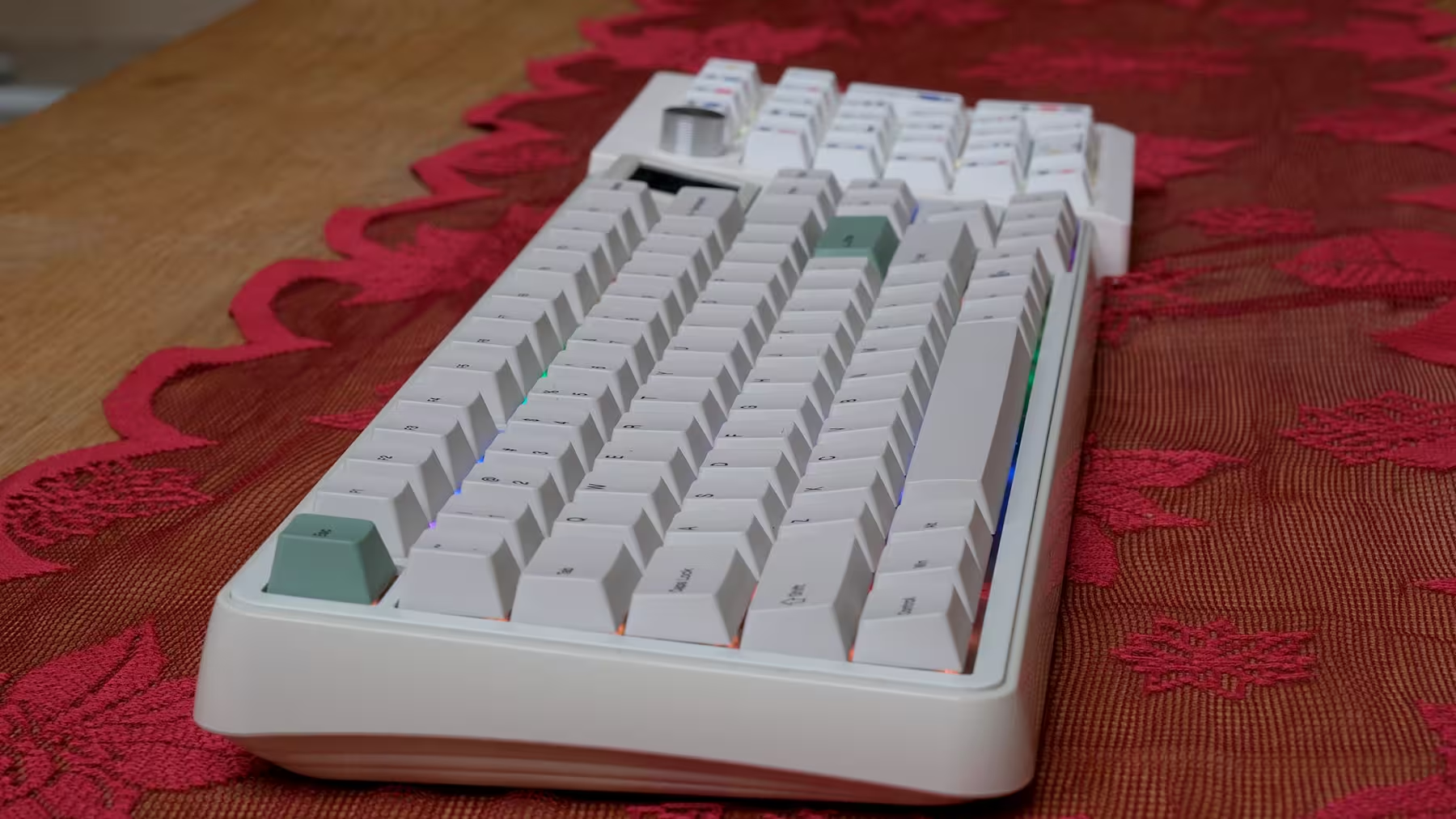
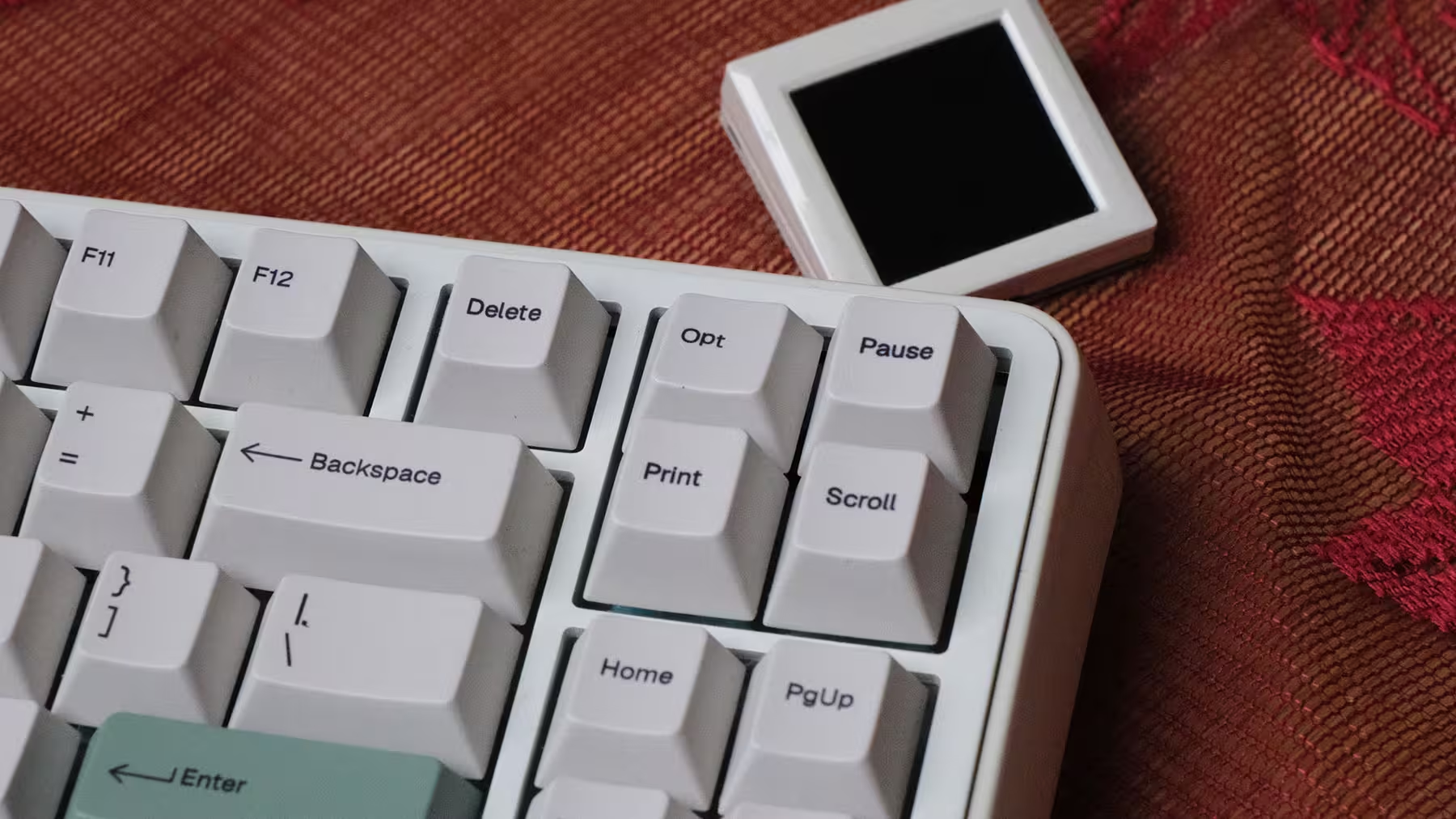
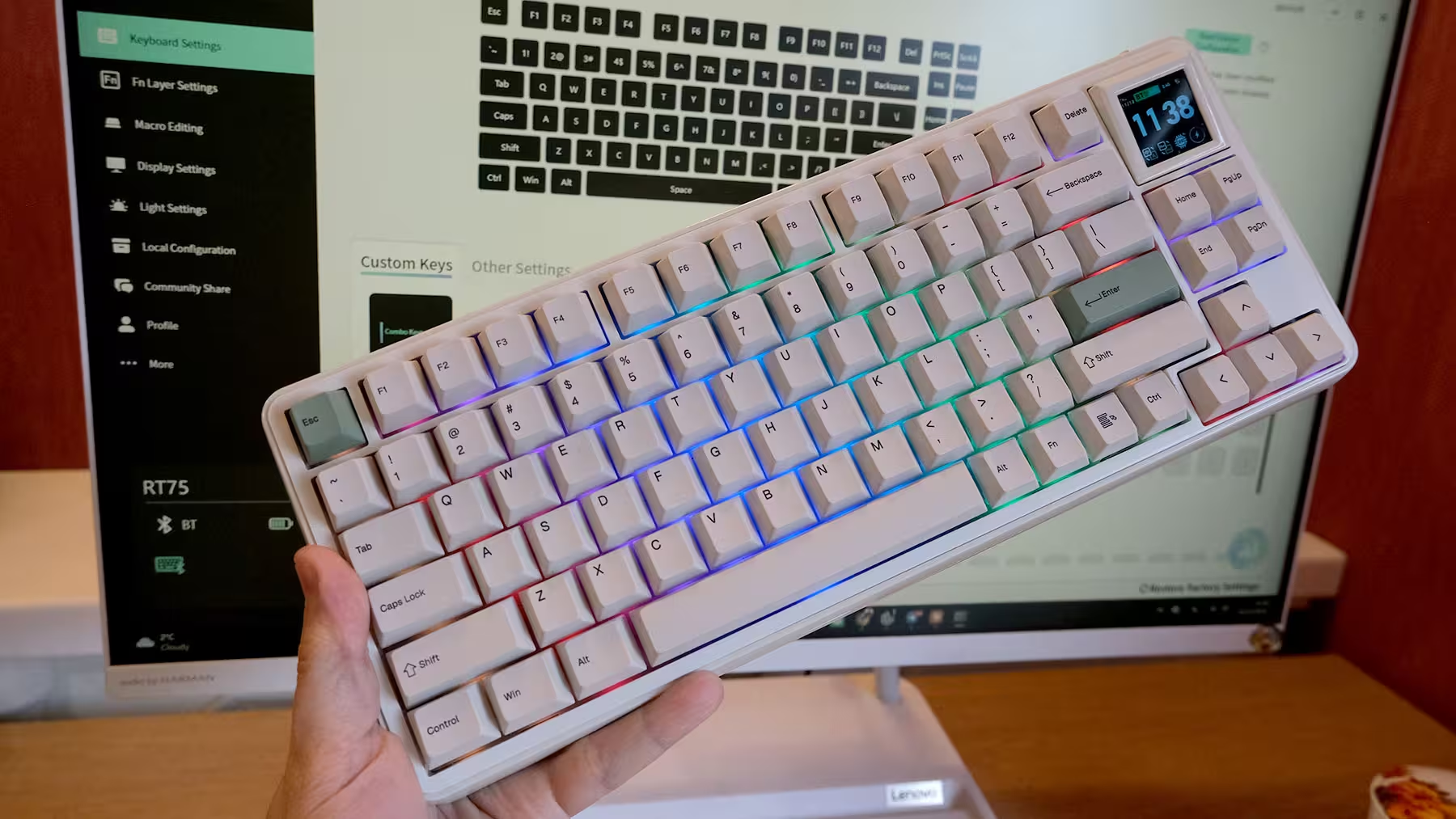
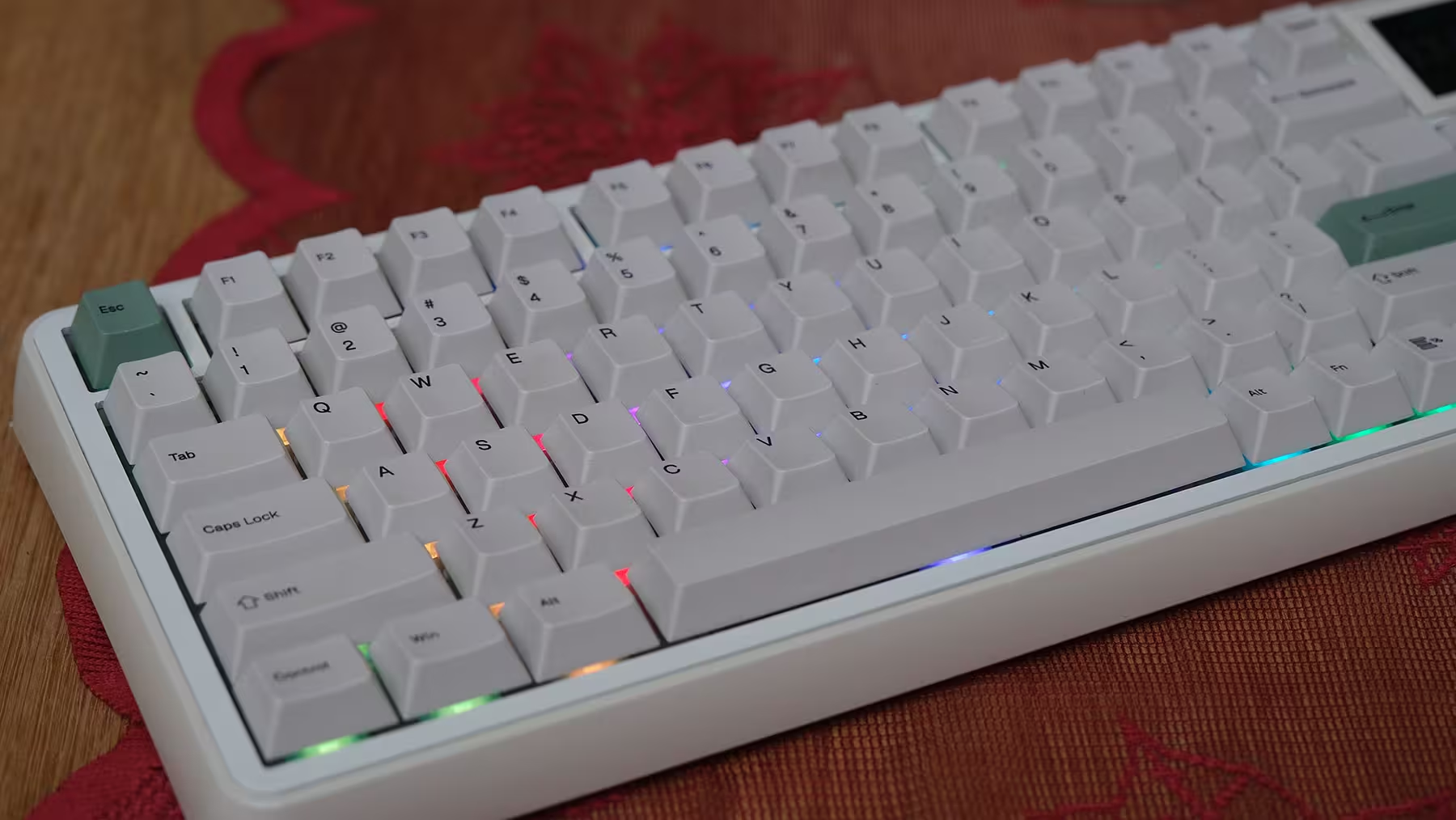
In its Retro White colorway, the RT75 makes its intentions clear right out of the box. The cream-colored chassis, light keycaps, and olive-green Esc and Enter accents immediately tap into classic PC nostalgia. The tiny screen perched at the top completes the look—it genuinely looks like someone threw an old CRT monitor in the wash and it shrank!
What makes this design work for me is how cohesive its elements feel. The display doesn't look like a random gimmick tacked onto the frame just to pad out the spec sheet; it actually contributes to the board’s personality. Even with the RGB turned completely off, the RT75 loses none of its visual identity.
Naturally, personal taste plays a huge role here. If you prefer minimalist, understated cases or an all-black desk setup, the RT75’s color palette and styling cues might clash with your space. This keyboard wasn't built to fade into the background.
The chassis is made of glossy ABS plastic, contrasting nicely with the matte texture of the keycaps. While that contrast looks great, don't mistake the board's hefty feel for an aluminum frame. The RT75 tips the scales at around 1,165 grams—a great trait for keeping it planted firmly on your desk, not so great for tossing it into a backpack every day. Simply put, we’re looking at a keyboard that trimmed its layout, not its waistline.
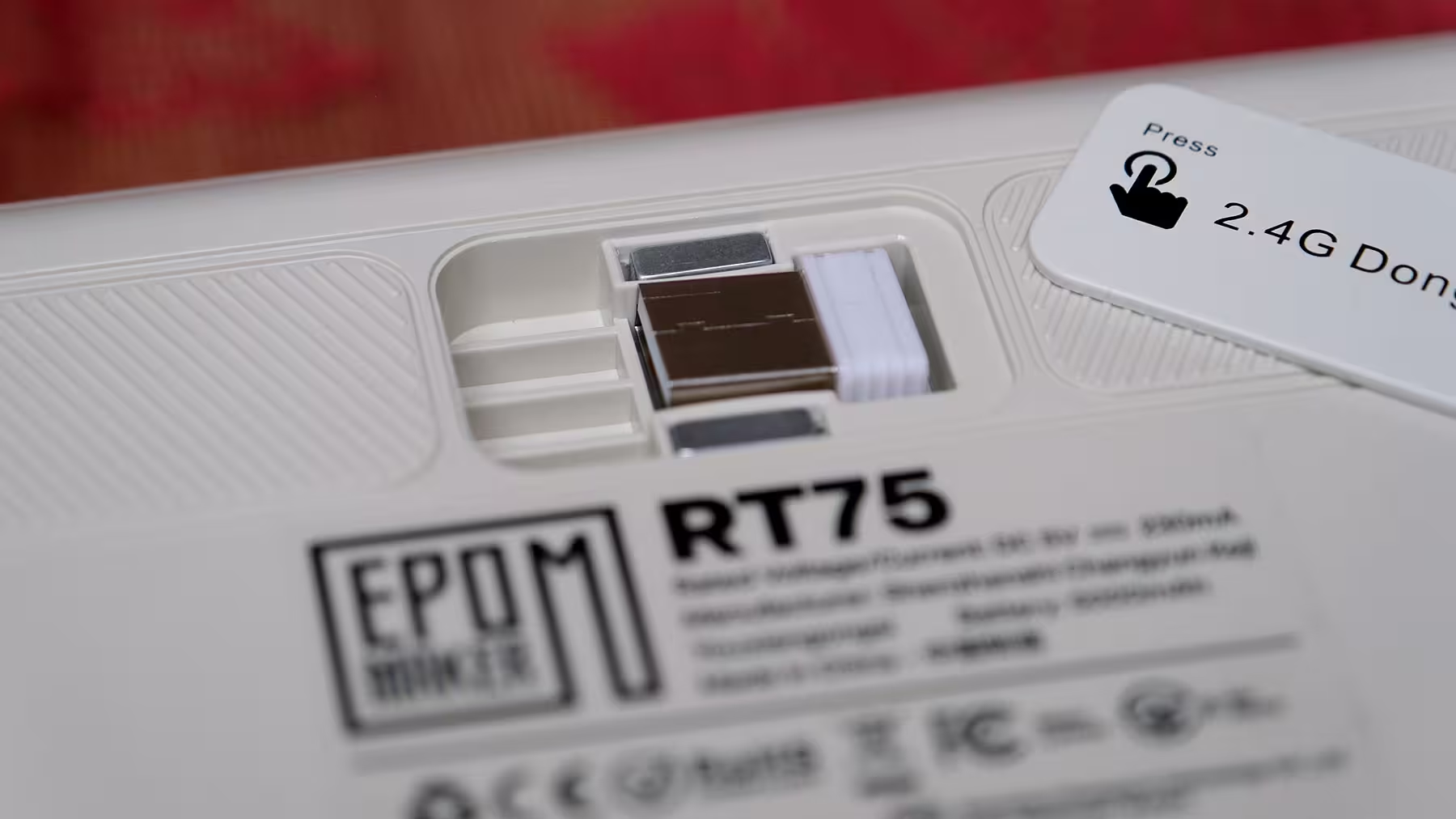
One practical design touch worth praising is the dedicated dongle storage compartment underneath the board. Tiny wireless receivers have a bizarre talent for vanishing into thin air, so having a dedicated slot to tuck it away is far more valuable in day-to-day life than it sounds on a spec sheet.
Layout: What’s Gone, and What Thankfully Stayed
The RT75 keeps the function row (F keys), dedicated arrow keys, and a handful of navigation keys. That makes transitioning from a full-size keyboard much less jarring than jumping straight to an ultra-compact 60% or 65% board.
For writing and editing, dedicated arrow keys matter. Having direct access to the F-row also means you don't have to memorize new key combinations for common system shortcuts. The trade-off is a condensed navigation cluster where several keys sit in different spots compared to a traditional layout.
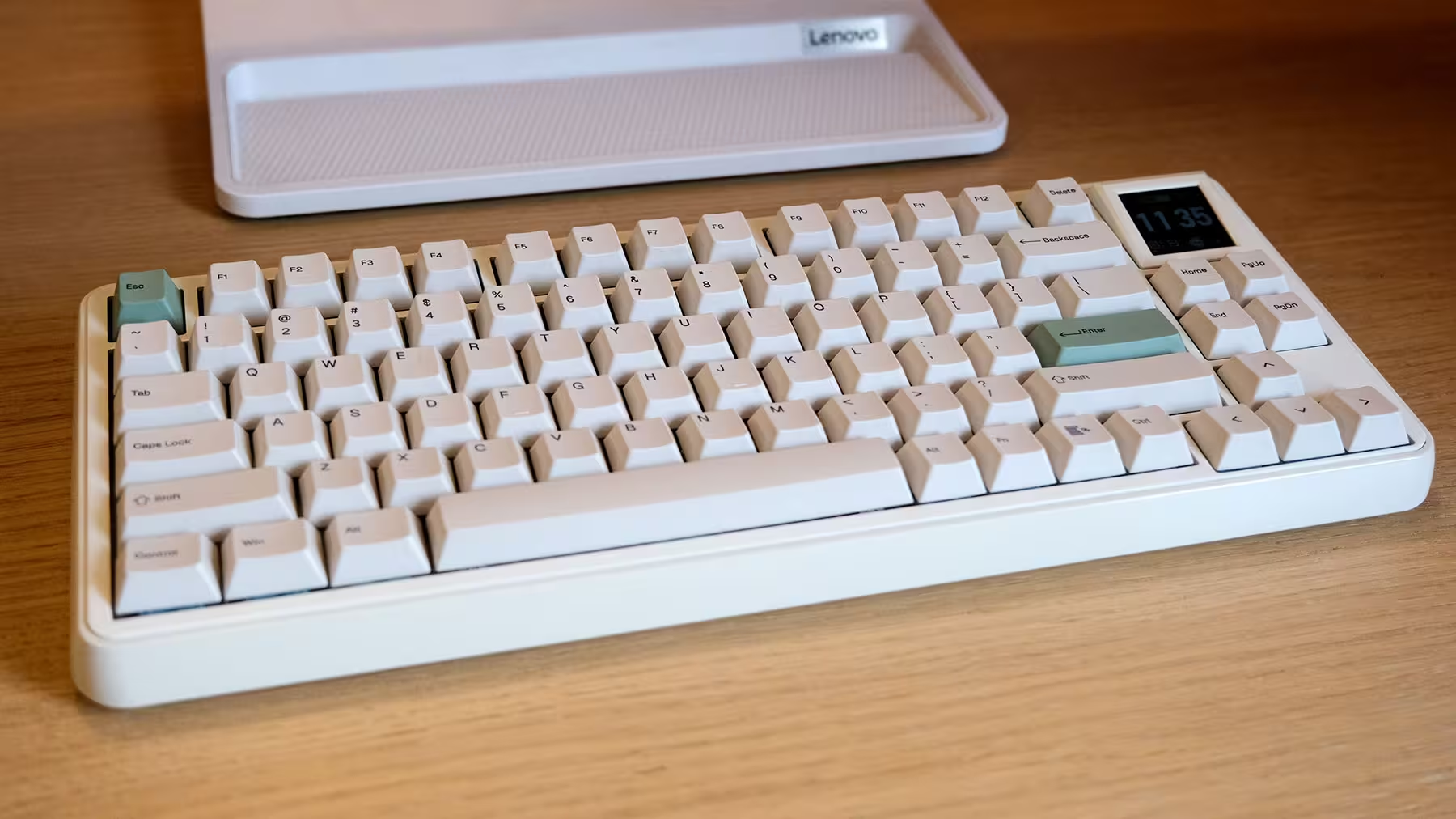
The logic behind a 75% layout is straightforward: trim the width while keeping the most frequently used keys intact. Still, for a user like me, losing the numpad leaves a genuine void. And that’s exactly where the TH26 steps in.
It’s important to remember that "75%" doesn't automatically mean the final footprint on your desk will be small. Once you place a second device next to it, you have to account for the space occupied by both—a point I’ll come back to shortly.
TH26: A Numpad That Takes Its Job Description Seriously
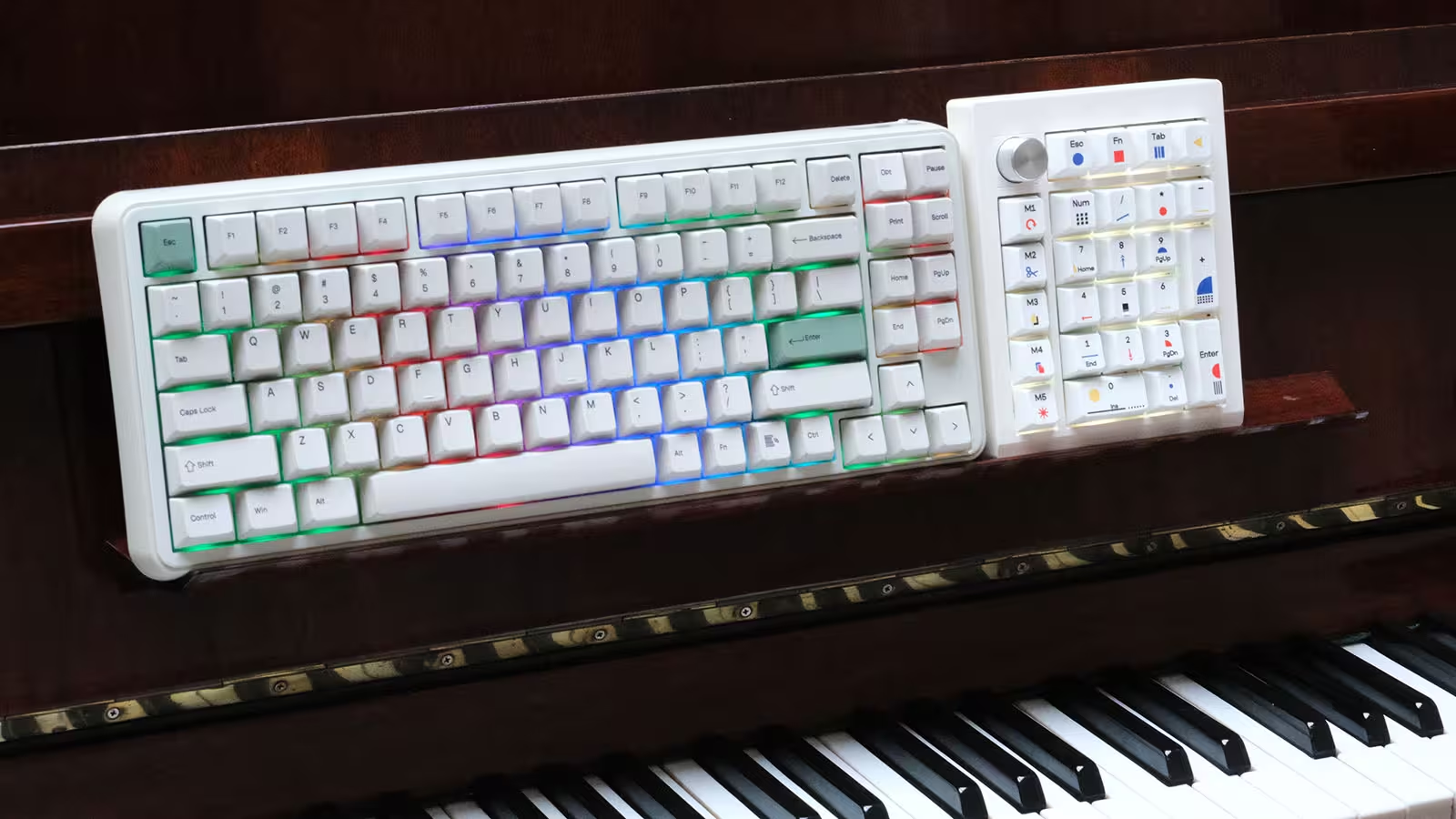
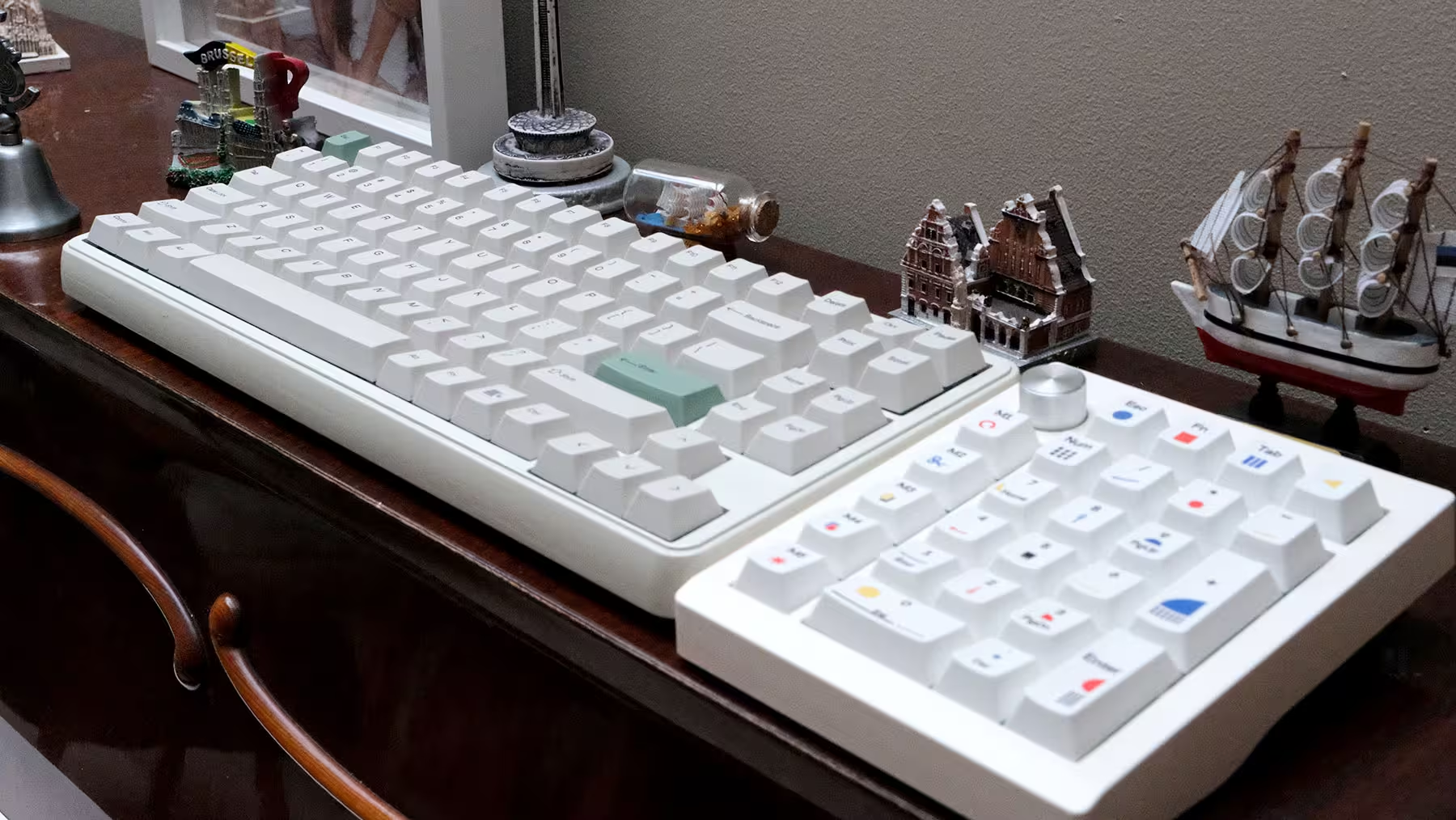
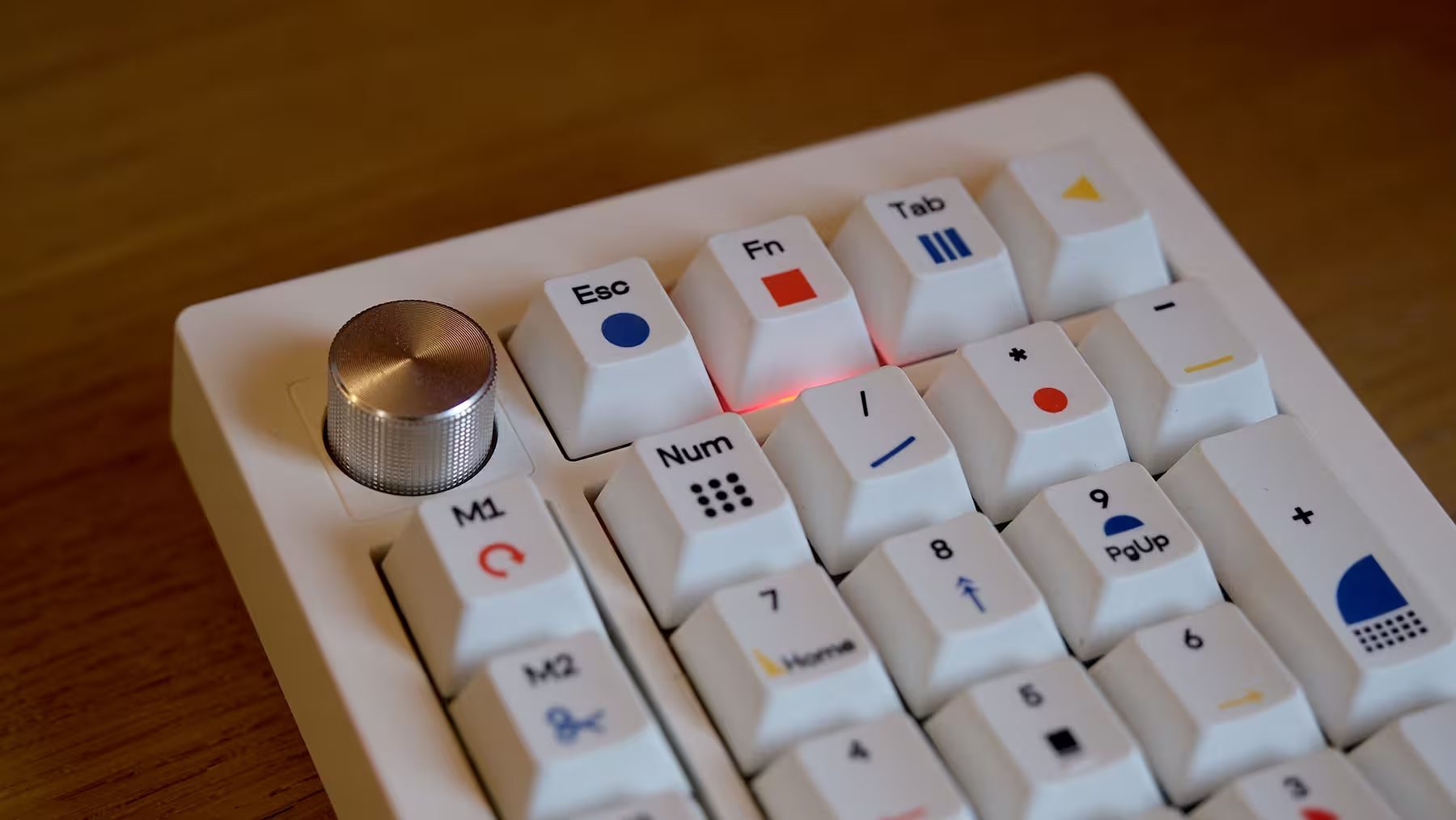
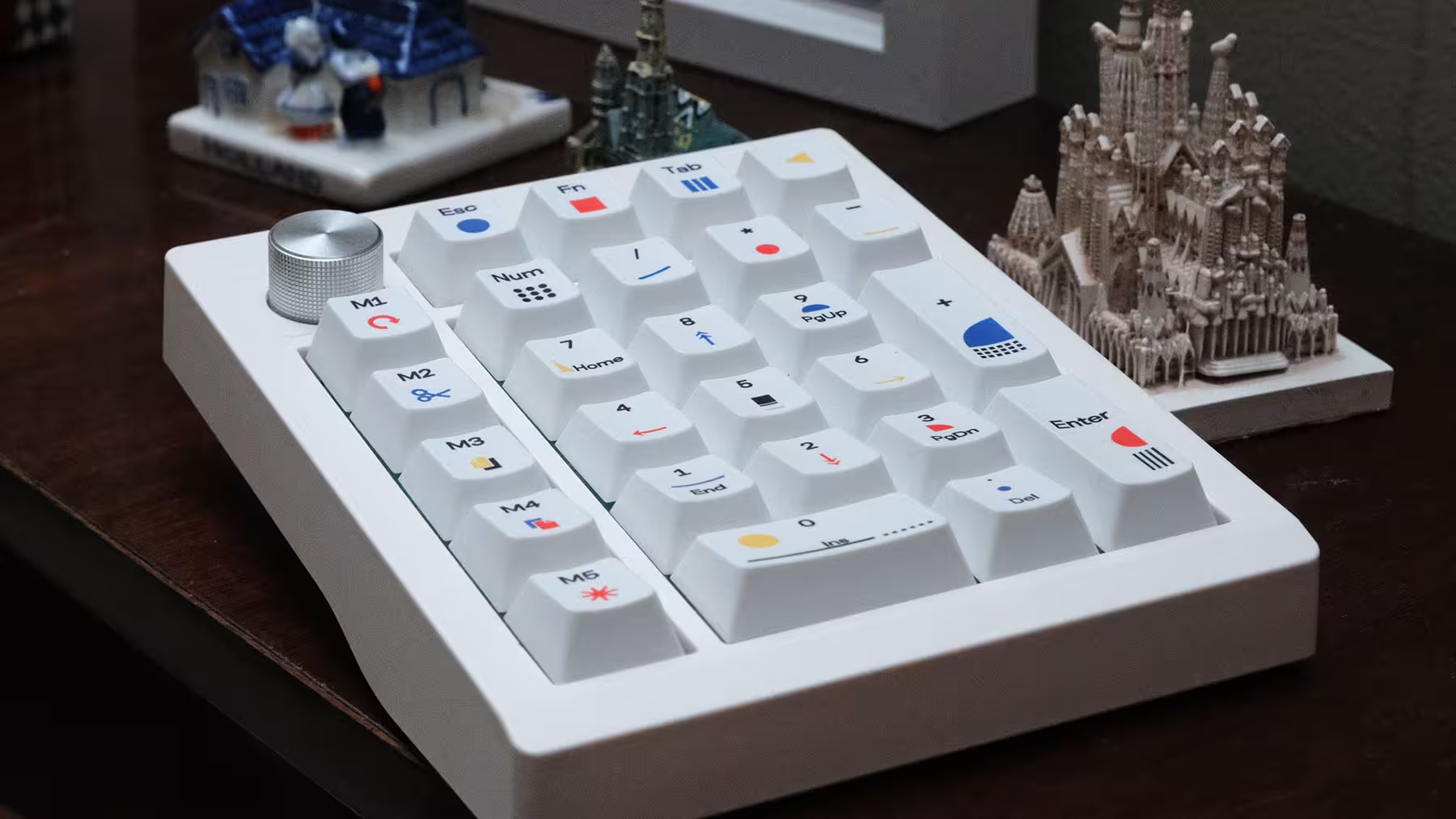
At first glance, the TH26 is a clean white numpad accented with colorful legends and a silver knob. Visually, it belongs to a different design family than the RT75. They don't necessarily clash when sitting side by side, but you shouldn't expect them to look like two matching pieces cut from the same cloth.
The main number cluster follows a familiar layout, preserving the full-sized 0, +, and Enter keys. Along the left edge sits a separate column of five macro keys, crowned by a metallic rotary knob at the top.
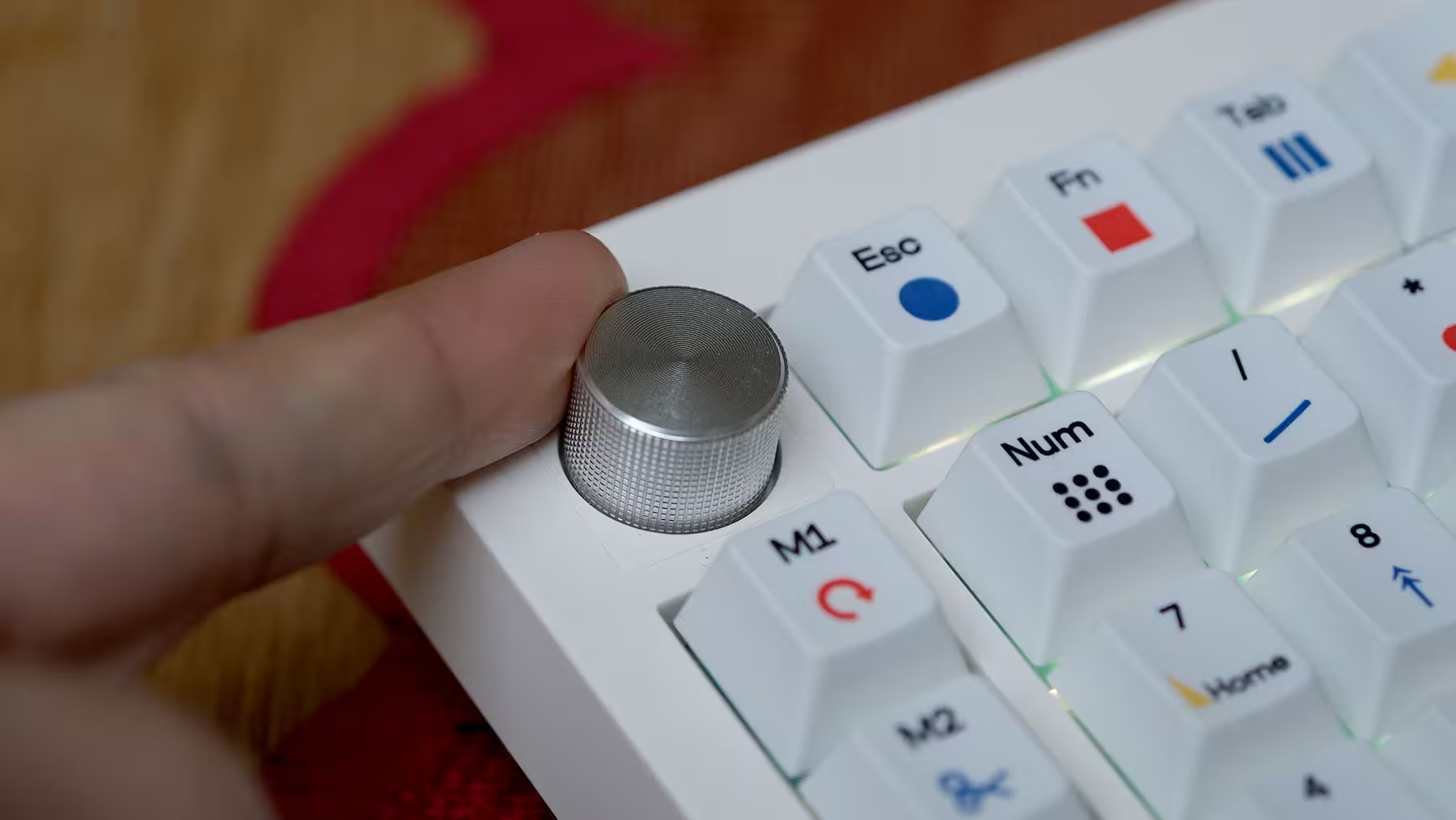
Those extras explain why the TH26 is wider than a basic numpad. At roughly 12 cm wide, you need to carve out dedicated desk real estate for it. Its 450-gram weight also makes it clear that this isn't a featherweight, pocketable accessory.
For me, the number pad itself is the primary reason to use this device, while the macro column and rotary knob are welcome bonuses that boost its value. More importantly, since the RT75 lacks a dedicated volume knob—a feature I rely on heavily—the TH26 filled a crucial missing piece of my daily workflow puzzle.
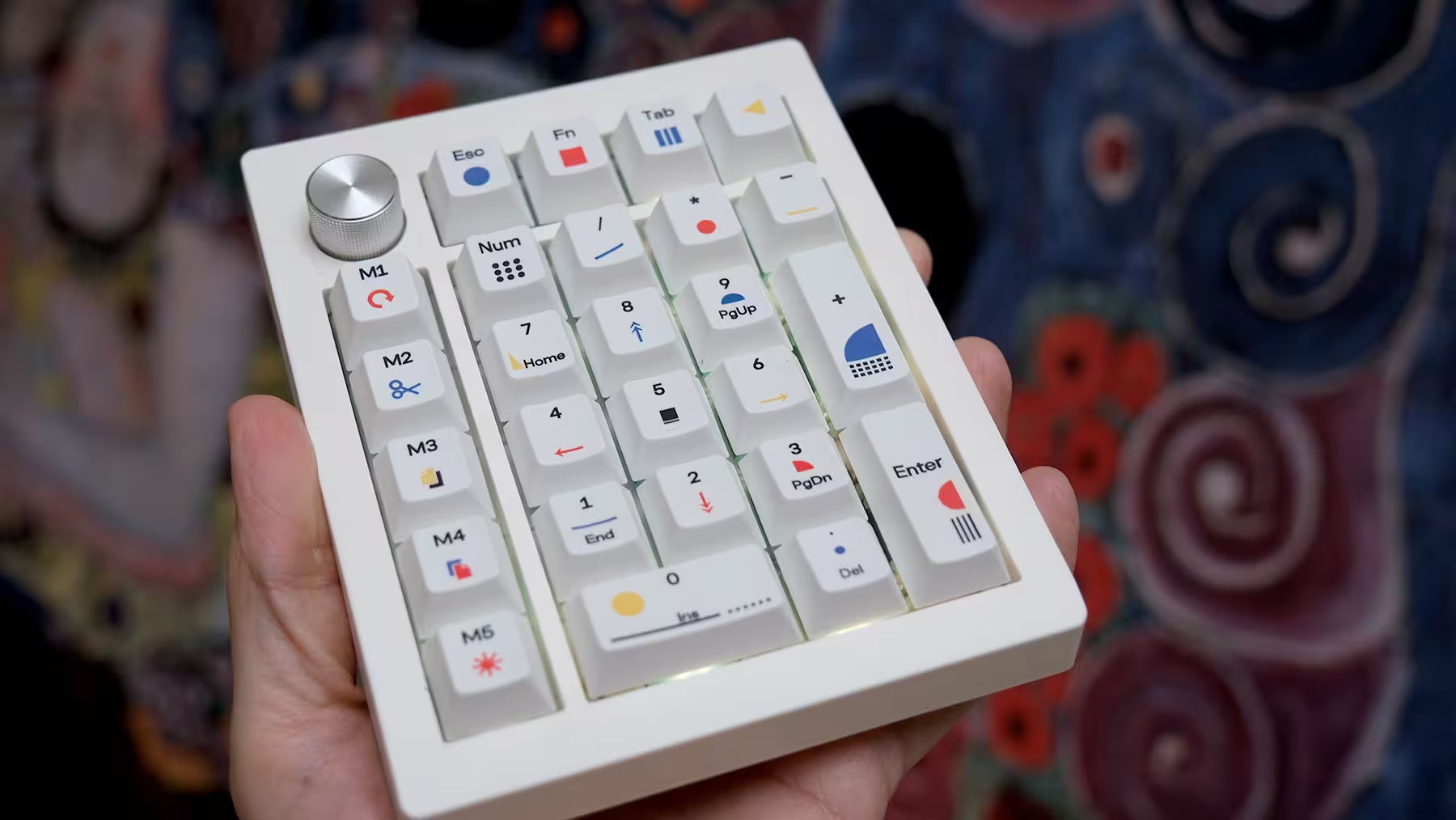
If all you want is basic number entry, you’ll be paying partly for features you might rarely touch. For instance, it comes pre-mapped with handy shortcuts like Copy and Paste, which could easily be the reason someone picks the TH26 over a generic numpad. That said, because my muscle memory is still hardwired to standard keyboard shortcuts, I haven't actively integrated those macro keys into my routine yet—for now, they mostly serve as moral support!
The RT75 Display: Four Extra Keys or a Tiny TV?
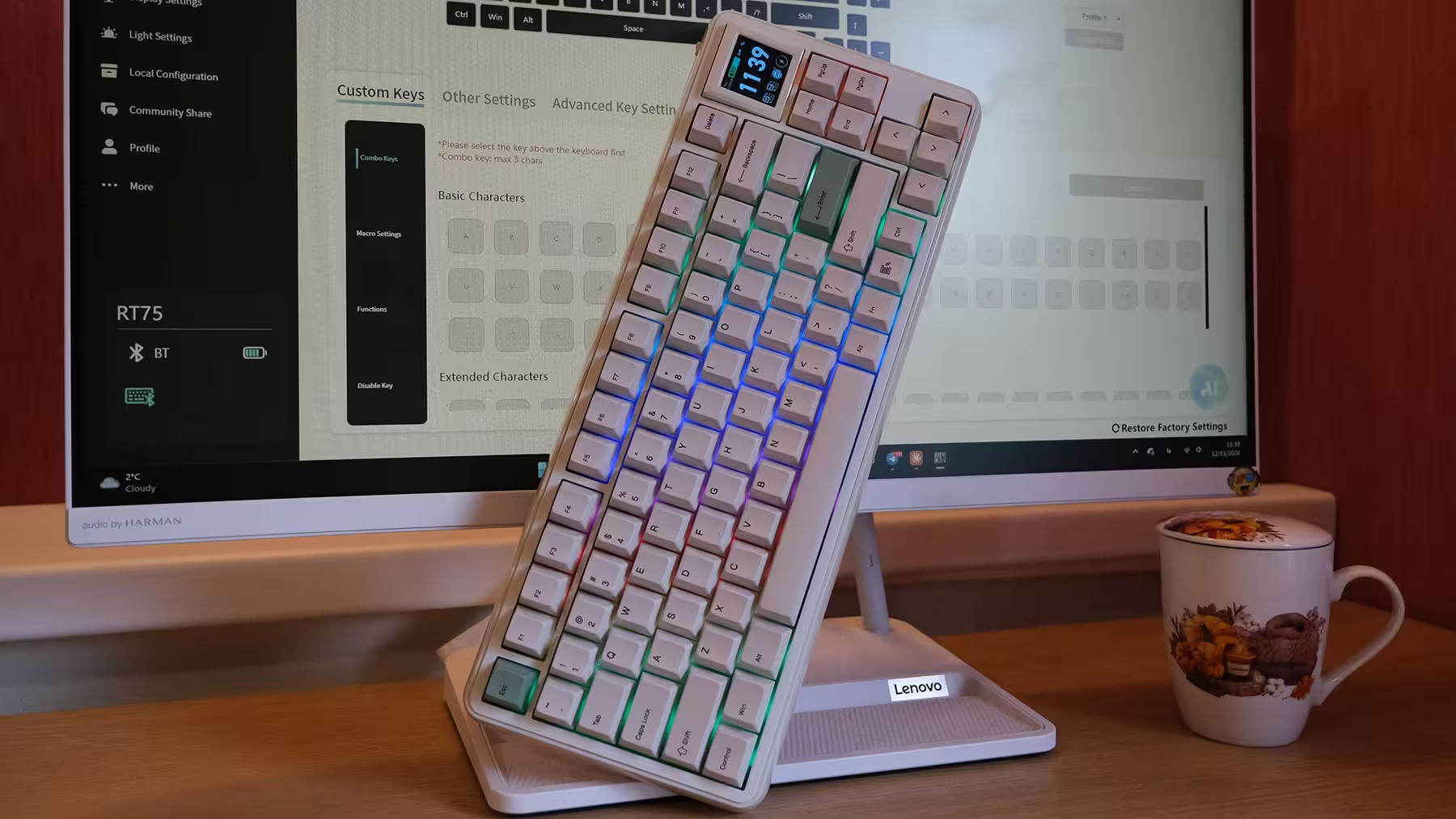
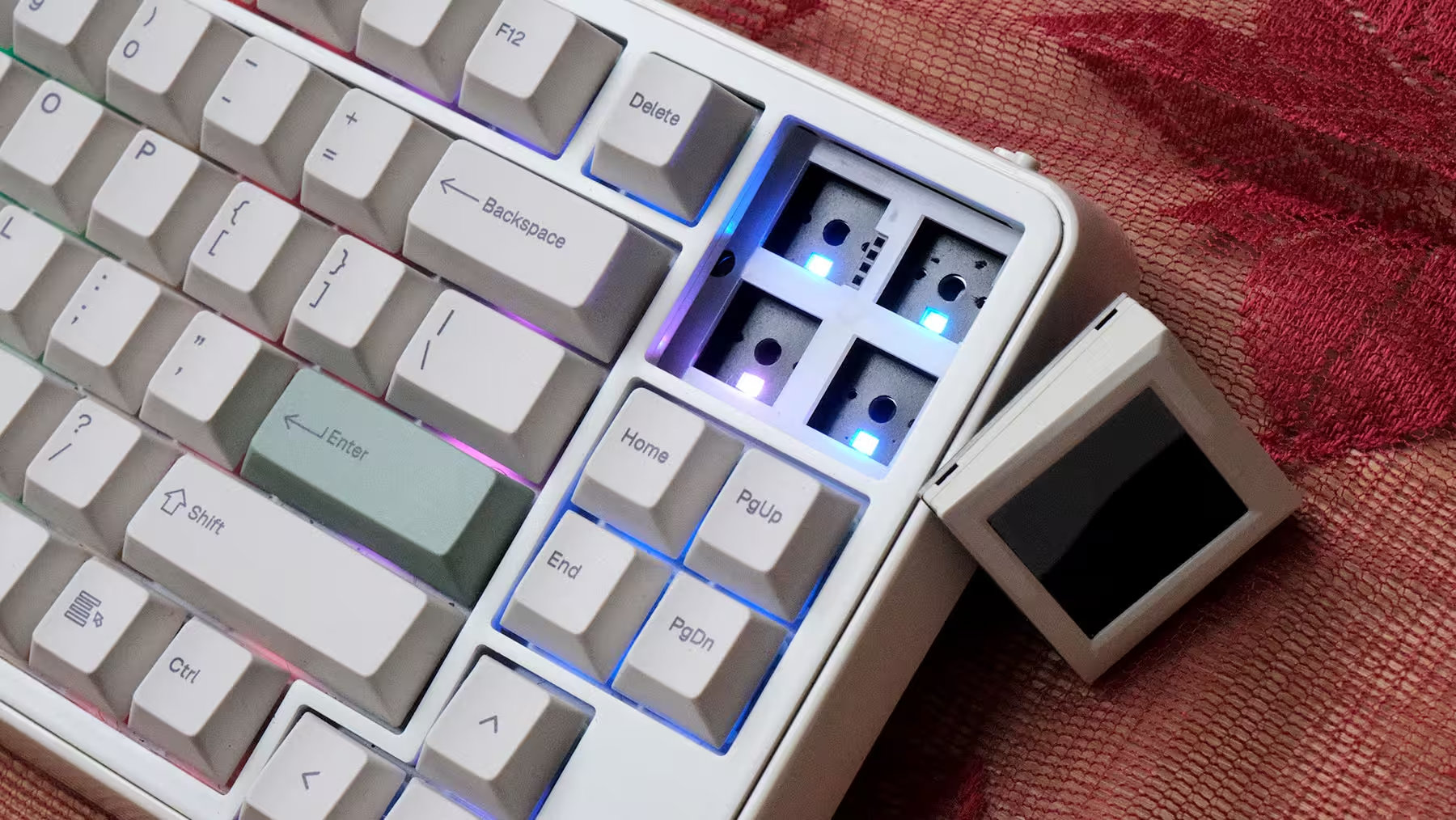
The 1.54-inch TFT screen is easily the RT75’s biggest head-turner. Capable of showing the time, connection status, custom images, and animated GIFs, it serves as both an info hub and a desk centerpiece.
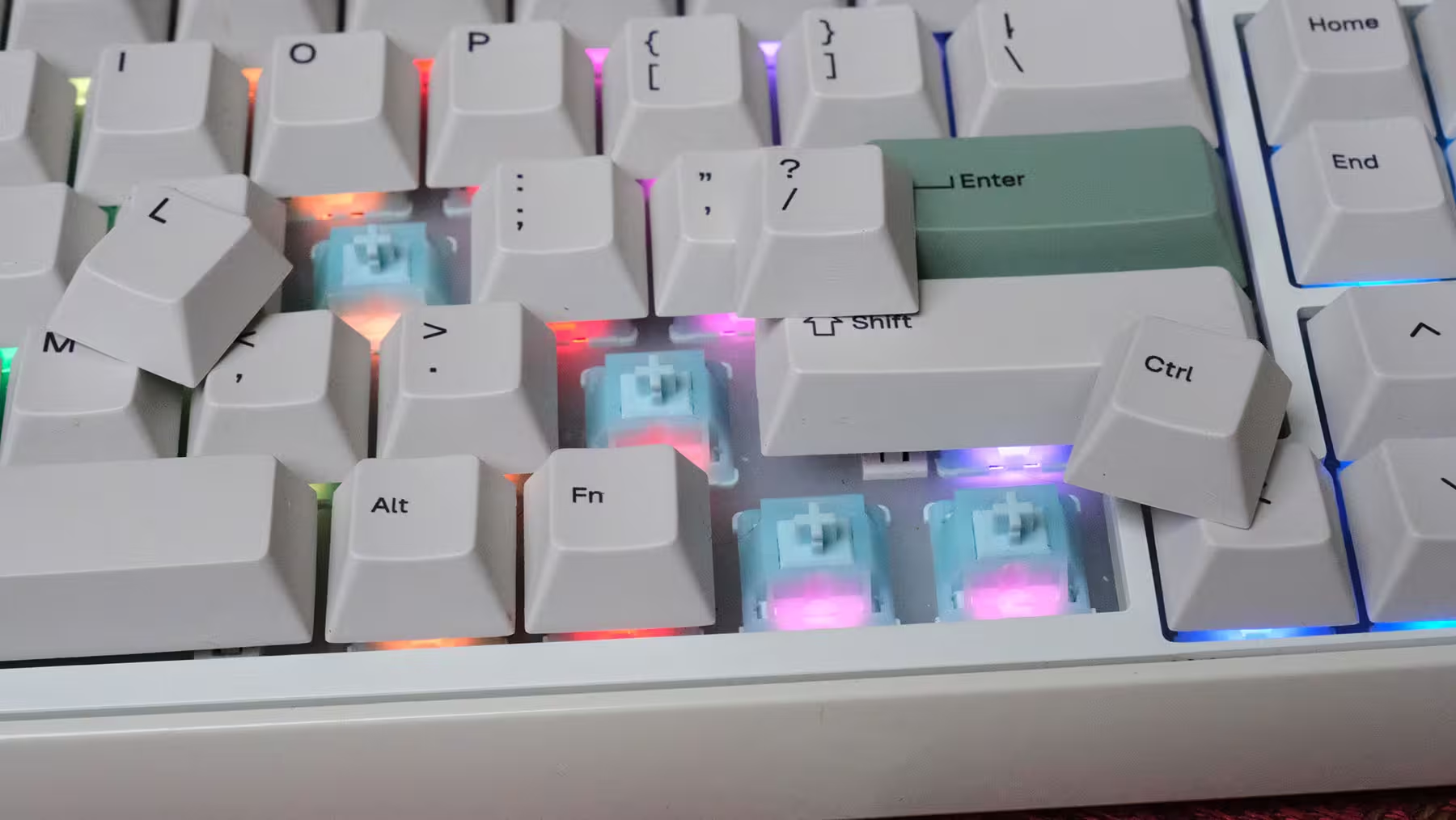
In my view, however, Epomaker’s smartest decision was making the screen optional. You can pop the display module right out and drop four standard switches and keycaps into that exact spot. The choice is genuinely yours: do you want system readouts and animations, or four extra programmable keys?
That flexibility matters because what excites you on day one isn't always what serves you six months down the road. You might enjoy running a looping GIF for a few weeks before deciding that four dedicated navigation or macro keys are much more practical. The RT75 leaves the door open for changing your mind.
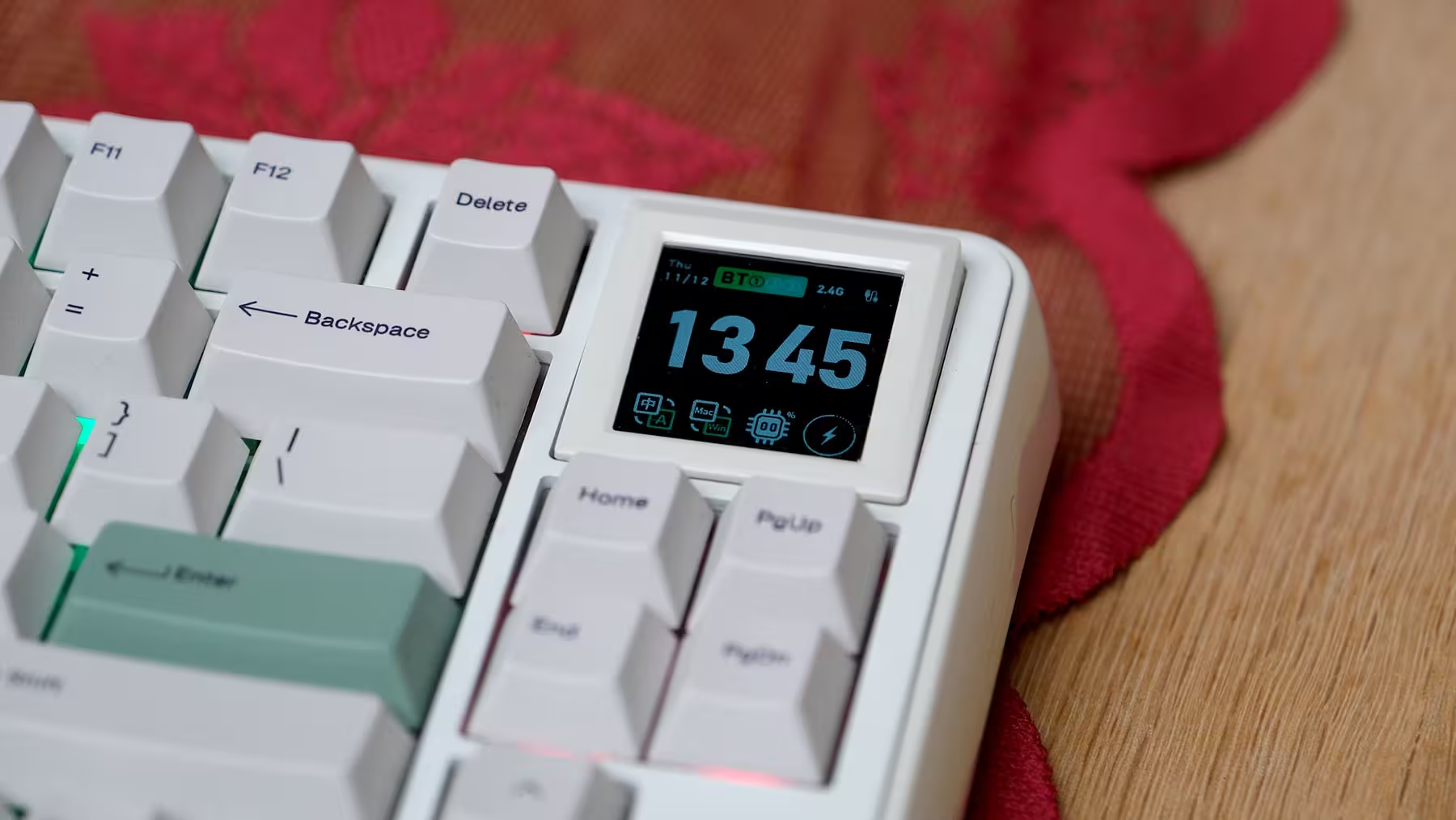
At the same time, let's not take the screen too seriously. Its size is meant for quick glances and aesthetic flair. Nobody is opening an Excel spreadsheet on it—half the time, even our main monitors barely feel big enough for that!
Uploading custom images and GIFs requires connecting the keyboard via cable and using Epomaker's software, with transfer speeds depending on the file size. Also, "modular" here shouldn't be mistaken for an ecosystem of different attachments; your options are strictly the screen or the four keys.
So, the million-dollar question: do I actually like the screen? Visually, it’s charming, and I really enjoyed having it there during the first few days. As time went on, though, I realized it feels a lot like a massive rear spoiler on a car that never goes past 30 mph in city traffic. Practically speaking, the info it displays isn't all that useful. The clock—which takes up the most space—is already right there on my monitor, and toggles like switching between Windows and Mac modes aren't things you change on the fly. Worse yet, the battery indicator never worked properly on my unit, staying frozen on a static icon the entire time. Factor in that the screen stays on constantly with no built-in toggle to turn it off—draining the battery faster—and I eventually decided to swap it out for the four physical keys, which actually pull their weight.
Creamy Jade Switches: The Common Denominator
Both my RT75 and TH26 review units came equipped with Epomaker’s Creamy Jade switches. Because both devices share the exact same linear switch, the foundational typing feel remains consistent as your hand moves between the keyboard and the numpad.
With a linear switch, the keystroke travels smoothly straight down without a tactile bump to signal actuation. If you’re used to tactile switches, keep that in mind—linear isn't a higher tier of quality, just a different flavor of feedback.
Spec-wise, the Creamy Jade switches feature an actuation force of around 45gf, an actuation point of 2.0mm, a total travel distance of 3.6mm, and a bottom-out force of roughly 50gf.
In plain English, you don't need to mash the keys all the way down to register a press, even though most of us naturally bottom out when typing fast anyway. They also come factory-lubed to reduce friction and smooth out the keystroke—a huge plus for anyone who wants a great out-of-the-box experience rather than spending their weekend hand-lubing dozens of tiny switches.
One crucial detail: Creamy Jade switches are not silent. Lacking an intentional clicky mechanism doesn't mean noiseless; the physical impact of the stem bottoming out and rebounding still produces a distinct sound profile.
Epomaker also offers the RT75 with Crystal Silent Tactile switches, which deliver a completely different feel and acoustic profile than what I tested here, so my experience shouldn't be generalized to that variant.
Foam, Gaskets, and Plates: Why Switch Names Don’t Tell the Whole Story
Both devices utilize a gasket-mount structure paired with a polycarbonate plate. In a gasket-mount design, the plate holding the switches rests on compressible strips rather than being screwed rigidly into the case, helping absorb impact and isolate vibrations.
Internally, the RT75 packs six layers of sound-dampening materials, while the TH26 uses four. These layers work together to tame hollow case ping and shape the acoustic profile.
However, foam layers shouldn't be treated like smartphone camera counts—more isn't automatically better. Six layers don't inherently beat four; how well the components work together matters far more than the raw tally.
Similarly, "gasket-mount" doesn't guarantee the keys will bounce like a spring mattress under your fingers. How tightly the layers are compressed, the internal cavity room, and the plate design dictate how much flex you actually feel. A keyboard can be gasket-mounted and still offer a relatively firm typing experience.
Even with identical switches, the two devices don't sound identical. Because the internal chamber volume, case geometry, and dampening layers differ between a 75% board and a compact numpad, you get a consistent mechanical feel, but slightly different acoustic pitches.
Larger keys are also a critical part of the equation. Keys like Space and Enter on the RT75, along with 0, +, and Enter on the TH26, rely heavily on their stabilizers. Having pleasant-sounding letter keys isn't enough; a good mechanical device has to keep rattle in check on the big keys, too.
Keycaps: Solid Build, Mostly Decorative Lighting
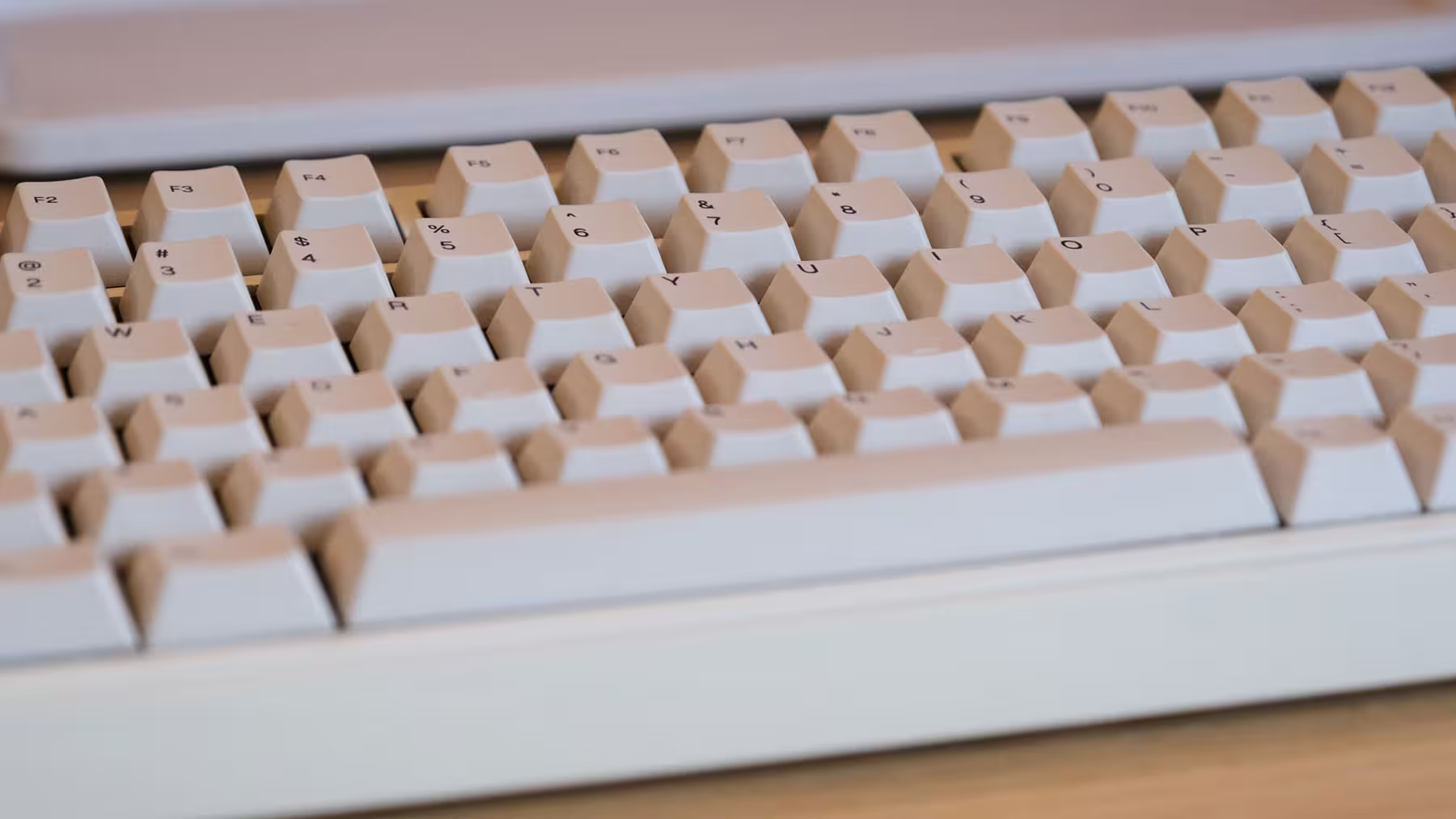
Epomaker outfitted both products with Cherry-profile PBT keycaps. The Cherry sculpting feels immediately familiar and comfortable for anyone who has spent time on standard mechanical keyboards.
PBT plastic is a great choice for resisting surface shine over time, though material alone doesn't define keycap quality—wall thickness, molding precision, and legend printing all play a part. Both models use dye-sublimated (dye-sub) legends.
The practical catch here is that the legends are not shine-through. On both the RT75 and TH26, the RGB lighting glows around and between the keys rather than illuminating the characters themselves.
So, if you rely on backlighting to read key legends in a dark room, keep this limitation in mind. Here, the RGB is meant to set the mood on your desk, not help you hunt down a symbol you haven't memorized yet!
Ergonomics: Horizontal Freedom, Vertical Limits
The single biggest advantage of this two-piece setup is complete freedom over where the numpad lives. You can center the main typing cluster squarely in front of your chest and place the TH26 wherever feels natural—even on the left side, though punching in numbers quickly with your left hand takes some serious practice if you’re right-handed.
Freedom of placement, however, doesn't mean freedom of adjustment. The RT75 has a fixed typing angle of 5.8 degrees, while the TH26 sits at a fixed 7 degrees, and neither includes flip-out feet to adjust the incline.
That slight difference in angle is another reminder that these aren't twin pieces of a single kit. Most users won't mind, but if you're picky about uniform height and tilt across your peripherals, you’ll notice it.
Ultimately, long-term comfort still comes down to your desk and chair height, keyboard distance, and wrist posture. A wrist rest can certainly help, but it’s no substitute for proper desk ergonomics.
Connectivity: Full-Featured, Yet Independently Managed
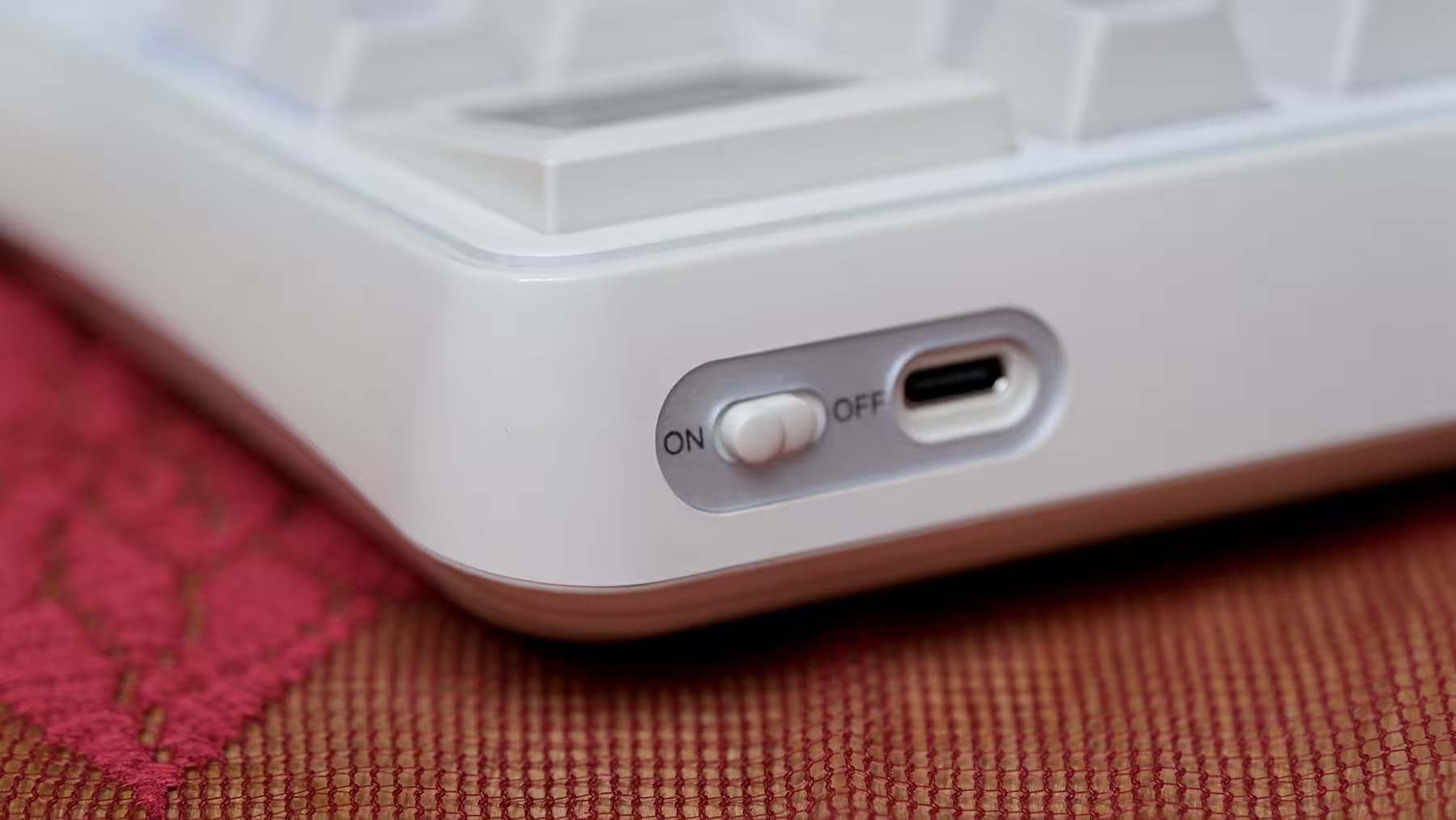
Both units support tri-mode connectivity: wired USB-C, 2.4GHz wireless via dongle, and Bluetooth. That versatility lets you tailor how you connect depending on your setup and workflow.
For gaming or stationary desktop use, wired or 2.4GHz wireless are the most logical picks, while Bluetooth is great for juggling multiple devices. The TH26 features a physical three-way toggle switch for selecting connection modes, keeping its status unambiguous at a glance.
Both run at a 1000Hz polling rate over wired and 2.4GHz connections, dropping to 125Hz over Bluetooth. Keep in mind that 1000Hz doesn't magically equal a 1ms end-to-end latency; it simply reflects how frequently the device reports to the PC, while matrix scanning and signal processing still factor into real-world response times.
While the RT75 is more than capable for a mix of daily work and casual gaming, its mechanical switches don't offer adjustable actuation points or the Rapid Trigger features found on Hall-effect magnetic keyboards. If competitive esports is your sole priority, you should look elsewhere.
When using both wirelessly at the same time, don't expect them to share a unified receiver. Each device uses its own dongle, meaning 2.4GHz mode on both will eat up two USB ports. Personally, I ran both over Bluetooth for most of my testing and experienced zero dropouts—the connection stayed rock-solid and responsive throughout the month.
Software: Where Extra Features Have to Earn Their Keep
For the RT75, Epomaker’s dedicated software handles key remapping, macros, lighting effects, and uploading custom graphics to the screen, while everyday tweaks can also be done via onboard shortcuts.
On the TH26, programmability is an even bigger deal. It supports VIA for deep key remapping and macro creation (which requires loading the device’s JSON file), alongside Epomaker Hub as an alternative configuration tool.
For editorial and office workflows, assigning repetitive actions like Copy, Paste, Undo, or app-specific editing shortcuts to the macro column makes a lot of sense. The same logic applies to photo and video editing suites.
The rotary knob both turns and clicks. Out of the box, volume control is its most direct و satisfying use, while more specialized functions depend on how you program it. Just don't expect it to magically act as a context-aware editing dial across every creative app without manual setup.
In my experience, setting up a handful of simple shortcuts you actually use every day beats programming five complex layers that you’ll never remember. Nobody wants to keep a cheat sheet taped to their monitor just to operate their numpad!
Battery Life: Two Capacities, Two Responsibilities
The RT75 packs a 5,000 mAh battery, while the TH26 houses a 2,000 mAh cell. Raw capacity numbers only tell half the story, though.
Screen usage, RGB brightness, connection mode, daily active hours, and sleep timers all heavily impact real-world drain. Without controlling for those variables, promising an exact number of days or weeks per charge isn't realistic.
What definitely changes with this setup is battery management: you now have two separate devices to keep charged. The TH26’s independence gives you layout freedom, but it also means its power cable is another responsibility. The numpad has been detached from the keyboard—not from the charger.
During my month with the pair, the RT75 died on me several times! Naturally, it saw much heavier use, but considering I kept the RGB turned off, I expected noticeably better endurance. Roughly once a week, the battery would suddenly flatline. Why "suddenly"? Because its tiny screen never gave an accurate battery readout, and the keyboard itself rarely flashed a low-battery warning light. Even Windows’ Bluetooth menu would sometimes claim the keyboard was sitting above 30%, only for the RT75 to betray that number و pass out completely! Only when it went totally unresponsive did I realize it needed juice. Thankfully, plugging in the USB-C cable brings it right back to life, and charging speeds are surprisingly fast for a 5,000 mAh battery.
On the flip side, the TH26 delivered fantastic battery life. Granted, I pressed its keys less frequently, but because it doesn't have a power-hungry mini screen, it took a full month before I finally saw its low-battery indicator—a red LED glowing beneath the Fn key. The smaller companion definitely outshined the main board in power management.
Do They Actually Save Desk Space?
Let’s be honest with the math here. The RT75 measures 35.2 cm wide, and the TH26 adds another 12.1 cm. Placed flush against each other with zero gap, their combined width reaches 47.3 cm.
So, if you leave both sitting side by side in a single row all day, you can’t really call this a space-saving setup just because the main keyboard is a 75% model. Factor in a comfortable gap between the two, and they actually take up more horizontal width than a standard full-size keyboard.
The real advantage isn't saving space—it’s layout flexibility. You can angle the numpad separately, push it further away to give your mouse more room, move it to the left side, or tuck it into a drawer when you’re just writing or gaming. Those are genuine design perks, but their real-world value depends entirely on whether you actually move them around during your workday.
For someone like me who relies on a numpad, the fair comparison is against a traditional full-size board. If the numpad ends up sitting permanently glued to the right side of your keyboard anyway, you’re paying for flexibility you own in theory rather than an advantage you use in practice.
Value Proposition: Three Separate Buying Decisions
Buying the RT75, buying the TH26, and buying both together are three distinct decisions:
The RT75 on its own makes sense if you want a 75% layout, charming retro styling, smooth linear switches, and a swappable mini display. You don't need the TH26 to make it whole; if you don't care about a numpad, the RT75 stands comfortably on its own feet.
The TH26 on its own isn't tied to the RT75 either. It can sit next to whatever compact keyboard you already own, adding a dedicated number cluster, macros, and a volume knob. If you only type the occasional number, it’s probably overkill; if you live in spreadsheets or rely on repetitive shortcuts, it easily justifies its spot.
Buying both together requires weighing their combined price against a high-end full-size keyboard. Listed at around $110 for the RT75 and $45 for the TH26 on Epomaker’s store, the duo runs about $155 before regional pricing, shipping, or seasonal discounts come into play.
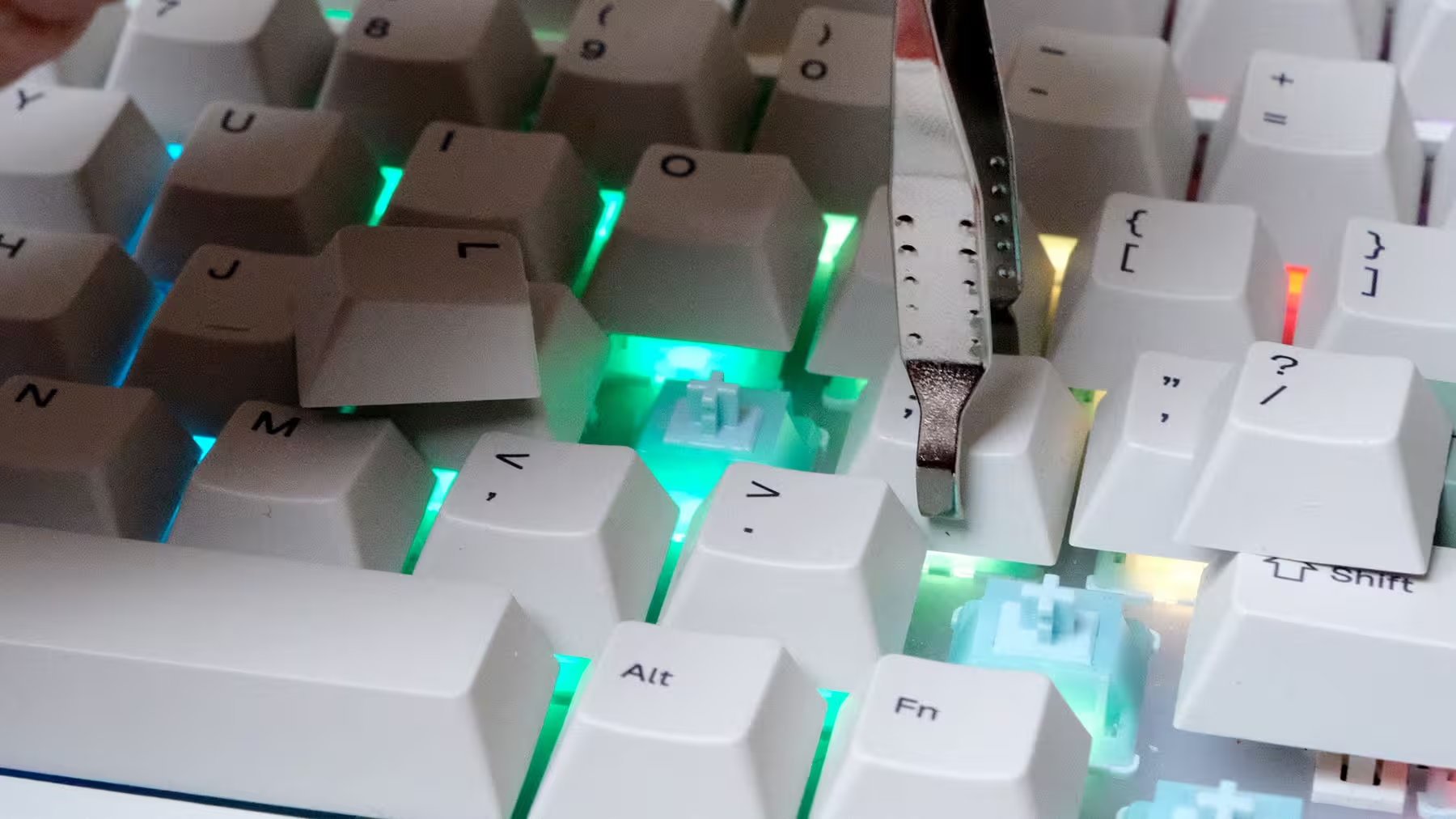
One strong long-term value point for both is hot-swappability. You can pull out and replace compatible mechanical switches without a soldering iron—whether to experiment with a different typing feel or to fix a faulty switch years down the line (though keep in mind this applies to standard mechanical switches, not optical or magnetic ones).
Final Verdict: Who Is This Combo Actually For?
Taken on its own, the Epomaker RT75 is a keyboard bursting with character. Its practical 75% layout, smooth Creamy Jade switches, PBT keycaps, tri-mode connectivity, and swappable screen module make for an appealing package. On the flip side, its fixed typing angle, hefty weight, non-shine-through legends, and quirky battery behavior (with the screen attached) are compromises you need to weigh before buying.
The Epomaker TH26 is built for a more specific crowd: users who want a standalone numpad and can put its macro column and rotary knob to good use. Full VIA programmability and hot-swappable switches elevate it well above basic office numpads.
Paired together, their crowning achievement is ergonomic and spatial freedom—traded against a higher combined cost, managing two batteries and two wireless connections, and a slight mismatch in visual styling and typing angle.
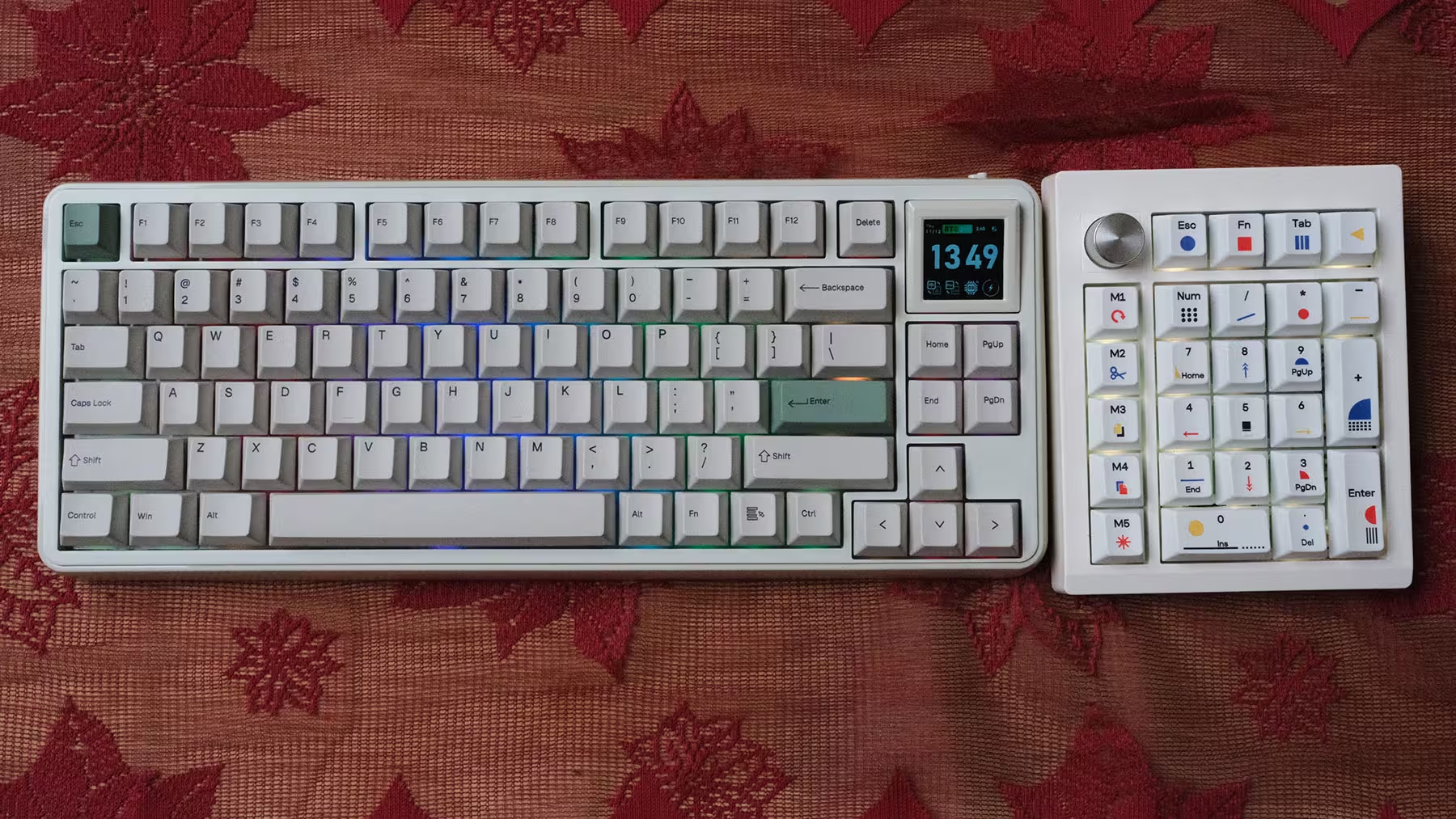
If you already know your numpad will stay permanently parked right next to your keyboard’s right edge, a traditional full-size mechanical keyboard remains the simpler, more logical choice. But if detaching the numpad unlocks a better workflow for your desk, or if you refuse to give up compact keyboards just because you need a number cluster, the RT75 and TH26 make a compelling duo.
For me, pairing these two started with a simple, practical dilemma: I love compact keyboards, but I refuse to give up my numpad. Epomaker gave me a way to have both—and despite a few quirks, I genuinely enjoyed the ride!

“Some times I write about breakthrough startups, digital ecosystems, and how innovation is changing the way we build businesses.”

Discussion
Leave a Comment
Comments (1)
Retro vibes strong, that tiny screen sounds cute but battery issues?? nah. Love modular numpad idea tho, but two batteries = extra hassle. still curious to try the creamy jade switches