
3 Minutes
If you wrote off Motorola as slow with updates, here’s a surprise: the company has already pushed Android 16 to a healthy lineup of phones. It didn’t happen overnight. But the rollout is real, and it’s reaching more models by the week.
Motorola has already pushed Android 16 to over a dozen phones, with more models currently in beta. That’s the headline. The finer print: updates land in batches, carriers and regions matter, and your device might not see the build the same day it appears on someone else’s phone.
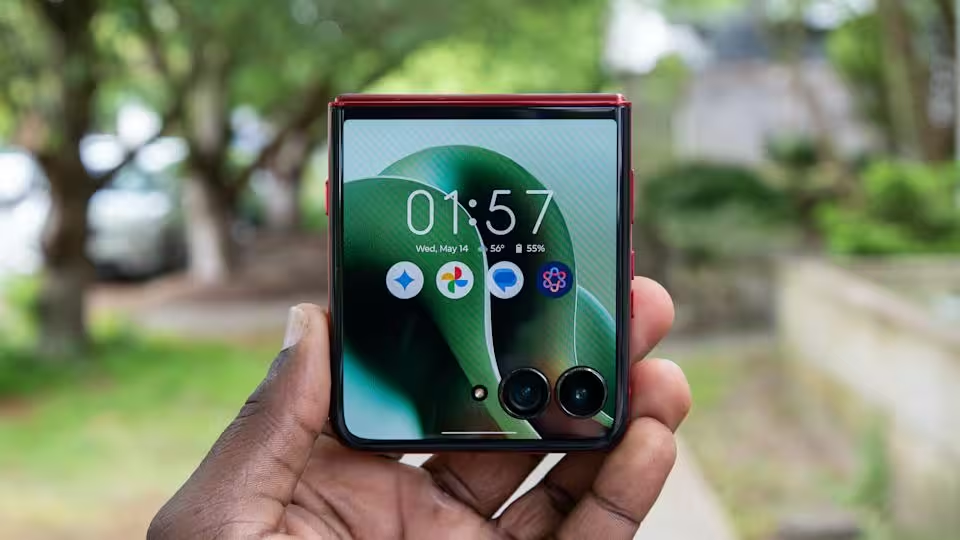
Which models are getting the stable Android 16 now? The Edge family leads the charge. Flagship and midrange Edge devices are on the receiving end, followed by the latest Razr foldables and a handful of Moto G phones targeted at mainstream buyers. If you own one of the recent Edge or Razr handsets the odds are good you’ll see the notification soon—if you haven’t already.
- Motorola Edge 60 Pro
- Motorola Edge 60 Fusion
- Motorola Edge 60 Stylus
- Motorola Edge 50 Pro
- Motorola Edge 50 Ultra
- Motorola Edge Fusion
- Motorola Edge 2025
- Motorola Razr 60
- Motorola Razr 60 Ultra
- Motorola Razr 50
- Motorola Razr 50 Ultra
- Moto G86 5G
- Moto G86 Power 5G
- Moto G75 5G
- Moto G67 Power 5G
- Moto G Stylus (2025)
- Moto G Power (2025)
- Moto G (2025)
Devices currently in the Android 16 beta
Motorola is also running beta programs for a broader set of devices. These previews let a limited group of users test the software before it reaches the mass market. Expect feedback cycles and fast updates while the beta runs; typically this phase lasts a few weeks, though Motorola doesn’t publish strict timelines.
- Motorola ThinkPhone and ThinkPhone 25
- Motorola Edge 60 / Edge 60 Neo
- Motorola Edge 50 / Edge 50 Neo
- Motorola Edge 40 Pro, Edge (2024), Edge+ (2023)
- Motorola Razr 40 series and Razr 40 Ultra / Razr+ (2023)
- Moto Pad 60 Pro
- Moto G96 5G, G85 5G, G67 5G, G56 5G, G55 5G, G35 5G
Want the update now? There are two routes. Wait for the automatic OTA—updates are dispatched in regional batches and sometimes filtered by carrier. Or join the beta, if your model and region are eligible. To check manually: go to Settings > System > Check for updates. If the build is available you’ll see it there.
One small headache remains. Motorola doesn’t publish a public rollout timeline, so patience helps. Carrier approvals and staggered server pushes mean people on the same model can receive the same build days or even weeks apart.
If you like keeping tabs on software waves, bookmark the Motorola updates section or join our Telegram channel for instant alerts about OTA pushes, beta openings, and product news. Your phone might be next—so check for the update, and don’t miss it.
Source: gizmochina


Comments
Armin
Is this even true? Carrier rollouts are such a mess, I join beta programs but still wait weeks. anyone else?
mechbyte
Wow, Motorola actually moving fast? My Razr 60 hasn't pinged yet, but hey nice surprise... fingers crossed

Leave a Comment