

One working day in a restaurant: who clocks in, who covers for a sick colleague, the question nobody wrote down, and how the hours add up at night.
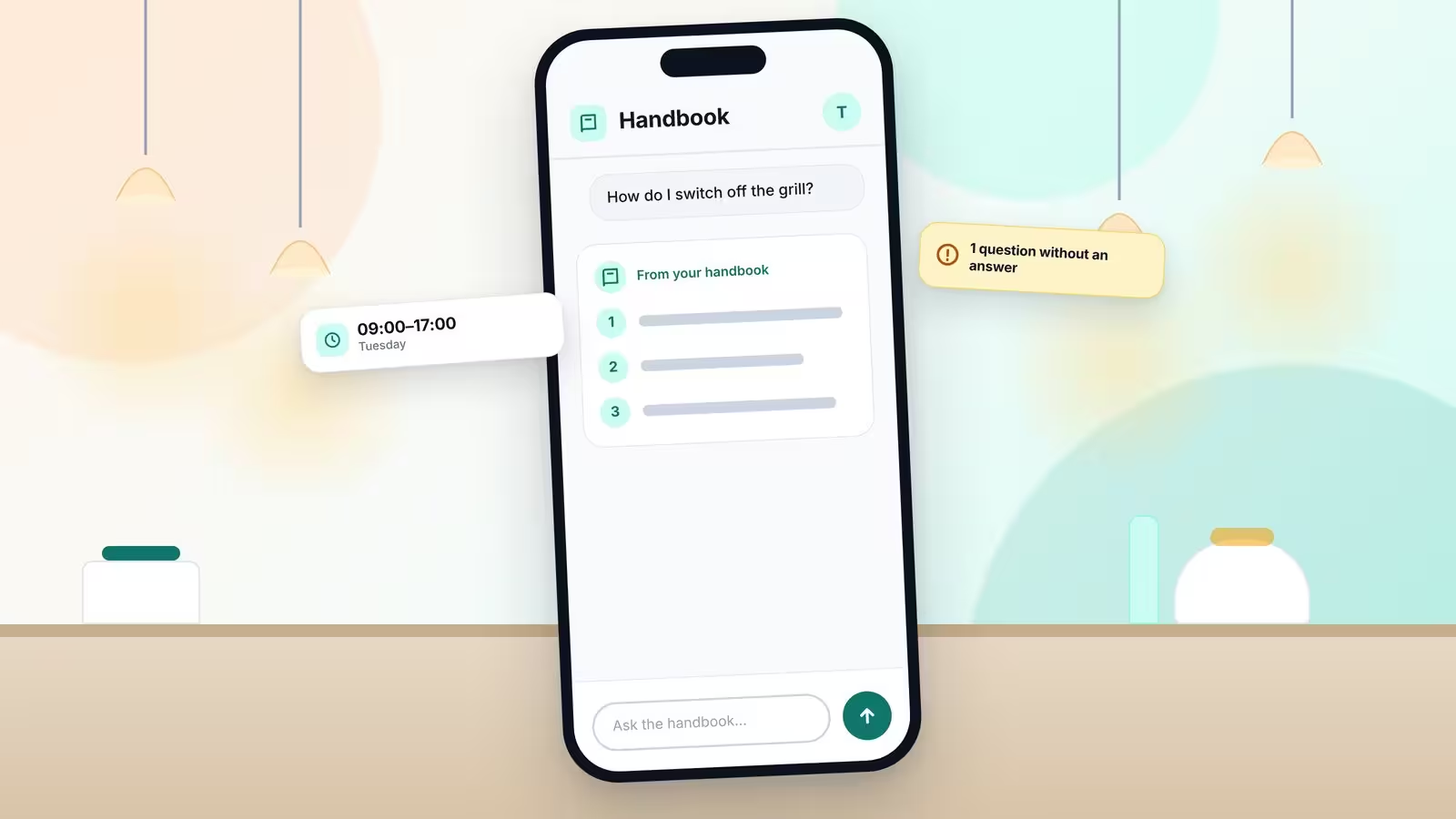
Picture a quarter to nine in a restaurant in Vilnius. The first cook clocks in on her phone. A message is already waiting: a colleague from the evening shift is ill and will not come in today. And the first question of the day is in the air: how do we switch off the grill? The owner is busy with a delivery. Nobody wrote the answer down, so the cook texts a colleague, who sends back a photo of a handwritten note from last spring.
Most restaurant teams know this morning: one person short, one question without an answer, and an owner who is needed in three places at once. Loopapa is a business management app made in Vilnius, built to turn the daily running of a business into a system. Any business can use it today for attendance and working hours, leave and cover, tasks, a handbook and a question-and-answer assistant on top of it. For restaurants, cafés and bars it has been tailored further, with its own modules such as food-safety records and a kitchen display. The pictures in this story come from a demo workspace called Rūta's Bistro, with invented staff and invented data. They follow one ordinary day, from the first clock-in to the last hour counted.
The problem every restaurant shares
Ask a restaurant owner where the know-how lives, and the honest answer is: in my head. Who works when sits in a chat group or on a sheet of paper by the door. Who covers for whom gets settled with a round of phone calls. The procedures are partly on paper, taped to a wall or lost in a drawer. New people learn by asking, and the same questions come back every shift.
Add a team that speaks several languages, hours that have to be right at the end of the month, and a kitchen that must keep records for food safety, and a simple day becomes a lot of small things to remember. Loopapa does not try to replace the people who run the restaurant. It tries to catch what usually gets lost between them.
Morning: attendance from the phone
The day starts with the phone. Staff clock in with GPS, and the business draws a work zone around the venue. Outside that zone, clock-in is blocked. The manager opens the app and sees, live, who is on shift right now. Staff use the mobile app, and managers also have controls in the browser.
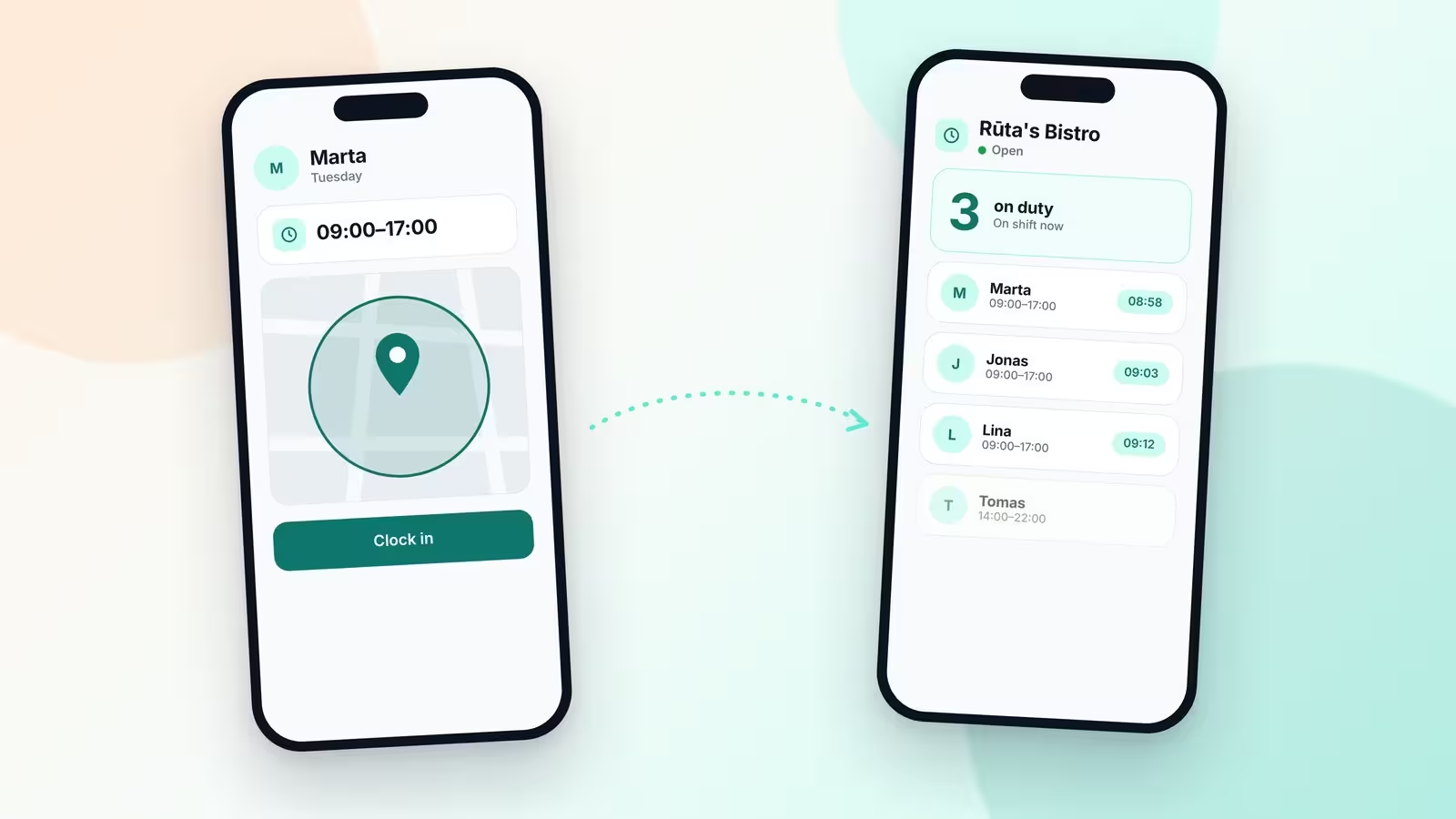
Each person has their own working hours: a weekly pattern, a rotation that repeats every few weeks, split days with a break in the middle, or a one-off day. Changes at short notice come with a warning. Reminders arrive at the start and at the end of each person's hours, so nobody has to remember to clock in on a busy morning. Staff can clock in and out several times a day, and the pieces of a split shift add up to one daily total.
A colleague is ill: leave, cover and shift swaps
Back to the message about the evening shift. In many restaurants, this is where the phone calls start. In Loopapa, the colleague requests leave in the app, from their own phone. The manager then asks for cover: one specific person, or a whole group at once. The first one to accept takes the shift. Colleagues can also swap shifts with each other.
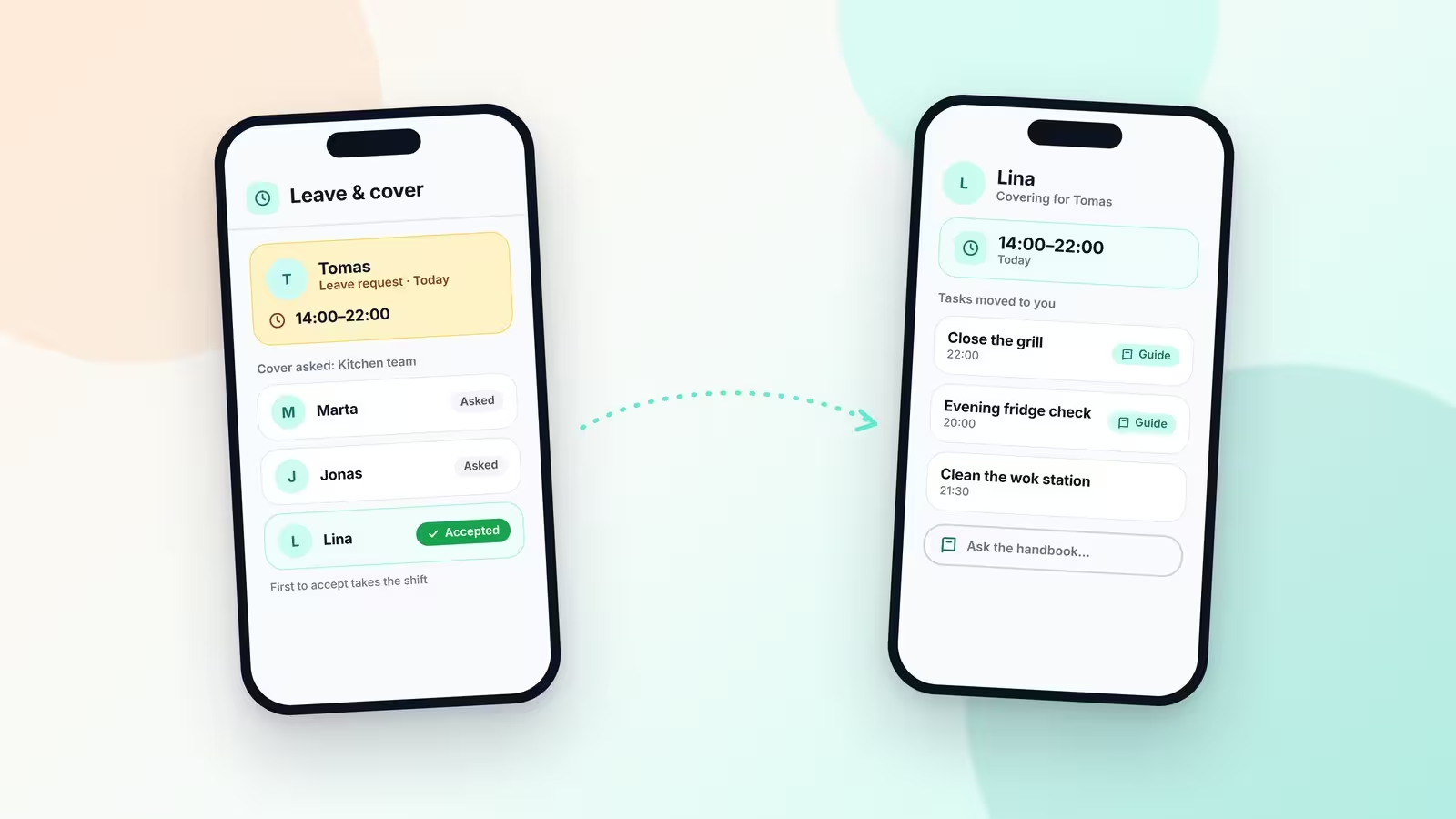
What happens next is the part teams usually miss. The person who covers does not only get the hours. The absent colleague's routine tasks move to their phone, and where a task has a handbook guide attached, the guide comes with it. If something is unclear, the stand-in can ask the handbook about the procedure. So the evening can run the way it runs on a normal day, even with a different person at the station.
The question nobody wrote down
Now the grill. In Loopapa, the cook opens the handbook and asks the question in plain words. The answer comes from the restaurant's own handbook and from nowhere else. If the handbook has no answer, the app says so instead of inventing one.
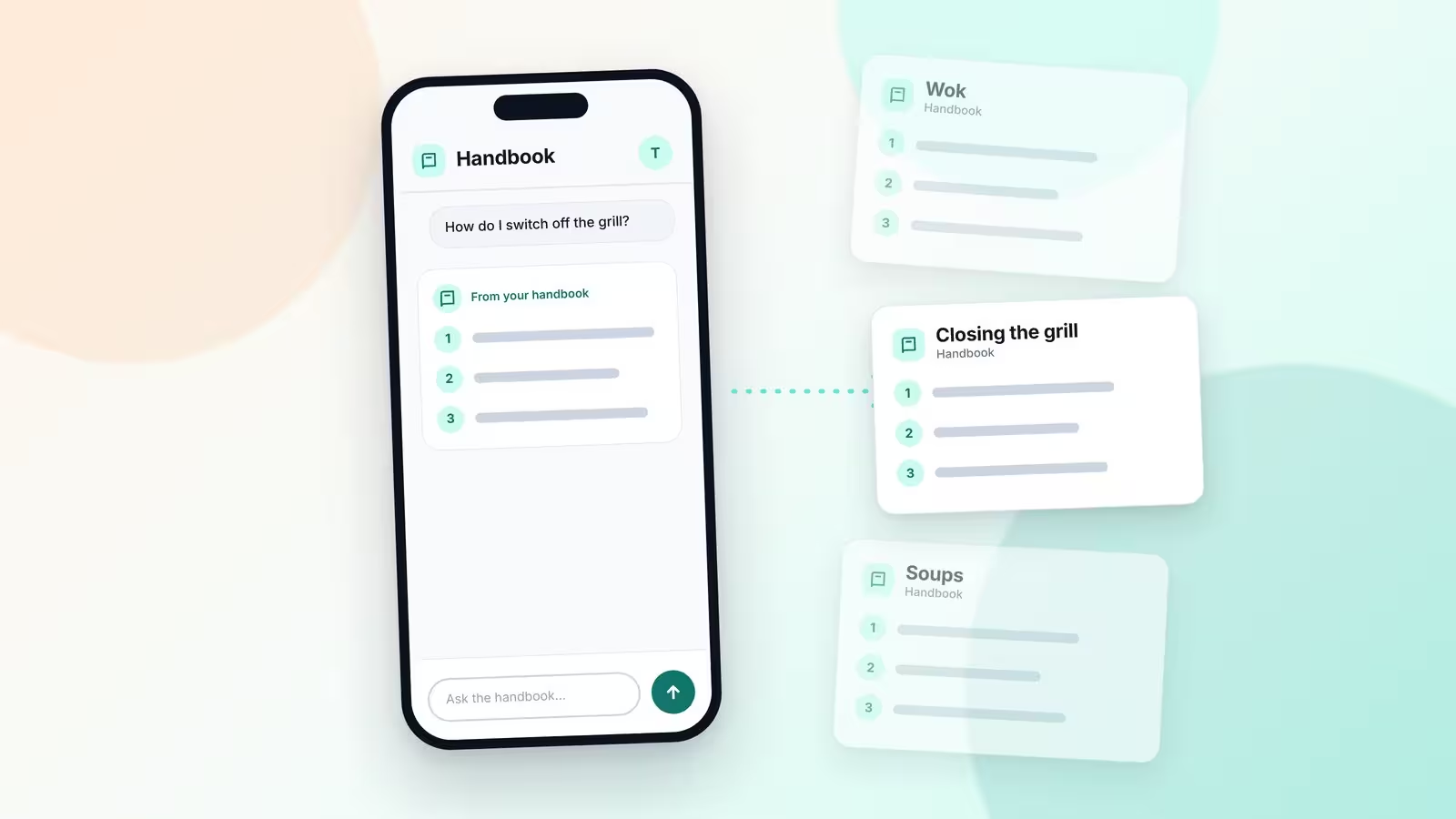
This is where the app becomes interesting. A question the handbook cannot answer is not lost. It is shown to the owner as a gap. The owner presses record and explains it once, as a voice note of half a minute to three minutes. The app turns the voice note into a written procedure, with headings and numbered steps, in the language of the business. The next time somebody asks, there is an answer.
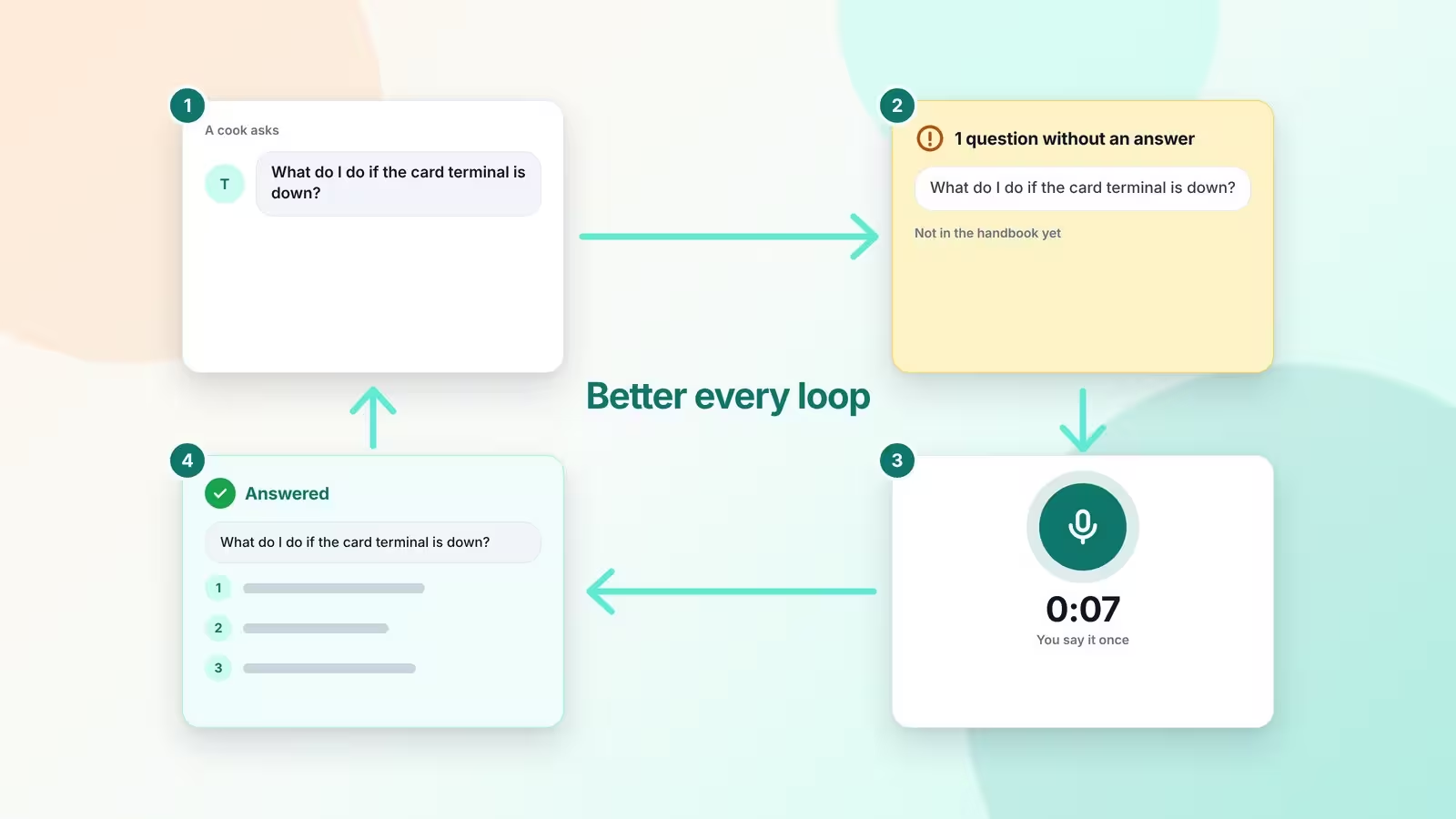
The people behind Loopapa call this a loop, and it is the idea they keep coming back to. Most of what a restaurant knows sits in a few people's heads, so the app asks for it, one question at a time. Each round fills one gap, so the handbook grows from the questions people really ask, not from a manual that somebody planned to write one day. It also makes cover easier: a guide attached to a task travels with that task when someone steps in. “Better every loop” is the line the team uses for it.
Tasks by voice, for a team in many languages
Tasks work the same way: say it or type it. The app drafts who should do it, when, and how urgent it is, and the manager saves it. A routine that repeats every day, week or month is set once and appears on schedule. Each team member gets their own copy.
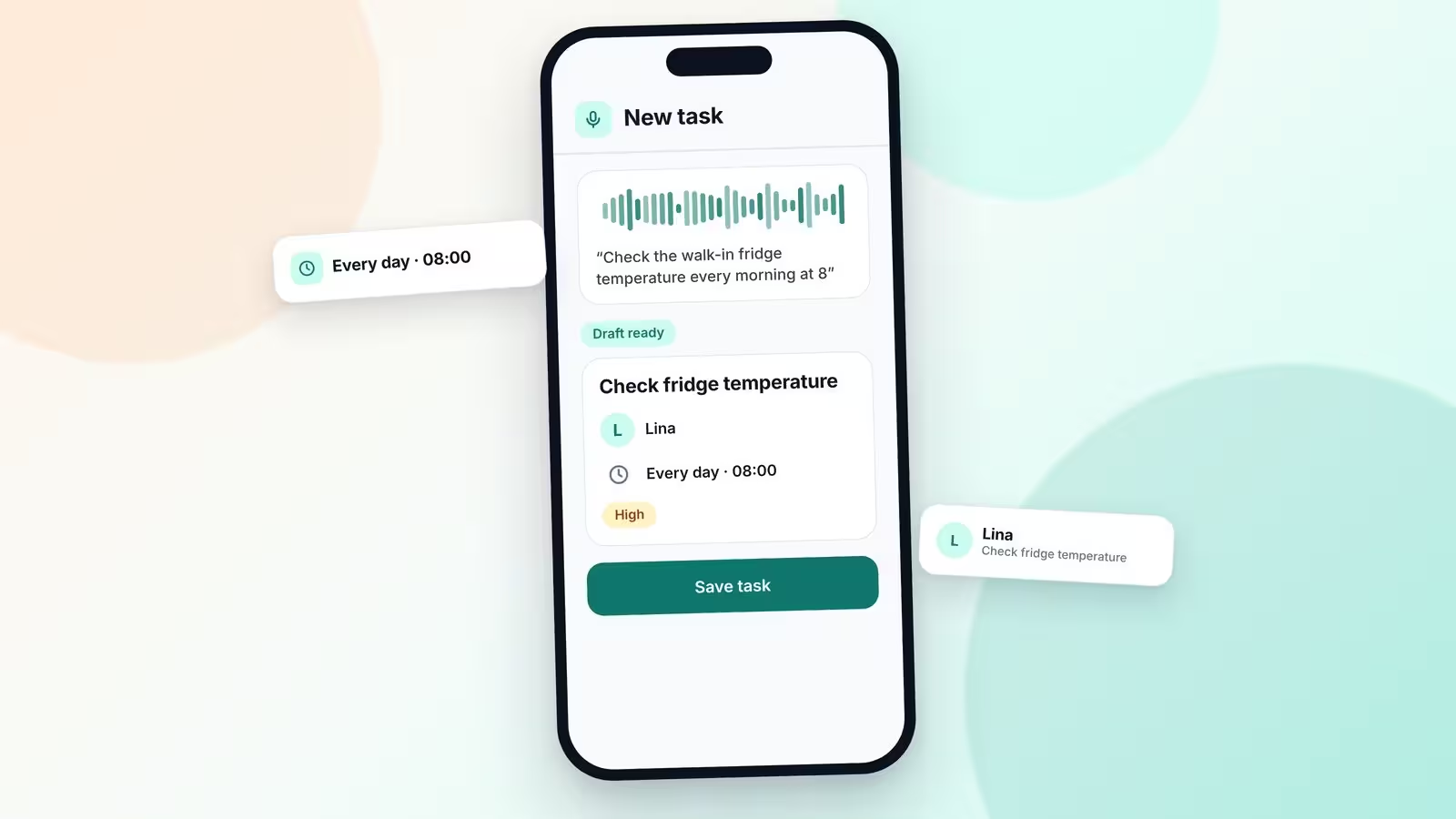
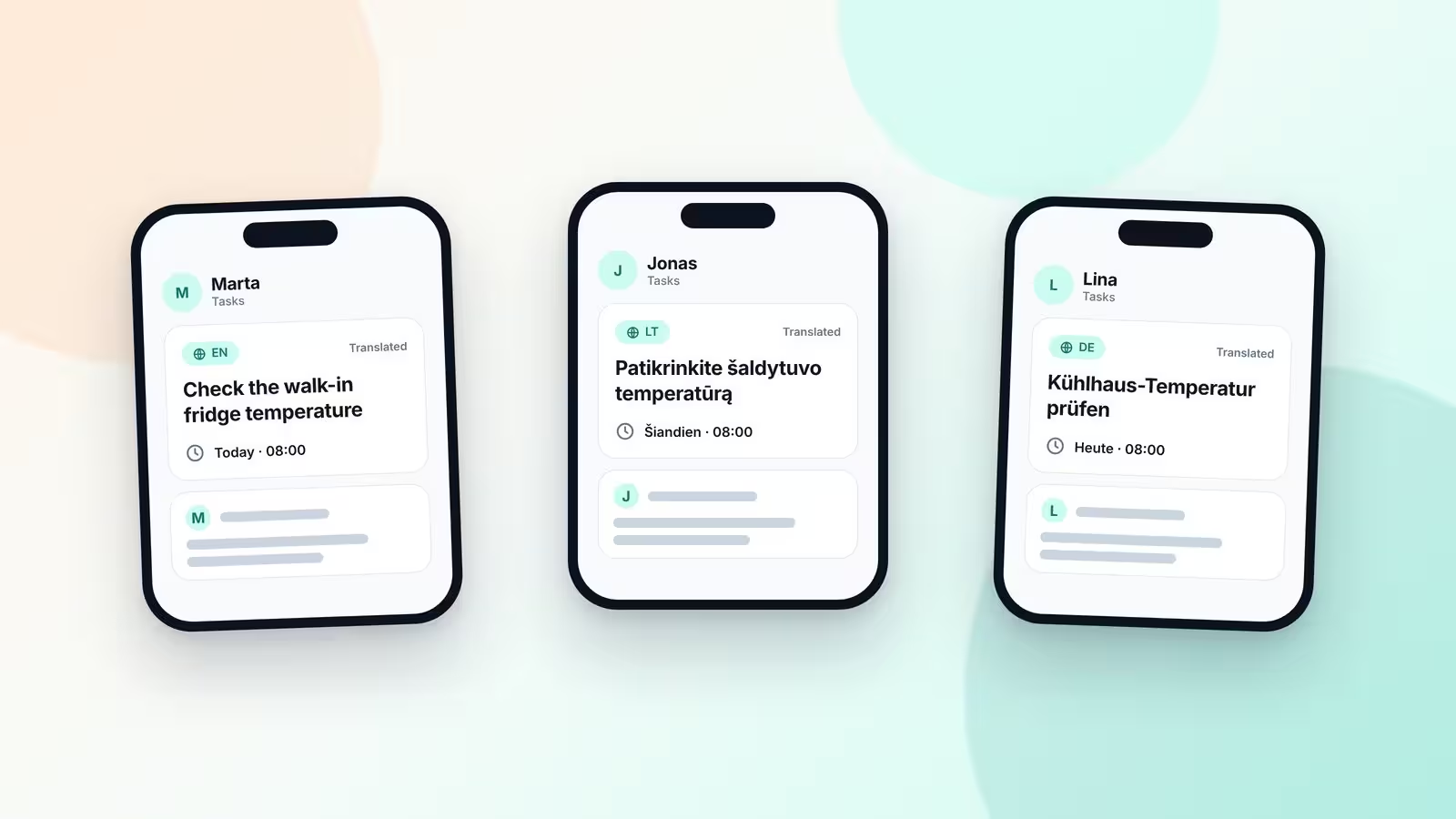
Many kitchens have people who do not share one mother tongue. Loopapa translates tasks automatically into more than 20 languages, so each person reads the task in their own language. Chat on a task is translated on demand, and photos can be sent in the chat. The cook who has just joined the team does not have to wait for someone to translate the instructions.
Food safety without the clipboard
Temperature and hygiene checks run as scheduled tasks. In the fridges and freezers, small RuuviTag Bluetooth sensors do the measuring. A sensor records on its own, with no phone nearby, and keeps up to 10 days of readings. When the first staff member arrives, their Android phone carries the log to the server, and the readings fill in the day's temperature tasks.
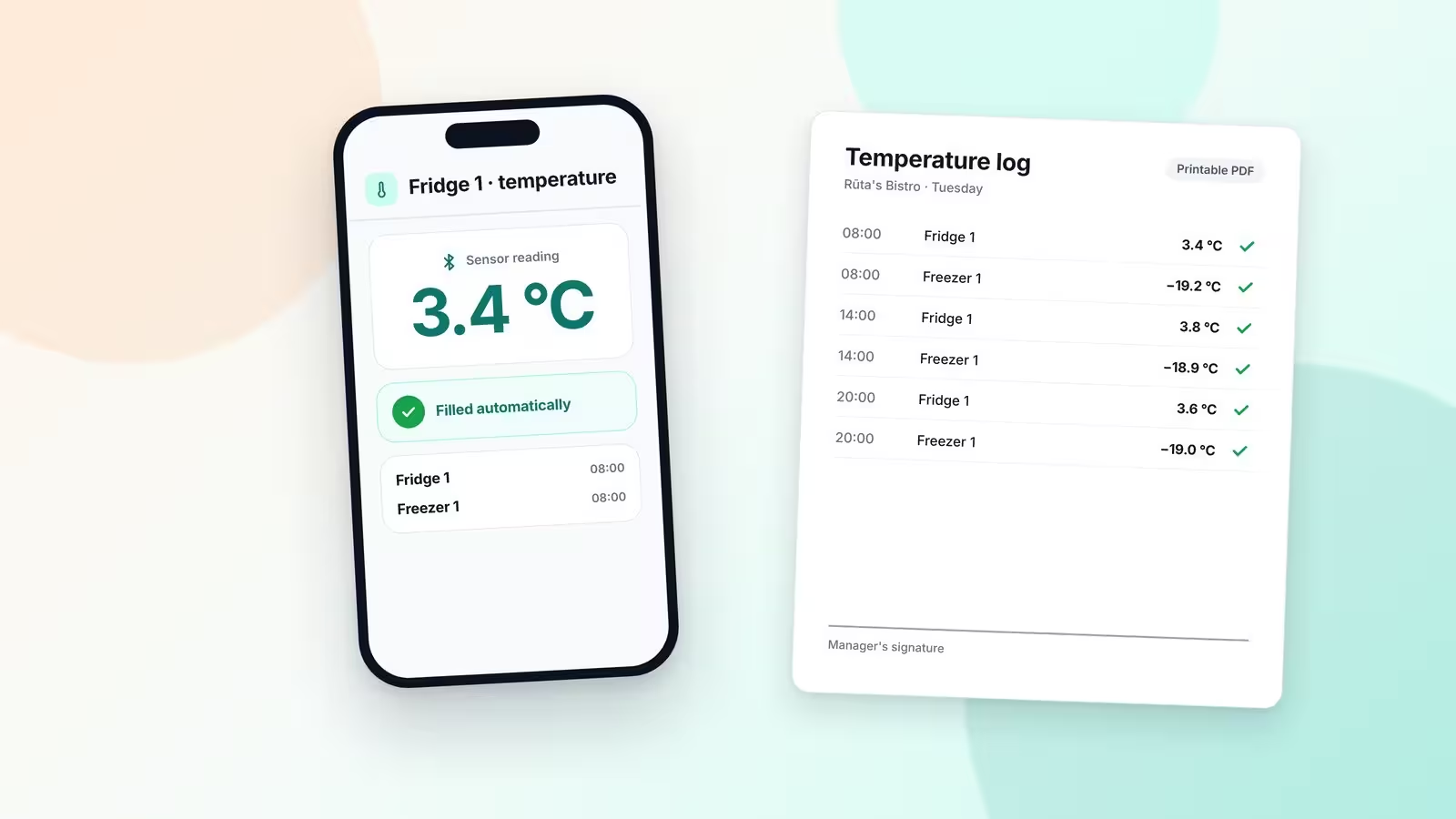
From these records the manager can print a HACCP report as a PDF. It is a printable form: the manager signs it after printing, so it is ready for the inspector when the inspector comes.
Evening: hours that add up
At the end of the day the hours have to be right, and this is where small mistakes like to hide. When someone forgets to clock out, the app does not guess. The business sets the hour at which its working day ends. A shift still open after that hour is closed and held for review, and the person cannot clock in again until they confirm when they really finished. A finish time typed in by hand has no GPS check, so it goes to the manager for approval before it counts.
Overtime is set per person: counted automatically, counted only after the manager approves it, not counted at all, or only the scheduled hours count. When overtime needs approval, the manager can decide straight from the notification. Each person sees their regular, overtime and pending time in their own record, and the manager sees the same for the whole team.
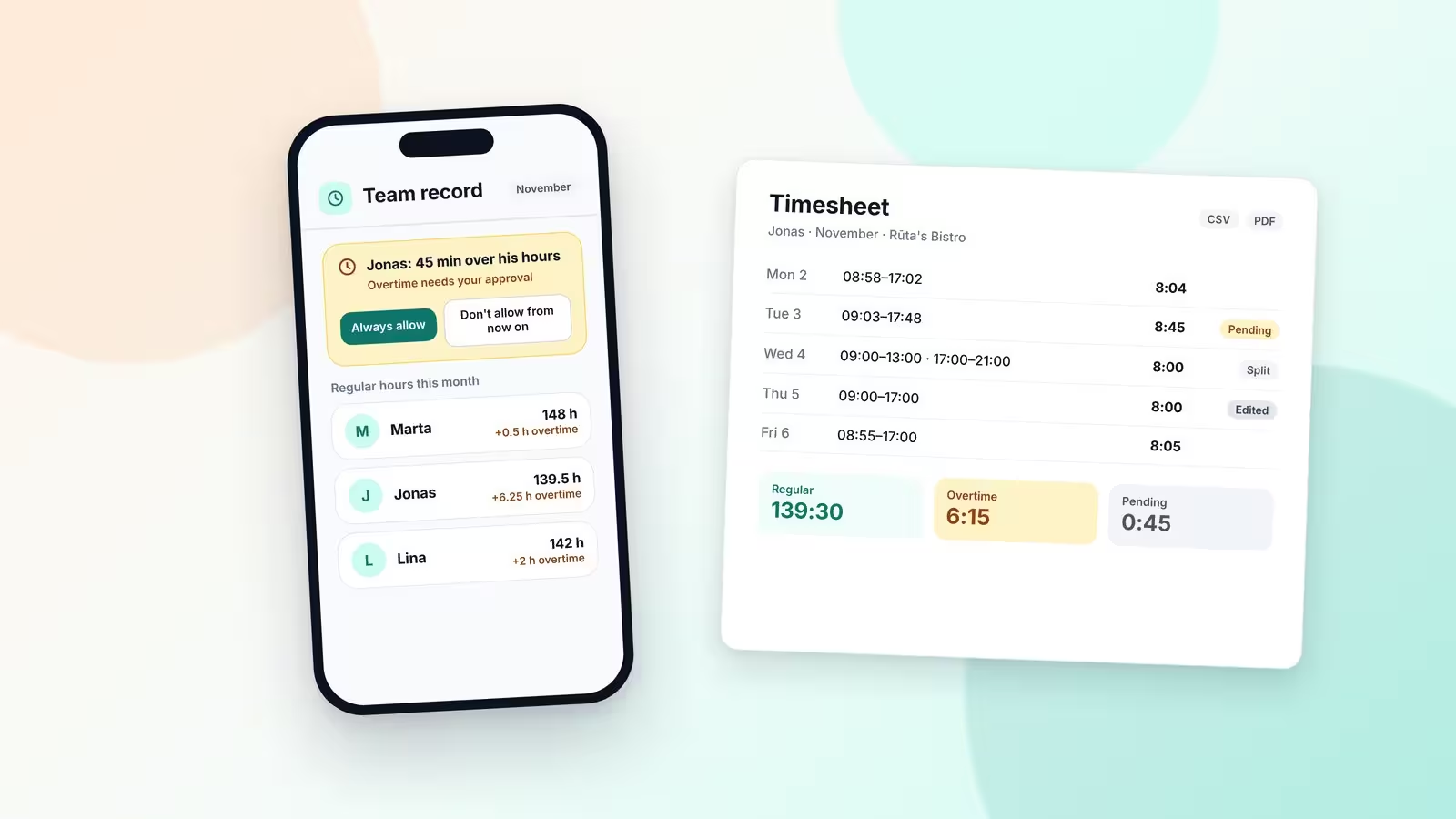
When a time has to be corrected, an admin can change it, and the change is logged: who made it, when, and the time it replaced. Corrected days carry an “edited” mark, so nobody has to wonder later why a number looks different. At the end of the month the hours go out as CSV or PDF timesheets, ready for an accountant or a tax adviser.
What Loopapa does not do
A fair story also says where the edges are. Loopapa does not run payroll: it counts the hours and exports them, and the payslips are made elsewhere. It also does not check rotas or hours against labour law: it records and shows time, and the rules stay with the people who know them. And the restaurant-specific modules, such as the kitchen display and the food-safety records, are what make it fit a kitchen; the rest of the app works the same way for any kind of business.
Loopapa at a glance
| Made in | Vilnius, Lithuania |
|---|---|
| Built for | Business management for any kind of business, tailored for restaurants, cafés and bars |
| Covers | For any business: attendance and working hours, leave and cover, tasks, a handbook with questions and answers. For restaurants: food-safety records, kitchen display |
| Works on | iPhone, Android and the web |
| Start | A free trial with free credit, and every feature open |
| Website | loopapa.com |
| App Store | Loopapa on the App Store |
| Google Play | Loopapa on Google Play |

“I cover emerging technologies, digital innovation, and the intersection of tech and everyday life. My goal is to make complex trends accessible and inspiring.”

Discussion
Leave a Comment
Comments (2)
makes sense tbh, handy for clocking people and swaps. wonder about privacy though, gps clockin feels a bit intrusive to some staff
wow, voice notes to build the handbook? actually kinda brilliant. Cuts the 'who knows' chaos, but hope it stays simple and not bloated with rules