
.webp)
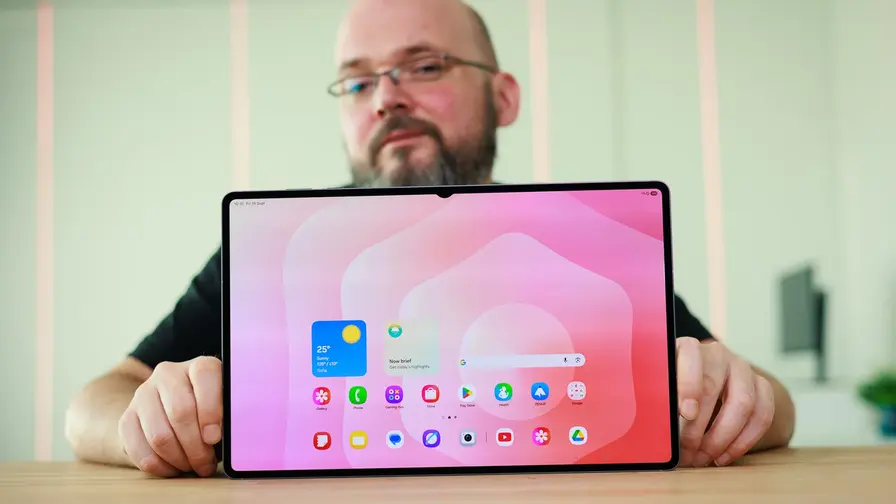
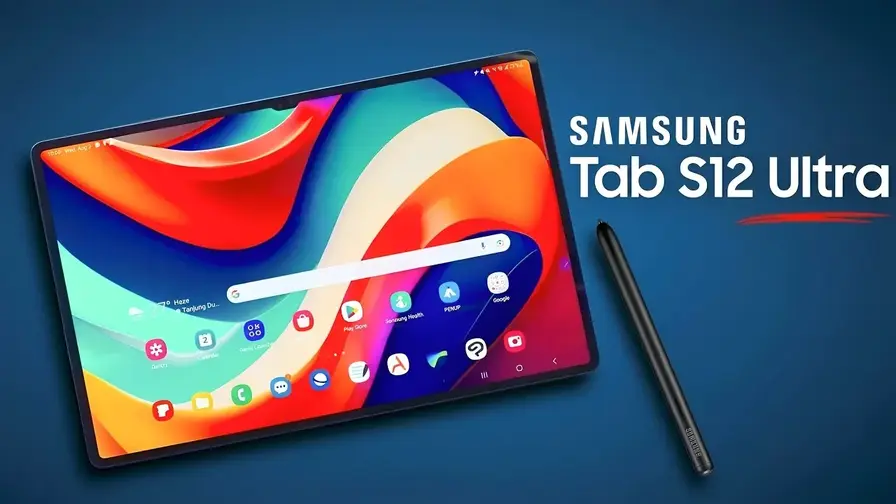
Some tablets are designed to help you reach for your laptop less often. Others have become so large and expensive that your laptop could reasonably ask, “What exactly was wrong with me?” The Galaxy Tab S12+ and S12 Ultra sit somewhere between those two ideas. Large AMOLED displays, an included stylus, a flagship processor and Samsung’s desktop interface give you plenty of tools for work and entertainment. The question is which of them you will actually use.
I have both tablets in for review and decided to cover them together rather than write two articles with largely overlapping sections. The reason is simple: the Plus is not a significantly weaker, stripped-down Ultra. Much of the hardware and software experience is shared. Choosing between them is more about size, how you work and how much you are willing to pay for a larger canvas.
For me, that is the most interesting question here: does the Ultra’s enormous display help you get more done, or does carrying it simply add another exercise to your daily routine?
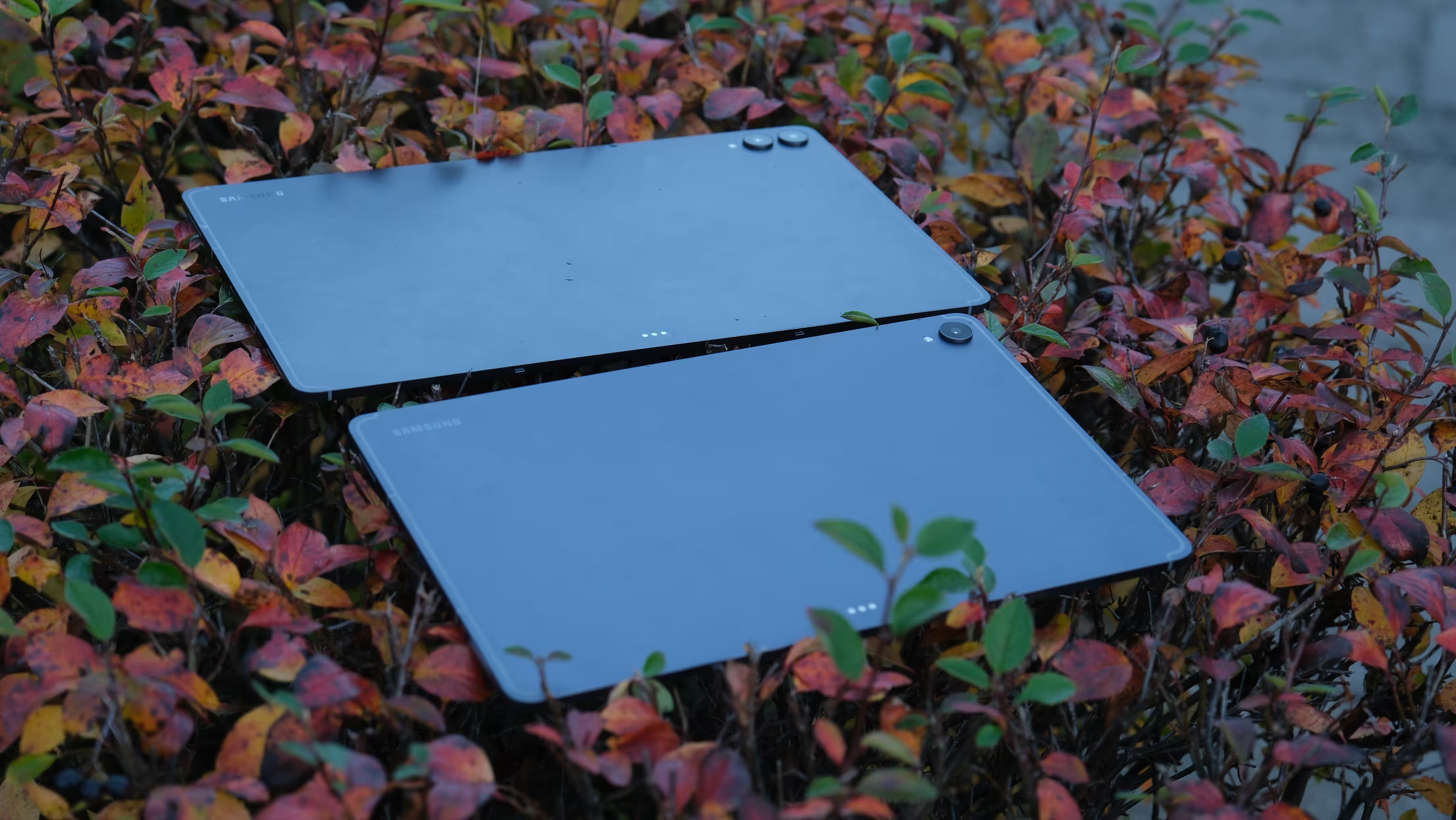
Galaxy Tab S12+ and S12 Ultra: Specifications at a Glance
| Specification | Galaxy Tab S12+ | Galaxy Tab S12 Ultra |
|---|---|---|
| Display | 12.6-inch Dynamic AMOLED 2X | 14.6-inch Dynamic AMOLED 2X |
| Resolution | 2800 × 1752 pixels | 2960 × 1848 pixels |
| Refresh rate | Up to 120Hz | Up to 120Hz |
| Advertised brightness | 1,600 nits peak; 1,000 nits in HBM | 1,600 nits peak; 1,000 nits in HBM |
| Thickness | 5.3mm | 5.1mm |
| Weight, Wi-Fi / 5G | 553g / 555g | 692g / 695g |
| Processor | MediaTek Dimensity 9500 | MediaTek Dimensity 9500 |
| RAM | 12GB | 12GB or 16GB |
| Storage | 256GB or 512GB | 256GB, 512GB or 1TB |
| Memory card support | microSD up to 2TB | microSD up to 2TB |
| Rear cameras | 13MP main | 13MP main and 8MP ultrawide |
| Front camera | 12MP ultrawide | 12MP ultrawide |
| Battery | 10,600mAh | 11,600mAh |
| Wired charging | 45W | 45W |
| Wi-Fi | Wi-Fi 6E | Wi-Fi 7 |
| Launch software | Android 17 with One UI 9 | Android 17 with One UI 9 |
| Stylus and protection | S Pen included, IP68 | S Pen included, IP68 |
Design and Build: Thin Does Not Mean Small
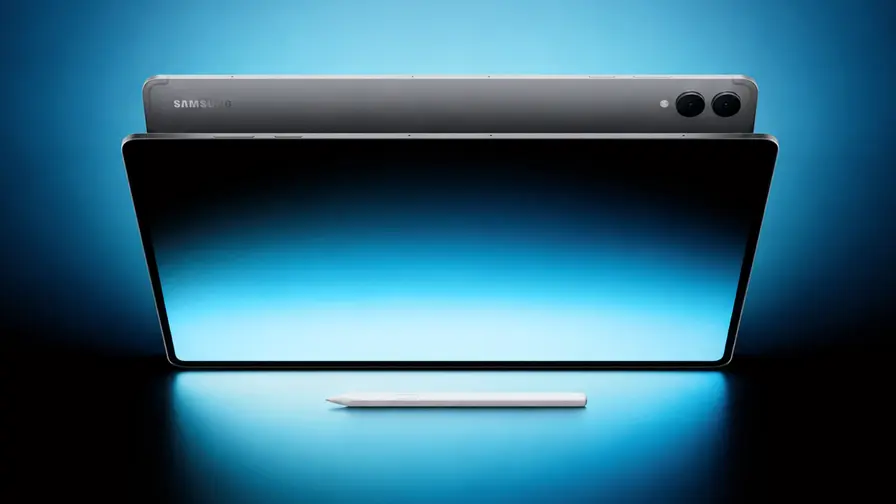
Samsung has not tried to surprise anyone with the design. Armor Aluminum construction, clean surfaces, restrained grey and silver finishes, and slim bezels continue the familiar look of its premium tablets. Both look professional and neatly finished. Just do not expect choosing a colour to feel like opening a new box of coloured pencils.
Their thinness is genuinely striking. The Plus measures 5.3mm, while the Ultra is just 5.1mm thick. Those are impressive figures for devices this size. In daily use, however, thickness matters less than weight and how much tablet you have to support with your hands.
The Wi-Fi version of the Plus weighs 553g, compared with 692g for the Ultra. That extra 139g, combined with the Ultra’s larger footprint, becomes noticeable when reading, taking notes away from a desk or using the tablet on the move. A thin chassis does not cancel out the leverage of such a large panel.
.avif)
That is why I consider the Plus the better balance for someone who still expects to hold a tablet regularly. The Ultra makes more sense on a desk, stand or keyboard case. In that setting, the dimensions that made it awkward to carry become useful working space.
The Ultra has narrower bezels and a small notch for its front camera along the display’s long edge. The Plus fits its camera into the bezel without a similar cutout. This is largely a matter of preference. Tablet bezels are not entirely wasted space, either: they give your fingers somewhere to rest without covering the content.
.avif)
Both models carry an IP68 dust and water resistance rating. That is welcome on a device that might sit on a café table, next to a water bottle or outdoors. Still, laboratory testing in fresh water is not an invitation to take it swimming. An expensive tablet does not need swimming lessons to prove its specifications.
In the Box: The Pen Is Here, the Charger Is on Holiday
Alongside the tablet, you get an S Pen and a USB-C to USB-C cable. A power adapter is not included. A keyboard and case are separate purchases, too.
Including the stylus has practical value from day one. You can start taking notes or drawing without buying another accessory that enables a major part of the tablet’s appeal.
.avif)
You do need to be realistic about the total cost, though. If you want the tablet to take on laptop duties, a stand, keyboard and suitable charger may all need a place in the budget.
Display: Where the Size Difference Really Matters
Both models use Dynamic AMOLED 2X panels with refresh rates of up to 120Hz. The important distinction is 12.6 inches versus 14.6 inches, rather than one model getting a great screen and the other settling for an ordinary one.
The Plus grows from the Tab S10+’s 12.4-inch display to 12.6 inches. The Ultra retains its familiar 14.6-inch size. That is an appealing canvas for films, drawing and multiple apps, but it is less accommodating on a small desk or when held vertically.
.avif)
Deep AMOLED blacks, strong contrast and smooth interface movement are central to the appeal of both tablets. Their roughly 16:10 aspect ratio also works well for video and landscape use. No shape is ideal for everything, of course. The elongated screen that suits a film may be less comfortable for some magazines and portrait documents than a squarer display.
The Ultra’s higher resolution does not automatically mean higher pixel density. The Plus spreads its pixels across a smaller area, so the Ultra name should not lead you to assume that text will look sharper. The larger model’s real advantage is having more space to see and do things.
What Does 1,600 Nits Actually Mean?
Samsung advertises peak brightness of 1,600 nits and 1,000 nits in High Brightness Mode for both models. Peak brightness should not be confused with sustained brightness across the entire display while reading a white document. Content, the size of bright areas, settings and ambient light all affect the result.
.avif)
For me, readability and reflections matter more than a competition between headline numbers. Beside a window or beneath an overhead light, reflections can eat into the benefit of a bright panel. Under strong lighting, they are quite noticeable. There is enough brightness to keep working, but reflections still affect clarity and the viewing experience.
Sound: Four Speakers That Earn Their Place
Both tablets have four speakers. In my testing, clear dialogue, good volume and convincing channel separation were strengths they shared. For films, online classes and instructional videos, the sound is an important companion to the display.
A thin tablet is not going to produce the deep bass of a large speaker system. But when speech is clear and music and effects do not blur together, you do not need to reach for headphones every time you play a video.
I would not buy the Ultra solely in the hope of substantially better sound. Its main advantage remains the larger picture. Samsung has not left the Plus with a second-class audio setup.
.avif)
Performance: The Ultra Costs More, but the Processor Is the Same
Both tablets use MediaTek’s Dimensity 9500, manufactured on a 3nm process. That matters when choosing between them: moving from the Plus to the Ultra does not put you in an entirely different class of processing power.
The Plus comes with 12GB of RAM and either 256GB or 512GB of storage. The Ultra offers similar configurations, plus a 1TB version with 16GB of RAM. That top model is more interesting for large projects and demanding multitasking.
If you mainly need more room for videos and files, both support microSD cards up to 2TB. Just remember that a memory card does not replace RAM, and its speed should not be assumed to match the internal storage.
.avif)
The 3D vapour chamber cooling system is not exclusive to the Ultra, either. The Plus gets it as well.
For browsing, note-taking, switching apps and opening multiple windows, a lack of raw power is not the main concern. The bigger obstacle is an Android app that does not work well with a large display, keyboard or your preferred workflow. A fast processor cannot turn a phone-oriented app into professional desktop software by itself.
Benchmarks and Gaming: Numbers Need Context
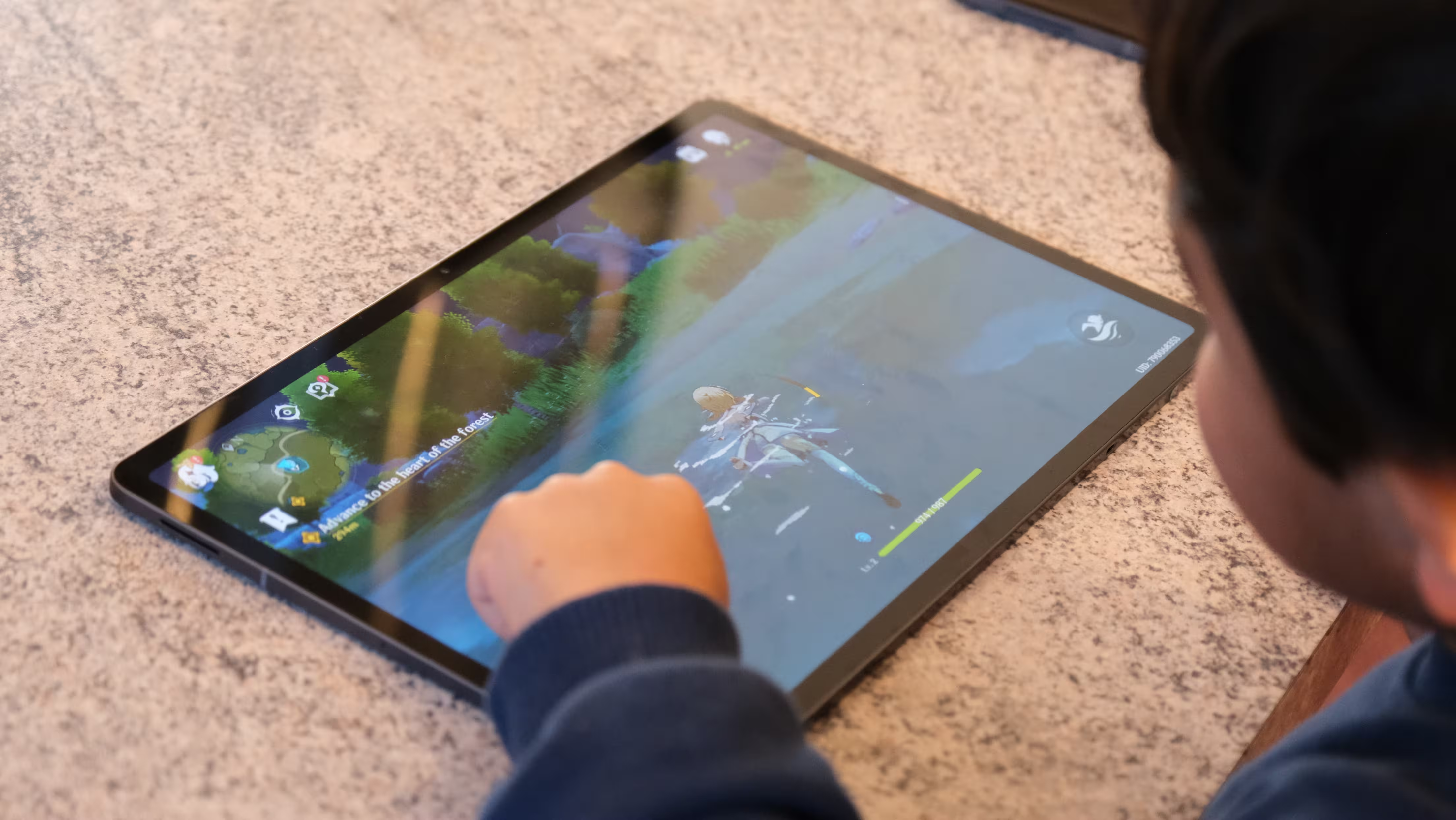
Both devices can handle demanding games, but a 120Hz display does not guarantee that every game will run at 120fps. The game’s own limits and its support for the particular device also matter.
.avif)
For touch controls, the Plus is the easier tablet to manage. The Ultra becomes more appealing with a controller and a stand. Holding a 14.6-inch screen while reaching all the on-screen controls can occasionally feel like an extra level the developer forgot to mention.
Software and DeX: Closer to a Laptop, Still Not Windows
Both tablets launch with Android 17 and One UI 9. Samsung promises seven generations of operating system upgrades and seven years of security updates. At this price, long software support is a meaningful part of the value.
In tablet mode, you can run three apps side by side and adjust their window sizes. A browser, Samsung Notes and a tutorial video make a simple example of when a large display stops being a luxury and starts being a useful tool.
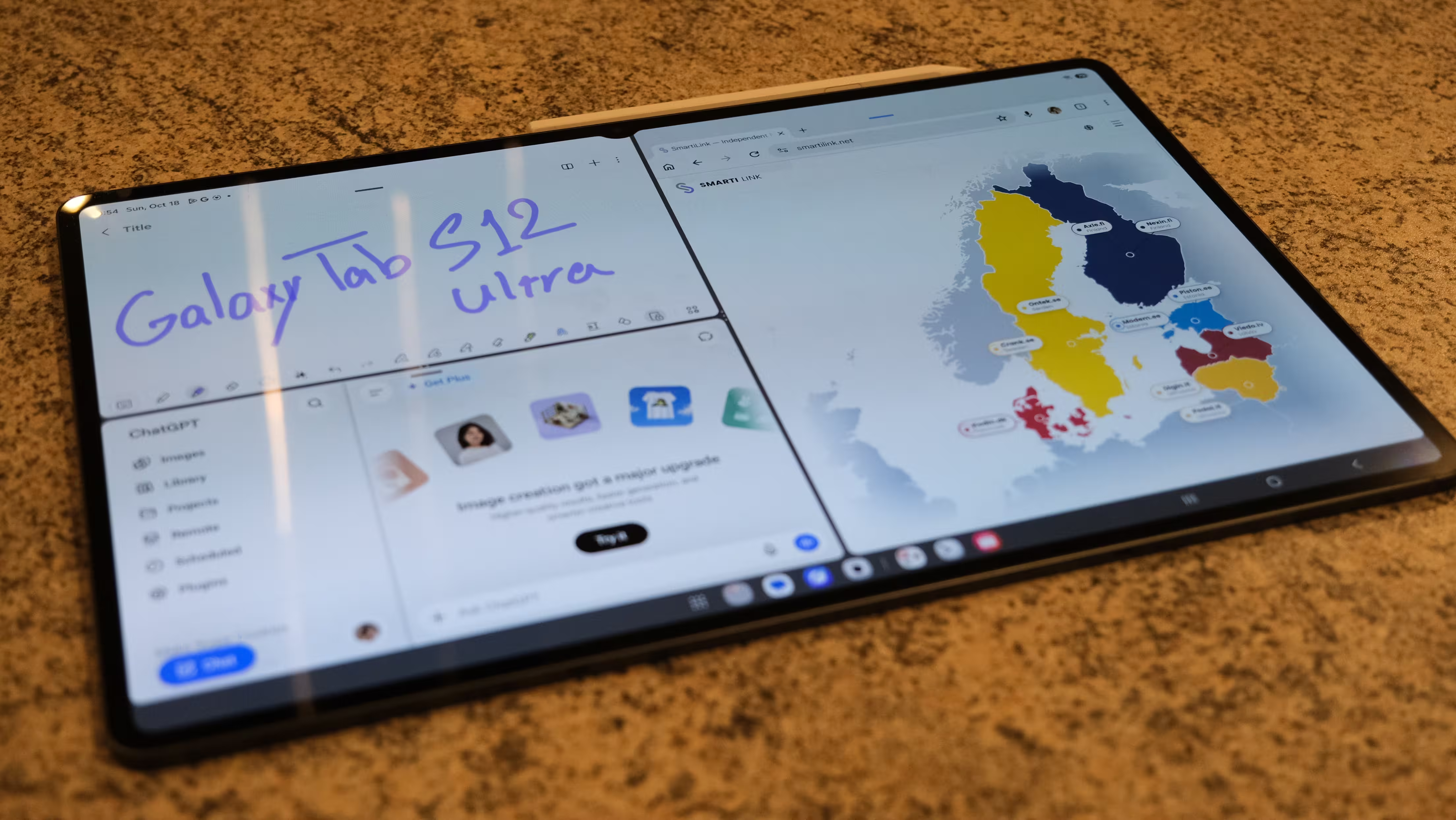
This is where the Ultra’s advantage becomes clearer. Three windows are usable on the Plus, but the Ultra leaves more room for the content in each one. For drawing, wide spreadsheets or working with text and images together, that can matter more than a small difference in a benchmark score.
DeX brings resizable windows, a taskbar and more comfortable mouse and keyboard operation. You can work on the tablet itself or connect an external display. For writing, email, browser-based work and moving files around, it is considerably more useful than a stretched phone interface.
Still, I do not see laptop replacement as a simple yes-or-no feature. If your main tools are a browser, documents and well-supported Android apps, these tablets can handle a substantial part of your work. If you depend on a specific Windows program, specialist plug-in or complex workflow, a desktop-style interface does not guarantee compatibility. Putting an app in a window does not make it a Windows application.
.avif)
S Pen: A Major Reason to Buy, Without an Extra Purchase
The S Pen is included with both models, and writing and drawing are central to what these tablets offer. Pressure and tilt detection, along with palm rejection, make the stylus useful for annotating PDFs, sketching and marking up documents.
This generation’s S Pen does not have Bluetooth. You do not need to charge it periodically to keep writing, and attaching it magnetically to the tablet should not be confused with charging the Bluetooth pens used by earlier models. The trade-off is that you should not expect all the previous remote controls and Bluetooth-dependent gestures.
.avif)
Magnetic attachment is convenient for putting the pen down between tasks. For transport in a bag, it deserves more protection. A stylus that stays neatly in place on a desk can still get knocked loose by other items. A magnet is not a protective compartment.
The Plus makes more sense for notes on the move or using the tablet on your lap. The Ultra provides more room for both the artwork and tool panels when used as a drawing surface on a desk. Your working habits should guide the choice: a bigger canvas is not automatically a better tool for everyone.
.avif)
AI: Which Features Actually Help?
Galaxy AI remains a prominent part of the experience. Note summaries, writing assistance, visual search, contextual suggestions and generating images from sketches are among the available tools. A large display with multiple windows can also make assistants such as Gemini more convenient to use.
For me, a valuable feature removes steps from a real task. Finding something with Circle to Search or generating an initial summary of a long note can be helpful. Creating an amusing picture is entertaining, but it is not a reason on its own to spend this much..avif)
Creative Studio and AI-assisted drawing tools can turn a rough sketch into a more developed image. I would treat the output as a suggestion or starting point. AI sometimes understands the overall idea, then takes its own creative liberties with the details that matter to you.
Availability also needs to be separated from full support for your language. Features can vary by tool, language, account region, internet connection and subscription terms. For editorial work in particular, an AI-generated summary or translation still needs checking. Saving time does not remove the responsibility to verify names and numbers.
.avif)
Cameras: One Extra Lens Does Not Change the Ultra’s Role
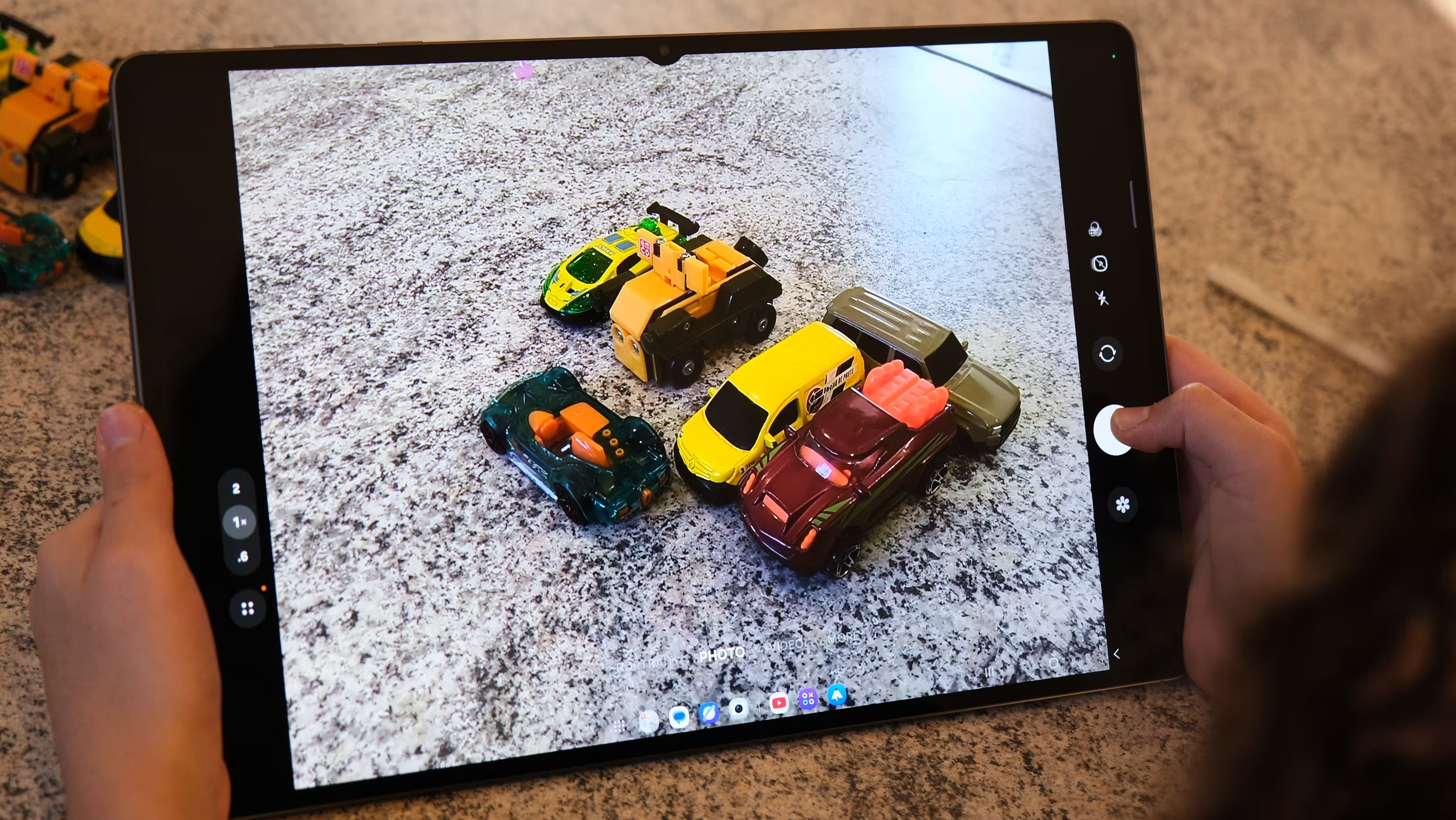
Both models have a 13MP main rear camera. The Ultra adds an 8MP ultrawide. Both use a 12MP ultrawide camera on the front, so the rear camera difference should not lead you to assume that the Plus is less capable for video calls.
To me, tablet cameras are mainly for scanning documents, photographing a whiteboard, quickly sharing an image of something and making video calls. In those situations, being able to open the image immediately and annotate it with the pen is useful. Someone visiting project sites or presenting ideas to clients will probably use the cameras more often than someone who mainly watches films.
.avif)
The Ultra’s additional rear camera can help capture a room or a confined workspace. If that is not part of your routine, an extra lens is not a compelling reason to choose the larger tablet.
The main camera is suitable for straightforward everyday tasks. The front camera has a broad field of view, and 4K recording at 30fps is also available. When judging detail, skin tones and low-light quality, actual photo and video samples tell you more than matching megapixel counts.
Connectivity and Security: More Than a Difference in Screen Size
The Ultra supports Wi-Fi 7, while the Plus uses Wi-Fi 6E. That difference becomes relevant with compatible networking equipment and suitable conditions. A newer standard in the specifications does not automatically make your home internet faster. Both models also have Bluetooth 6.
Both are available in 5G versions. Check the exact model and connectivity configuration before buying, especially if it is imported from another market. Local network compatibility, warranty coverage and the total cost of a mobile plan are worth considering.
If you mainly use the tablet at home and can rely on your phone’s hotspot when travelling, paying extra for built-in mobile connectivity may not be necessary.
.avif)
An in-display fingerprint reader and face recognition provide two ways to unlock the tablets. The optical fingerprint sensor should not be confused with an ultrasonic one, and camera-based face recognition is not the same as a dedicated 3D system. Having both options does make unlocking more convenient in different situations.
Battery Life: From Several Light-Use Days to a Busy Working Day
The Plus has a 10,600mAh battery, while the Ultra increases that to 11,600mAh. Some of the extra capacity helps meet the larger display’s demands, so the higher number should not automatically be read as a promise of much longer endurance.
Samsung claims up to 21 hours of video playback for the Plus and 23 hours for the Ultra. Those figures come from the company’s test conditions. They should not be treated as expectations for simultaneous apps, high brightness, gaming or mobile data use.
In my testing, the Ultra lasted around seven hours under a heavy workload involving multiple apps and high display brightness. Streaming video online with brightness and volume also set high produced roughly 16 hours. For a screen this large, that is a respectable result.
I did not have time to test the Plus under matching conditions, so I am not assigning it a separate battery-life result. Samsung’s figures provide an official comparison, but the Plus’s actual endurance cannot be reliably calculated by subtracting a percentage from my Ultra result.
45W Charging: Adequate Rather Than Exciting
Both tablets support 45W wired charging. Allow roughly an hour and a half to fill batteries this large, with the exact time depending on the charger and conditions. I would have liked Samsung to offer faster charging at this price, ideally bringing a full charge within an hour.
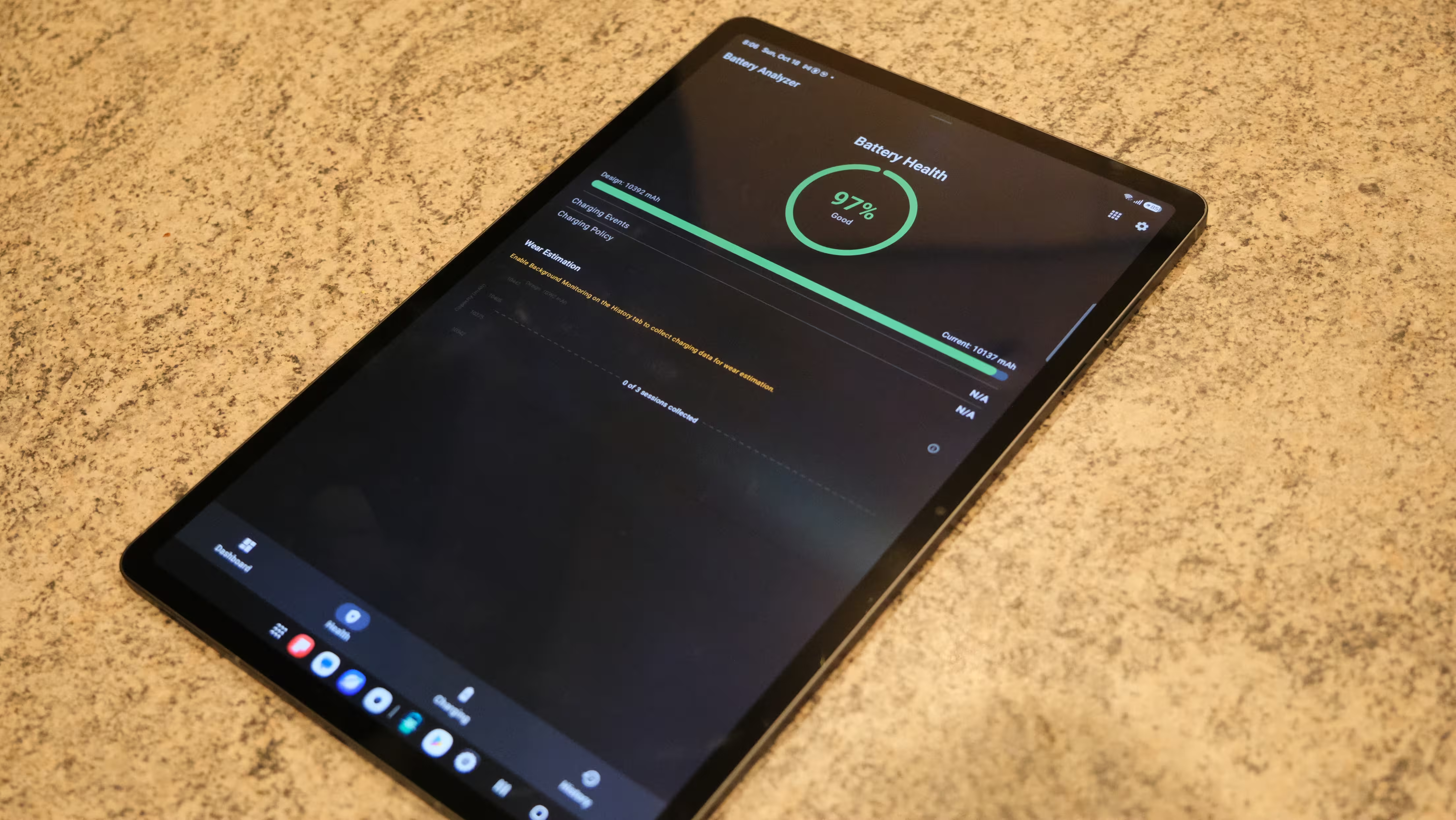
I do not consider charging a critical weakness here, but it is not a major competitive advantage either. Planning a charging break between work sessions is more sensible than expecting a few minutes at the socket to solve everything before leaving home.
Value: The Plus Is My Default Choice, Unless You Specifically Need the Ultra
At launch, US starting prices were around $1,200 for the Plus and $1,400 for the Ultra. Those figures are reference points, not universal checkout prices. Taxes, storage configurations, connectivity options and regional promotions all affect the final cost.
Compare the exact versions available in your market, and check what is included. A keyboard or case bundle can change the value equation, but only if you would have bought those accessories anyway.
.avif)
At this level, the competition is not limited to two Samsung tablets. Capable laptops also enter the picture. Before choosing, decide what you are paying for: a pen and large touchscreen, the freedom to use the device without a keyboard, or access to desktop software? If the third is your priority, you may find yourself looking at laptops again.
For most people, I would choose the Plus. You get the same processor, core pen features, software experience and a high-quality display in a lighter body. For students, reading, watching films, light content creation and everyday work, that balance can be more valuable than the Ultra badge.
The Ultra is more appealing if you have a specific use for its extra space: drawing at a desk, keeping several windows open, reviewing large documents, editing video with a roomier timeline or working extensively with a keyboard. The 16GB RAM option, 1TB storage configuration and Wi-Fi 7 may also matter to some buyers. They are not necessities for everyone.
Upgrading From an Older Model: Different Answers for Plus and Ultra Owners
If you already own a Tab S11 Ultra, the new generation does not create an urgent reason to upgrade. Processor and cooling improvements are useful, but the size, overall concept and much of the everyday experience remain similar. If your current tablet is not holding you back, a newer model number is not enough reason to pay the difference.
For Tab S10+ owners, the situation is more interesting, particularly because there was no Plus model in the S11 generation. The S12+ brings a slightly larger screen, newer hardware and a bigger battery. However, the loss of the rear ultrawide camera and the pen’s Bluetooth features also deserves attention. A new generation does not always keep everything you had and simply add more.
An older model at a substantial discount can also be the better purchase. Factor in compatible accessories, remaining software support and, for used devices, battery condition. A lower upfront price is useful only if additional costs do not swallow the saving.
Strengths
- Large, high-resolution AMOLED displays with refresh rates up to 120Hz.
- A shared flagship processor with ample power for multitasking and gaming.
- An included S Pen that does not need charging for writing.
- Useful multiwindow features, DeX and long software support.
- Thin metal bodies, IP68 protection and quad speakers.
- Expandable storage and a choice of two sizes with similar core capabilities.
Weaknesses and Compromises
- High prices, especially after adding a keyboard and charger.
- The Ultra’s size and weight make extended handheld use tiring.
- No Bluetooth pen features, and no rear ultrawide camera on the Plus.
- Unexceptional 45W charging, with no power adapter in the box.
.avif)
Verdict: Bigger Is Worthwhile When You Use the Extra Space
The Galaxy Tab S12+ and S12 Ultra are not radically different products. They are two sizes of the same idea. Samsung wants to combine a quality display, a capable pen and a multitasking environment in a device that works for entertainment and part of your daily workload. How successfully that comes together depends as much on your apps as it does on the processor.
For me, the Plus is the better-balanced member of the family. It keeps the core capabilities while asking for fewer compromises in portability, handheld comfort and everyday use. The Ultra earns its premium when the larger display becomes part of how you work, rather than simply something impressive to look at during unboxing.
If your essential apps work well on Android and a stylus and touchscreen have a real place in your routine, either tablet can be a serious tool. If you mainly want to watch films, consider less expensive options. And if you expect a tablet to handle every task of a professional computer, adding a keyboard will not close the gap by itself.
My conclusion is straightforward: the Plus for most people, the Ultra for those with a clear need for more space. Before paying for a portable workspace, make sure you actually plan to work in it.
Related Posts

“Some times I write about breakthrough startups, digital ecosystems, and how innovation is changing the way we build businesses.”

Discussion
Leave a Comment
Comments (1)
Pretty balanced take. Plus seems the sweet spot, lighter yet powerful enough for most tasks. Ultra is tempting but I’d only get it if I really need that extra canvas, otherwise too bulky for daily carry.