

Brave is rolling out a new experimental feature that lets its built-in AI assistant, Leo, perform autonomous web tasks on your behalf. Designed for convenience, the auto-browsing mode can search the web, compare products, hunt for discount codes and summarize news — all while aiming to keep user privacy front and center.
What Brave's AI auto-browsing can do
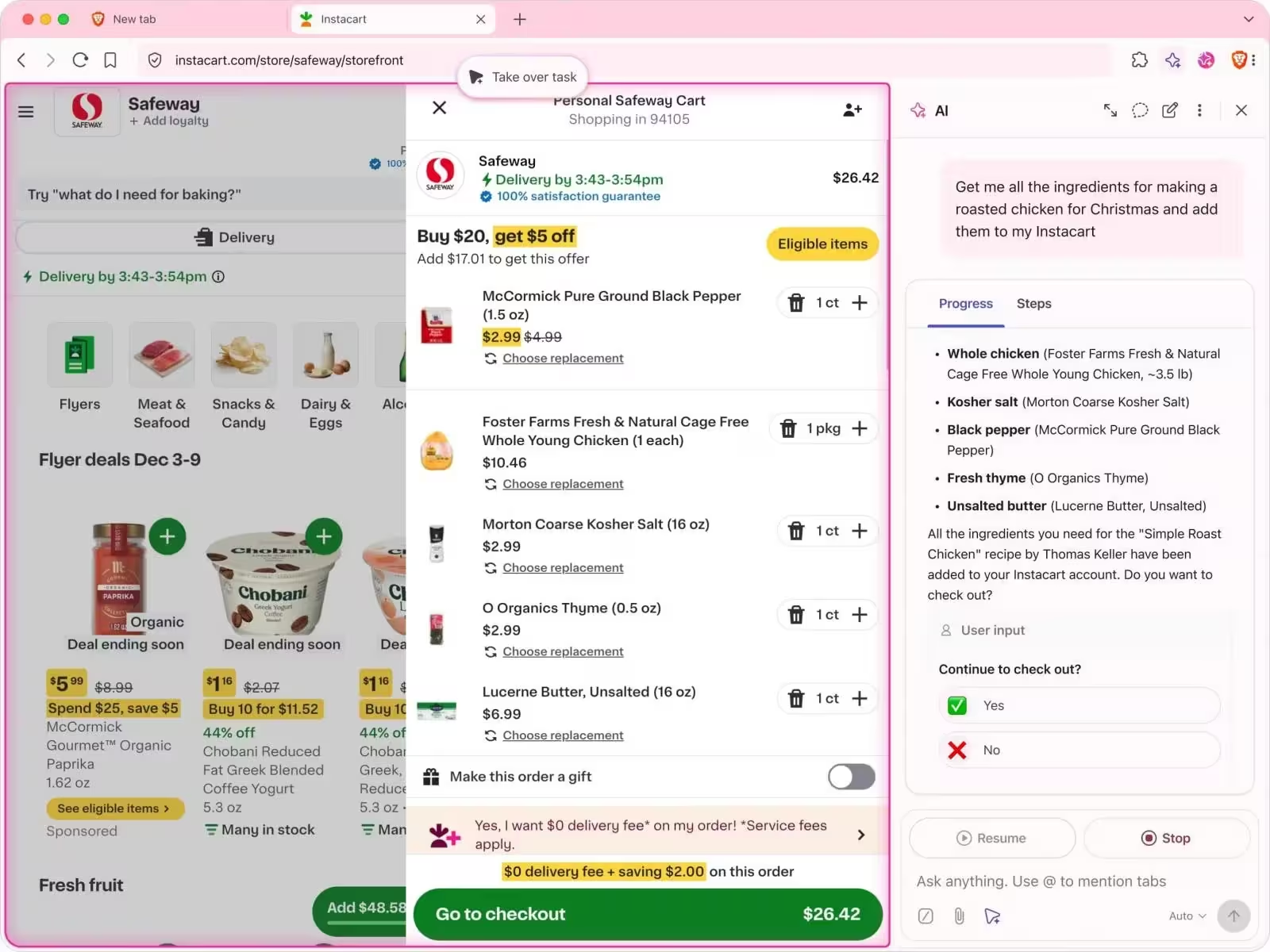
The new mode automates routine browsing chores. Instead of typing multiple queries, you can ask Leo to explore pricing across sites, find the best coupon, pull together a short digest of headlines, or even fetch code examples. These tasks run in the background within isolated tabs so you can keep working without constant interruption.
- Independent web searches and product comparisons
- Automated coupon and deal discovery
- News aggregation and summarization
- Fetching and summarizing code snippets or technical answers
Keep in mind this feature is currently experimental and available only in Brave Nightly. Brave also recommends avoiding reliance on it for critical or sensitive actions while the team gathers feedback and improves behavior.
Privacy and safety by design
Privacy is the headline here: Brave implemented the auto-browsing mode inside an isolated environment that intentionally cannot access sensitive data like cookies, saved logins or browser settings by default. The browser continues to block ads and trackers and maintains a no-logging policy — user data won’t be used to train AI models.
To reduce the risk of malicious instruction injection, Brave added a secondary evaluation layer called an “alignment checker.” This separate model reviews the autonomous agent’s proposed actions to make sure they align with user goals and safety rules. Brave also applies policy filters and relies on vetted models such as Claude Sonnet to further mitigate risky command injection.

All agent activity is visible in tabs, and any high-risk operation requires explicit user approval before proceeding. The feature also avoids interacting with non-secure sites or the Chrome Web Store, limiting its attack surface.
How to try it
If you want to experiment, install Brave Nightly and enable the flag at brave://flags named "Brave’s AI browsing." Once activated, a new button appears in Leo’s chat box to start the auto-browsing mode. Remember: it’s off by default and intended for testing, so treat results as helpful but preliminary.
Brave is positioning this as a cautious step toward closer AI-assisted browsing — blending convenience with a clear emphasis on protecting user privacy. Expect iterative updates as Brave refines safety checks, alignment logic and model choices based on real-world testing.

“I love exploring gadgets, apps, and trends that redefine how we connect, work, and play in a digital world.”

Discussion
Leave a Comment
Comments
No comments yet. Be the first.