
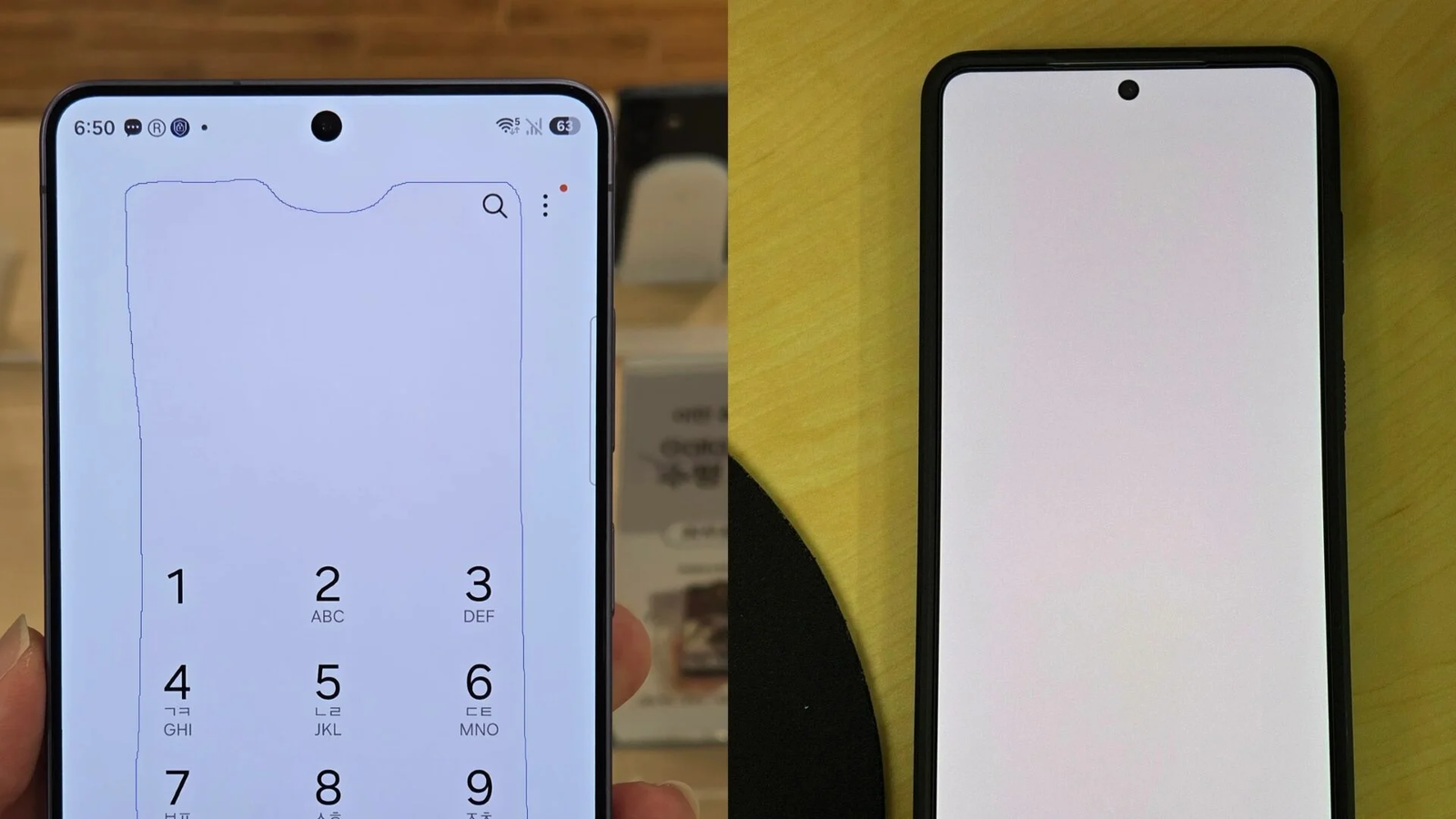
Imagine loading a bright web page and spotting a small, reddish rectangle dead center on your phone. Annoying. Distracting. For some Galaxy S26 Ultra owners that became an unexpected reality this year.
The first reports arrived quietly, a few months after Samsung rolled the phone out in March 2026. Users noticed the discoloration most on white backgrounds and when the handset was pushed to maximum brightness under intense ambient light. Complaints grew through July and eventually landed on Samsung's radar.
Where software met hardware questions
Samsung’s diagnosis was precise: not burn-in, not a failing panel, and not hardware degradation. The company pointed at the color optimization routines, saying the calibration logic could be thrown off if the display spent long periods at peak brightness. The remedy was twofold: an over-the-air update to correct the calibration and an offer of same-day color recalibration at service centers in South Korea, regardless of remaining warranty.
The August 2026 update began rolling out in Korea earlier this week and includes the calibration tweak alongside routine security patches. Samsung has said that most users should be fixed by the software alone, without a service visit.

And yet, the story took an odd turn.
After getting the calibration—either via the OTA update or the in-person service—some owners started noticing tiny dot-like marks on their displays. Sparse reports, yes, but specific enough to raise eyebrows. There's no official confirmation linking those specks to the calibration process. For now, they remain anecdotal data points rather than a verified trend.
Part of the wider discussion is the phone's novel panel design, dubbed Privacy Display by some in the community. Samsung insists the red tint was a software issue unrelated to that design, but when a new screen technology is involved, every anomaly gets extra scrutiny.
If the dots persist or begin to multiply, take the phone to a service center so technicians can determine whether it’s software or a display fault.
What should a concerned owner do today? Keep your device updated. If you saw the tint previously and it returned after heavy use at max brightness, install the August update and monitor the screen for changes. If small marks appear or if the tint lingers, book a service check—especially if the spots don't fade after standard troubleshooting.
No one is declaring a widespread hardware crisis. But the sequence is a reminder: software fixes can shift the problem landscape in unexpected ways. Watchful users, clear reporting and timely inspections will tell whether these dots are minor glitches or a sign of something that needs a fuller response from Samsung.

“I cover emerging technologies, digital innovation, and the intersection of tech and everyday life. My goal is to make complex trends accessible and inspiring.”

Discussion
Leave a Comment
Comments
No comments yet. Be the first.