
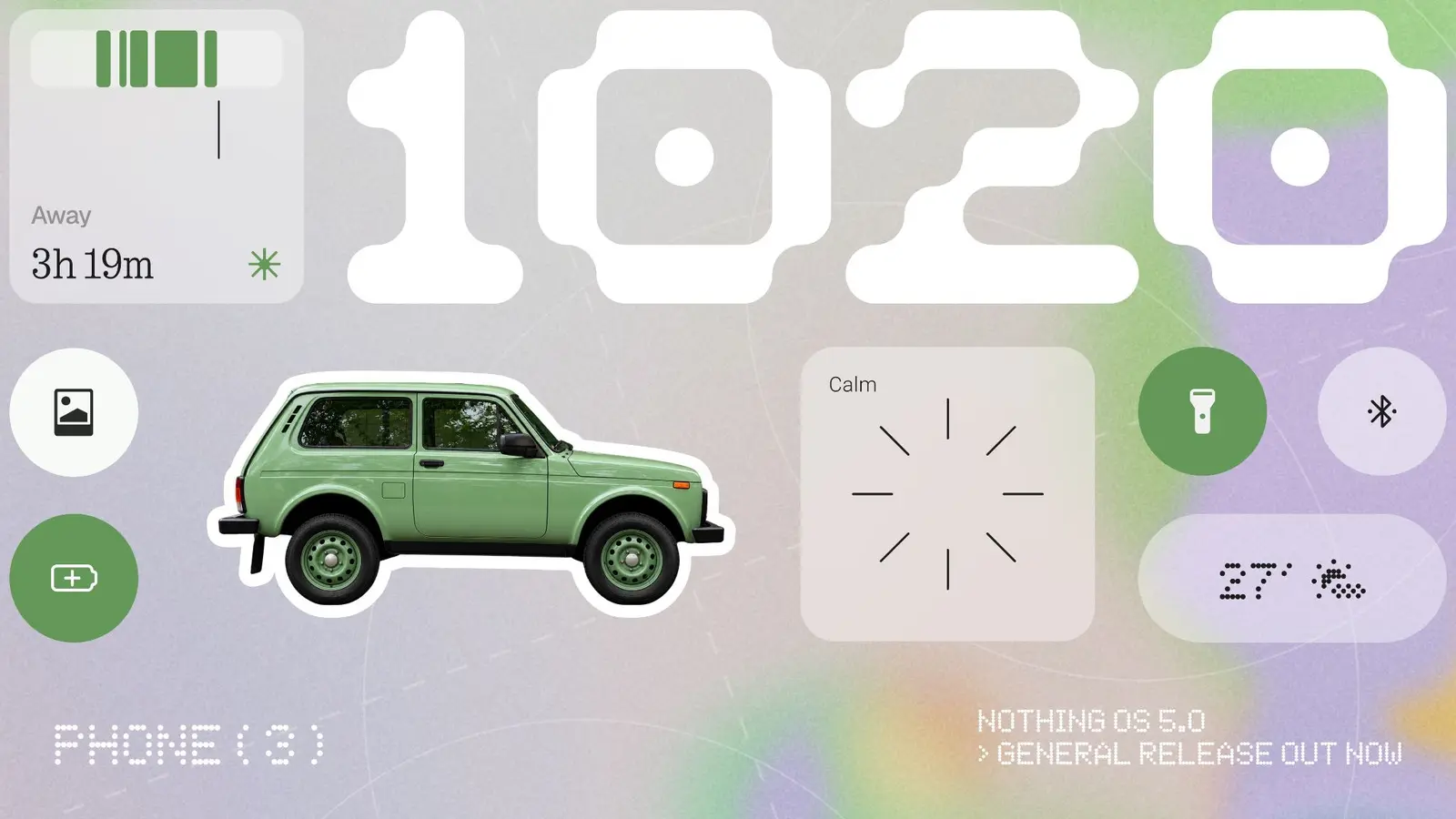
Nothing has officially started rolling out Nothing OS 5.0, its biggest software update to date. Built on Android 17, the release introduces more than 80 changes covering interface design, personalisation, system performance and artificial intelligence. The rollout begins with Nothing Phone (3), with additional Nothing and CMF smartphones scheduled to receive the update over the coming months.
The London-based technology company announced the general release on 12 October 2026, following an open beta programme that introduced many of the operating system's new capabilities.
While earlier beta versions focused on refining the interface, improving performance and expanding AI functionality, the stable release brings several additional visual changes, including a redesigned Home Screen and a new Lock Screen clock face.
A redesigned Home Screen with smarter personalisation
One of the most noticeable changes in Nothing OS 5.0 is the updated Home Screen, which builds on the company's minimalist design language.
The interface now features transparent elements across widgets and the search bar, creating a lighter and more integrated appearance. An adaptive colour system also takes inspiration from the selected wallpaper, allowing different parts of the interface to share a more consistent visual style.
Nothing has also made Home Screen customisation more convenient. Users can move multiple applications and widgets simultaneously rather than rearranging each element individually.
Two new widgets expand the personalisation options. Collector allows users to organise visual collections of their favourite objects, while Away Time tracks how long they spend away from their smartphone screen.
New Micrographics clock brings more information to the Lock Screen
The stable release introduces Micrographics, a new Lock Screen clock face inspired by hardware design.
Instead of simply displaying the time, the interface combines several pieces of information, including the date, weather conditions and upcoming meetings.
The idea is to make useful information available at a glance, reducing the need to unlock the device or open individual applications.
This feature, alongside the redesigned Home Screen, is among the additions arriving with the general release rather than the earlier open beta.
Refreshed visuals and smoother animations
Nothing OS 5.0 also introduces a broader visual refresh throughout the operating system.
Icons, spacing and animations have been refined across several core applications and interfaces, including the status bar, Settings, Camera and Gallery.
The update incorporates the Geist typeface and brings more consistent visual details across the software.
Beyond appearance, Nothing says it has improved touch responsiveness, background application retention and system resource management.
Animations involving applications, folders, widgets and multitasking have also been refined to create a smoother experience.
Although these changes are intended to improve everyday usability, their actual impact on speed and battery consumption will depend on the device and usage conditions.
Essential AI becomes more capable
Artificial intelligence is another major focus of Nothing OS 5.0, with improvements to several tools within the company's Essential AI ecosystem.
Essential Voice now offers faster and cleaner transcription, making it more useful for recording spoken notes and converting conversations into text.
Essential Space, Nothing's AI-powered information organisation tool, gains Smart Collections to help users organise saved content more efficiently.
The company has also introduced Essential Apps Builder directly on supported smartphones.
This feature allows users to describe an application they want to create and use AI to build and deploy it without traditional coding.
It represents an attempt to make AI-assisted app creation accessible directly from a mobile device rather than requiring a separate desktop development environment.
However, Essential Apps Builder remains in an early beta stage, with access expanding gradually.
Additional improvements to Essential Space will be distributed separately through Google Play, meaning not every AI-related enhancement will necessarily arrive alongside the main system update.
Android 17 brings new controls, sharing options and privacy improvements
As Nothing OS 5.0 is based on Android 17, the update also incorporates several features from Google's latest Android platform.
Users can separate Notifications and Quick Settings into dedicated panels, providing a different way to manage incoming alerts and commonly used controls.
Cross-platform Quick Share functionality expands file-sharing options. Supported sharing methods include transferring files to nearby Android devices and generating secure web links or QR codes for sharing with other devices, including iPhones.
Privacy controls have also been enhanced, with updated permission management and clearer indicators for applications accessing sensitive functions such as the camera, microphone and location.
Other Android 17 additions include a redesigned Recents screen, improved screen recording, expanded Dark Theme functionality and additional system refinements.
Together, these changes aim to improve navigation, privacy and everyday interaction with compatible Nothing smartphones.
Nothing OS 5.0 rollout: Which phones will receive the update?
Nothing Phone (3) is the first smartphone to receive the stable Nothing OS 5.0 release, starting on 12 October 2026.
The company has also outlined an indicative rollout schedule for other supported devices.
| Smartphone | Expected stable release |
|---|---|
| Nothing Phone (3) | 12 October 2026 |
| Nothing Phone (4a) Pro | Early November 2026 |
| Nothing Phone (4a) | Early November 2026 |
| Nothing Phone (3a) Pro | Early November 2026 |
| Nothing Phone (3a) | Early November 2026 |
| Nothing Phone (2a) | Mid-November 2026 |
| Nothing Phone (2a) Plus | Mid-November 2026 |
| Nothing Phone (3a) Lite | Late December 2026 |
| Nothing Phone (4b) | Mid-January 2027 |
| CMF Phone 2 Pro | Mid-January 2027 |
These dates are subject to change, and availability may vary depending on the region and mobile carrier.
Nothing has also confirmed that Phone (1), Phone (2) and CMF Phone 1 have reached the end of their major software support periods and will not receive Nothing OS 5.0.
How to install Nothing OS 5.0
Nothing Phone (3) owners can check whether the stable update is available by opening Settings > System > System Update.
Because the software is being released in stages, some users may receive the update later than others.
Users are advised to back up important data before installing a major operating system update.
A major step forward for Nothing's software experience
With more than 80 updates, Nothing OS 5.0 represents a substantial expansion of the company's software platform.
The combination of a redesigned interface, additional personalisation options, AI-powered tools and Android 17 features reflects Nothing's effort to make its operating system a more distinctive part of the smartphone experience.
The redesigned Home Screen and Micrographics clock provide immediately visible changes, while improvements to performance, privacy and Essential AI are intended to deliver benefits during everyday use.
For now, Phone (3) owners are the first to experience the stable release. Other eligible Nothing and CMF users will have to wait for their devices' respective rollout windows over the coming months.
Source: Nothing's official announcement and Nothing OS 5.0 product information.

“I love exploring gadgets, apps, and trends that redefine how we connect, work, and play in a digital world.”

Discussion
Leave a Comment
Comments (1)
Wow, Micrographics clock looks slick, more info without unlocking? finally, hope it doesnt eat battery tho…